
Lieferung heute & morgen

Qualitätsgarantie

Willkommens-Angebote freischalten: KOSTENLOSE Lieferung | Bis zu 80 % RABATT | Kostenlose 30-Tage-JoyPlus-Testphase
App herunterladen
A gaming monitor needs to display fast motion clearly, work with your existing system, and be useful for more than just gaming. In practice, however, unclear specifications about response time, refresh rate or HDR often lead to the wrong purchase. So you shouldn't choose based solely on big numbers or flashy product images.
This buying guide from the Joybuy Product Recommendation Officer shows you which technical specs really matter and which models suit different usage profiles.
A specification like 1 ms can refer to either MPRT or GTG. MPRT usually describes motion blur response under certain settings, while GTG indicates the switching time between grey shades. These two values aren't directly comparable.
Check the following as well:
A 165 Hz monitor, 180 Hz monitor or 240 Hz monitor can update motion more frequently than a 60 Hz model. However, your computer or console needs to deliver enough frames per second. At 240 Hz with significantly fewer than 200 FPS, some of the potential goes unused.
So for your choice, it's the combination that counts:
The label HDR gaming monitor alone says very little about actual picture quality. What matters includes brightness, contrast, colour gamut and as precise a backlight as possible. A basic HDR signal without sufficient brightness or dimming can only differ from SDR to a limited extent.
With Mini-LED models, you should therefore pay attention to the stated peak brightness and the dimming technology. With an HDR gaming monitor that has DisplayHDR certification, it's also important which certification level is mentioned.
A 27-inch gaming monitor with QHD resolution of 2560 × 1440 pixels offers a balanced ratio of sharpness, workspace and demands on your graphics card. Full HD is still suitable for budget-conscious setups and high frame rates, but on 27 inches it looks less sharp than QHD.
For larger workspaces, consider an ultrawide gaming monitor in 21:9 format or a 32:9 model. These variants make multitasking easier, but they need more desk space and a correspondingly powerful graphics card.
An IPS gaming monitor typically offers wide viewing angles and consistent colour reproduction. This can be helpful for content creators, graphic designers and users who often look at the screen from different positions.
A VA gaming monitor often shows a higher static contrast ratio in the product specs. This can make dark areas of the image appear more intense. Depending on the model and settings, motion handling can differ from IPS. So your decision should depend on your preferred game type and your priority between contrast and colour consistency.
For fast-paced games, 144 Hz, 165 Hz or 180 Hz are common ranges. 240 Hz is aimed mainly at users whose PC consistently outputs very high frame rates and who want the lowest possible display lag in competitive games.
A FreeSync monitor synchronises the refresh rate with the frame output of a compatible graphics card. This can reduce tearing and uneven motion. Before you buy, check whether FreeSync is supported on the desired connection and with your system.
At least one DisplayPort and one HDMI connection cover most PC and console setups. With higher resolutions and refresh rates, you should check the maximum transfer rate of each connection.
Other practical criteria:
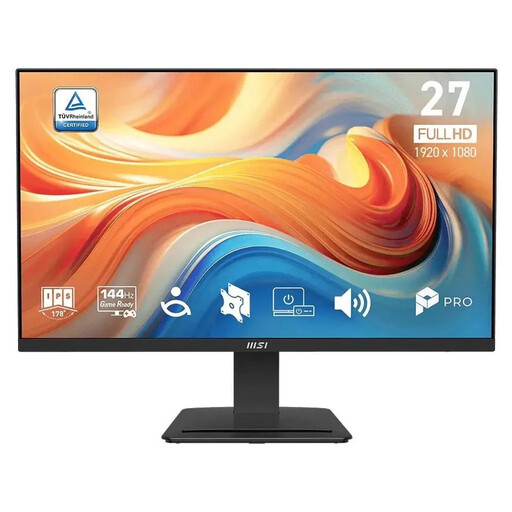
Why this product fits the profile: This 27-inch IPS monitor combines Full HD with 144 Hz, making it suitable for gaming, streaming and everyday office tasks.
The product specs separately state 1 ms MPRT and 4 ms GTG. This makes it easier to realistically assess the response time.
IPS panel, 144 Hz, AMD FreeSync, built-in speakers and VESA mount 100 × 100 mm.
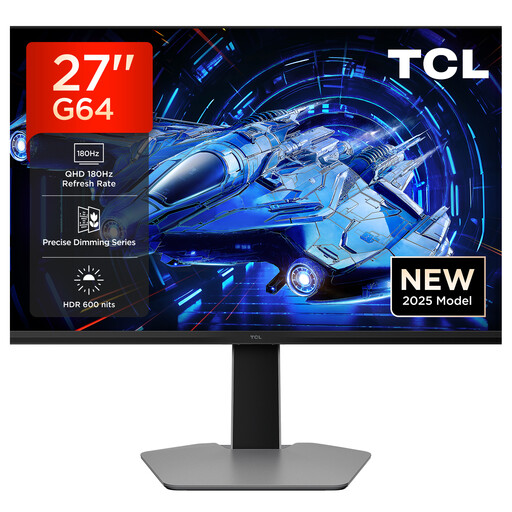
Why this product fits the profile: This model is aimed at users who want to combine QHD, a high refresh rate and Mini-LED backlighting in a 27-inch chassis.
Alongside the HDR 600 rating, QHD resolution, 180 Hz and QD Mini-LED are explicitly stated. This means the key picture parameters can be checked separately.
2560 × 1440 pixels, 180 Hz, 1 ms GTG, 600 nits peak brightness, AMD FreeSync and stated G-Sync compatibility.
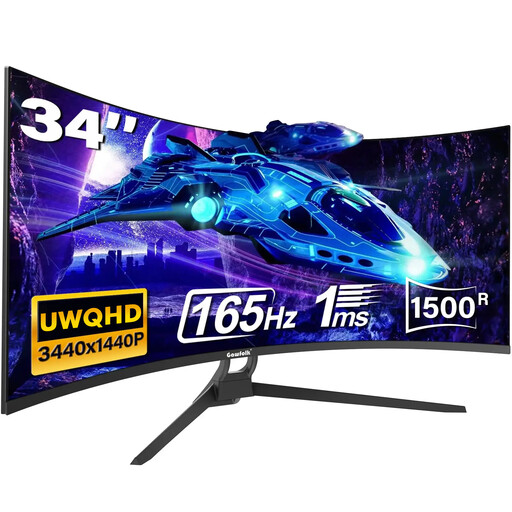
Why this product fits the profile: The 21:9 format offers extra horizontal space for games, multiple windows, video editing or home office tasks.
The connection specs list HDMI 2.0 with up to 120 Hz and DisplayPort 1.4 with up to 165 Hz. This lets you choose the right connection for your needs.
3440 × 1440 pixels, 165 Hz, 1500R curvature, HDR10, AMD FreeSync plus two HDMI and two DisplayPort connections.
We've put together a complete, regularly updated list of products that fully meet these strict selection criteria and the safety regulations in force in the EU.
27 inches is considered a practical size for desks with a normal viewing distance. QHD works well with this diagonal. 24 to 25 inches save space and are often a good fit for Full HD. 32 inches or ultrawide models need more depth and width on your desk.
That depends on the console and the supported connection. Many consoles limit the frame rate depending on the game and resolution. Before you buy, check whether the device supports the desired resolution and frame rate over HDMI. With a PC, DisplayPort can enable higher combinations depending on the model.
Power consumption depends on size, brightness, resolution, refresh rate and HDR operation. The energy efficiency rating and the stated consumption per 1,000 hours of use make comparison easier. With long daily gaming or working sessions, even small differences can affect your running costs.