
Lieferung heute & morgen

Qualitätsgarantie

Willkommens-Angebote freischalten: KOSTENLOSE Lieferung | Bis zu 80 % RABATT | Kostenlose 30-Tage-JoyPlus-Testphase
App herunterladen
The search for the right gaming monitor can quickly become overwhelming. Manufacturers advertise with a flood of technical specs and marketing terms that often create more confusion than clarity. A bad purchase is not only annoying but also costly. As your Joybuy Product Recommendation Officer, I'll help you separate the crucial features from the empty promises and make an informed decision.
Before you invest, you should know the most common pitfalls that lead to disappointment:
To find the right gaming monitor, you should evaluate three technical pillars. These are the primary determinants of your display's performance and image quality.
The panel is the heart of every monitor and defines its fundamental characteristics.
The ideal combination depends on your hardware and your favourite games.
This technology synchronises the monitor's refresh rate with the graphics card's frame rate to prevent screen tearing and stuttering. Look for certifications like FreeSync Premium or Premium Pro, as they impose stricter requirements, such as a guaranteed refresh rate of at least 120 Hz at FHD resolution and support for Low Framerate Compensation (LFC).
Here are three models tailored to different needs that specifically avoid the pitfalls mentioned.
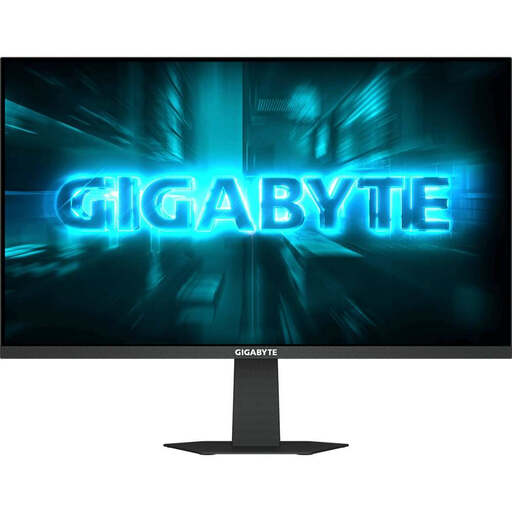
Why this model is a match: Offers high refresh rates (up to 175 Hz OC) and fast response times on a compact 23.8-inch diagonal. This combination is ideal for competitive titles where every frame counts, without breaking the bank.
Instead of relying on a vague "HDR" promise, this IPS panel delivers solid colour gamut coverage (90% DCI-P3) and a high brightness of 400 cd/m?, which is impressive in this price range and creates a true HDR foundation.
The overclocking capability to 175 Hz and the AMD FreeSync Premium certification provide a smooth experience that is usually reserved for more expensive models.
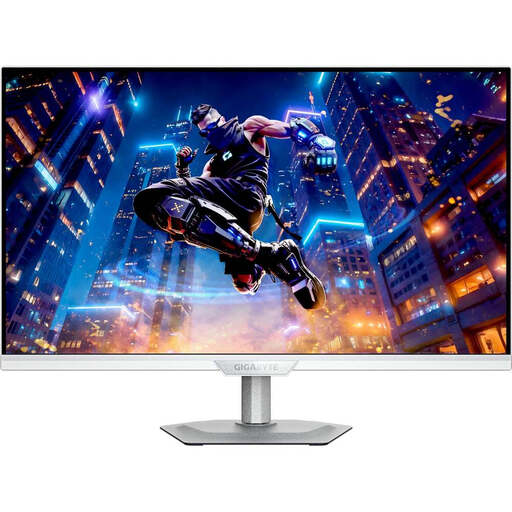
Why this model is a match: Perfect for PS5/Xbox Series X with 4K resolution at high refresh rates (up to 160 Hz) via HDMI 2.1. The innovative dual mode also allows switching to FHD at 320 Hz for competitive PC gaming.
Solves the "resolution vs. speed" dilemma. Instead of making a compromise, this monitor offers two optimised modes for different use cases in one device, without sacrificing panel quality (SuperSpeed IPS).
The integrated KVM switch and USB-C port with Power Delivery make it a versatile hub for work and play, allowing you to control multiple devices.
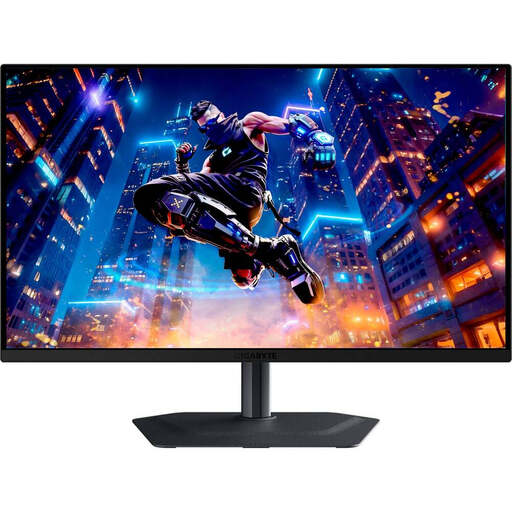
Why this model is a match: Engineered for maximum competitive performance with 360 Hz and 0.03 ms GtG response time. The QD-OLED technology delivers unparalleled motion clarity, perfect blacks, and brilliant colours.
This is not a marketing-OLED. With QD-OLED technology, DisplayHDR True Black 400, and AI-based OLED Care, both image quality and longevity are addressed to actively minimise the risk of burn-in.
Near-instantaneous pixel response (0.03 ms) and an extreme 360 Hz refresh rate completely eliminate ghosting and provide a tangible tactical advantage in fast-paced games.
We have compiled a complete, up-to-date list of products that fully meet these strict selection criteria and German safety regulations.
For competitive gaming (shooters, racing games), a high refresh rate (144 Hz, 240 Hz, or more) is crucial for smooth motion and fast reaction times. For story-based games, content creation, or console gamers, a 4K monitor with 144Hz offers an excellent balance of visual brilliance and fluid performance, provided the graphics card is powerful enough.
This depends on personal preference and the type of game. For immersive single-player games, the curvature (e.g., 1500R) can enhance the experience by filling the peripheral field of view. For competitive shooters, some players prefer flat screens for their geometric accuracy. A 27-inch monitor or larger benefits most from a curve.
Modern OLED monitors, like those from GIGABYTE, have built-in protection mechanisms ("OLED Care"). These include pixel shifting, static logo detection with brightness adjustment, and regular "pixel refresh" cycles. As a user, you should avoid displaying static image elements (like the Windows taskbar or game HUDs) for many hours at maximum brightness and activate the operating system's screen saver.