For a desk where you work and play, a 27-inch WQHD IPS monitor is a versatile choice, but it isn’t essential. If fine detail is your priority, consider 4K – provided your source device supports the resolution and refresh rate you want. OLED can be appealing for dark gaming scenes, but you’ll need to weigh this against the risk of static office elements remaining on screen for long periods.
Who are the different types of monitor suitable for?
Fantasy gamers who prioritise visuals
If you want to bring landscapes and dark scenes to life, you can weigh up 4K sharpness against OLED contrast. Samsung lists 4K for the LS27DG702EUXEN model, while LG and Dell offer OLED models with different resolutions and features.
People who work and play at the same desk
If you regularly use the same desk for work and gaming, reflections and a comfortable screen position matter just as much as resolution. Check the features of the specific stand and whether you can adjust the monitor to suit your desk.
Gamers using multiple devices
If you switch between a PC, laptop or console, compare the inputs and the refresh rate each device can actually achieve. With USB-C, it’s also important to check which features are supported by your laptop and the specific monitor.
What should you look for when buying?
27-inch WQHD IPS LCD
A good fit if: you’re looking for a screen for fantasy games and easy-to-read office content, without insisting on 4K or OLED.
What to weigh up: stands and connections vary by model. ASUS lists up to 180 Hz via DisplayPort and up to 144 Hz via HDMI for the VG27AQ3A.
27-inch 4K IPS LCD
A good fit if: fine detail in games and text matters to you, and your PC or console supports the output you want.
What to weigh up: Samsung lists 144 Hz for the Odyssey G7 G70D. The refresh rate you can actually achieve also depends on the input source and settings.
OLED for dark fantasy worlds
A good fit if: contrast in dark gaming scenes is especially important to you.
What to weigh up: LG notes that temporary image retention can occur when static elements stay on screen for a long time. Check the care guidance and warranty terms for the specific model.
| Priority |
What to check before buying |
Who is it important to? |
| Picture quality |
Native resolution and panel technology; for HDR, check the model’s specific DisplayHDR tier. |
If I want to focus on dark gaming scenes and fine detail in fantasy worlds, I compare resolution, panel technology and, where relevant, HDR. Around 36% of consumers put picture quality first. |
| Suitability for work |
Desk space, reflections and the stand’s adjustment range; check the VESA size if relevant. |
If I read text on the same screen during the day and play games in the evening, I look for a comfortable setup and easy-to-read content. Around 29% of consumers prioritise how well a monitor works at a desk. |
| Connections and refresh rate |
Resolution and refresh rate for each input, along with the modes supported by the source device and monitor. |
If I want to connect a PC, laptop or console, the output I want needs to be compatible with the connections on both devices. Around 21% of consumers put device compatibility first. |
| Ongoing costs and care |
Compare energy labels and model specifications; for OLED, read the care guidance and warranty terms. |
If my monitor is on for long periods for work and gaming, I take energy use, care and the cover provided for the specific model into account. Around 14% of consumers prioritise ongoing costs and support. |
Which pitfalls should you avoid?
-
Assuming “180 Hz” applies to every input
ASUS lists up to 180 Hz via DisplayPort and up to 144 Hz via HDMI for the ASUS TUF Gaming VG27AQ3A. So the maximum figure doesn’t automatically apply to every connection.
Before buying, check the refresh rate supported by the input you plan to use at your chosen resolution.
-
Choosing OLED solely for its impact in dark gaming scenes
LG notes that static elements left on screen for a long time, such as taskbars or icons, can cause temporary image retention on OLED monitors.
Think about how long office elements tend to stay visible on your screen, and read the care guidance and warranty terms for the specific model.
-
Focusing only on screen size and panel type for a home-working desk
Stands vary: ASUS says the VG27AQ3A does not have height adjustment, while MSI lists a 130 mm adjustment range for the MAG 274QRFDE QD E2.
Measure the space available on your desk and check the stand, VESA size and screen position you want.
-
Assuming an HDR logo means the picture will look the same on every monitor
The Video Electronics Standards Association has different DisplayHDR performance and True Black tiers, each based on different criteria.
Check the model’s exact DisplayHDR tier and take it into account when weighing up panel technology and how you’ll use the monitor.
Notable brands and model examples
MSI
The MAG 274QRFDE QD E2 is an example of a WQHD Rapid IPS monitor with a 180 Hz refresh rate and an adjustable stand.
- MSI Germany lists 130 mm of height adjustment, USB-C with DisplayPort Alternate Mode and a 75 × 75 mm VESA mount for this model.
- These features aren’t standard across all MSI monitors. Also check which USB-C features your laptop supports.
ASUS
The TUF Gaming VG27AQ3A is an example of an anti-glare 27-inch WQHD IPS monitor.
- ASUS lists up to 180 Hz via DisplayPort and up to 144 Hz via HDMI for this model.
- According to ASUS, the supplied stand is not height-adjustable. The 100 × 100 mm VESA mount is an alternative mounting option.
Samsung
The Odyssey G7 G70D, model LS27DG702EUXEN, is an example of a 27-inch 4K IPS monitor.
- Samsung lists a 144 Hz refresh rate for this model.
- Samsung notes that refresh rate and response time can vary depending on the input source and settings. These specifications apply to this model, not to every Odyssey G7 version.
LG
The UltraGear 27GS95QX-B is a WQHD OLED model with DisplayHDR True Black 400.
- LG lists a 240 Hz refresh rate for this model.
- LG notes that temporary image retention may occur if static elements remain on screen for a long time. The stated refresh rate isn’t guaranteed for every game or source.
Dell / Alienware
The AW2725Q is an example of a 27-inch 4K QD-OLED monitor.
- Dell lists 240 Hz and a height-adjustable display for this model.
- The manufacturer’s specifications don’t guarantee that your PC has the required performance, nor do they provide blanket protection against burn-in. Read the warranty terms for the specific model.
Joybuy monitors for gaming and working from home
This selection includes 27-inch WQHD and 4K monitors with IPS, Mini-LED and OLED technology, covering different priorities for picture detail and desk use.
 No image available
MSI MAG 274UPDFDE E16M 27-inch UHD Mini-LED Rapid IPS monitor
An option to consider if you’re looking for 4K UHD resolution and Mini-LED for fantasy games.
27 inches; UHD at 160 Hz or FHD at 320 Hz; Rapid IPS.
View at Joybuy
 No image available
INNOCN 2751S PLUS 27-inch Mini-LED gaming monitor
If you’re looking for WQHD and Mini-LED for gaming and working, this model is worth comparing.
27 inches; QHD 2K; IPS; 275 Hz; 1 ms; 1,152 zones.
View at Joybuy
 No image available
INNOCN CB27U1 27-inch 4K UHD monitor
An option to consider if 4K detail matters to you and you’d also like to use the monitor with a laptop for work.
27 inches; 3840 × 2160; IPS; 120 Hz; USB-C with 90 W PD; height-adjustable.
View at Joybuy
 No image available
KTC M27P6 27-inch 4K Mini-LED gaming monitor
If you’re looking for 4K and Mini-LED for gaming, you can also take the stated Dual Mode into account when considering this model.
27 inches; UHD at 160 Hz or FHD at 320 Hz; Fast IPS; USB-C with 65 W; KVM.
View at Joybuy
 No image available
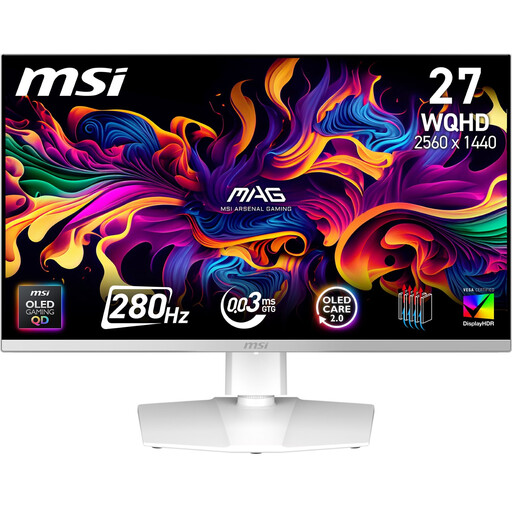
MSI MAG 272QPWDE QD-OLED X28 gaming monitor
An OLED option if dark gaming scenes are your priority. According to LG, temporary image retention can occur when static content such as taskbars or icons stays on screen for long periods.
Before buying, check the care guidance and warranty terms for the specific model.
View at Joybuy
Frequently asked questions
How do I set the resolution and refresh rate after connecting the monitor?
In your PC or source device’s display settings, select the resolution and refresh rate recommended for the monitor. If the maximum refresh rate isn’t available, also check whether the monitor input you’re using supports that mode.
How should I care for the screen if I work at it a lot during the day?
LG recommends unplugging the monitor before cleaning and gently wiping the screen with a soft microfibre cloth. Don’t spray water directly onto the screen. For OLED, LG also describes a model-specific screen-cleaning function for temporary image retention caused by elements remaining on screen for a long time.
Are a warranty and statutory consumer rights the same thing?
No. Your statutory rights apply to faults and are enforceable against the seller. A warranty is an additional voluntary promise, with terms set by the party providing it. For an OLED monitor, check carefully which issues are covered by the specific manufacturer’s warranty.
Which energy and compliance details matter when buying a monitor?
Electronic displays are subject to the applicable EU ecodesign and energy-labelling rules. The energy label includes information such as the efficiency class. According to the European Commission, CE marking is required for products covered by relevant EU harmonisation rules; it isn’t an independent quality mark.
Do I need the monitor’s highest advertised refresh rate for fantasy games on a console?
Not necessarily. The output you can achieve depends on the console, game, resolution and monitor connection. Compare the modes supported by the specific monitor with those supported by your console; a high refresh rate figure aimed at PC gaming doesn’t answer this question on its own.


