
Lieferung heute & morgen

Qualitätsgarantie

Willkommens-Angebote freischalten: KOSTENLOSE Lieferung | Bis zu 80 % RABATT | Kostenlose 30-Tage-JoyPlus-Testphase
App herunterladen
A gaming monitor needs more than just a high refresh rate. What really matters is whether the resolution, graphics card, console, ports and viewing distance all work together. Many buyers focus solely on eye-catching numbers like "1 ms" or "240 Hz" and overlook important limitations.
A 240 Hz gaming monitor can display images at up to that frequency. However, if your PC only delivers 90 or 120 frames per second in a particular game, the potential isn't fully used. For fast-paced e-sports titles, a high frame rate can make sense; with modern, graphically demanding games, a balanced combination of resolution and performance is often more practical.
A 200 Hz gaming monitor also needs a suitable connection and appropriate graphics settings. Check before buying whether DisplayPort or HDMI supports the desired resolution and refresh rate.
Specifications like "1 ms" can refer to different measurement methods. GtG, MPRT and figures with activated overdrive function are not directly comparable. A 1 ms gaming monitor can support fast pixel transitions, but motion blur and visible ghosting also depend on the overdrive setting, panel technology and frame rate.
"HDR Ready" or HDR support alone says little about the actual picture quality. Look for a specific certification that categorises brightness and black level performance. A HDR gaming monitor should also have suitable brightness and appropriate local dimming or OLED technology. Without these features, the difference compared to SDR can be limited.
A Full HD gaming monitor with 1,920 × 1,080 pixels requires less graphics power and is suitable for high frame rates on more compact screen sizes. At 24 to 25 inches, the pixel density remains balanced for many games and everyday tasks.
A QHD gaming monitor with 2,560 × 1,440 pixels offers more detail and additional workspace on a 27-inch screen. However, the graphics card has to calculate more pixels. A 4K gaming monitor with 3,840 × 2,160 pixels is aimed at users who value high image sharpness and have sufficiently powerful hardware.
For PlayStation 5 and Xbox Series X/S, you need to check the HDMI version, VRR support and the actual supported frame rate. A 60 Hz TV is not automatically an equivalent alternative to a gaming monitor with 120 Hz or more.
An Adaptive-Sync monitor adjusts its image output to the frame rate of the graphics card. This can reduce visible tearing and uneven motion when the function is supported by the monitor, graphics card and connection.
A FreeSync monitor is designed for AMD technologies. A G-Sync monitor or a device labelled as G-Sync compatible can work with NVIDIA graphics cards. Check the compatibility list before buying and activate the function both in the monitor menu and in the graphics driver.
A monitor with USB-C can transmit image signal, data and power supply to compatible laptops via a single cable. The wattage of the Power Delivery function is crucial here. For two computers, a USB hub and KVM function can simplify switching between keyboard and mouse.
A gaming monitor with height-adjustable stand can be better adapted to your seating position than a simple tilt mechanism. Also pay attention to pivot, swivel, VESA standard and the available desk space.
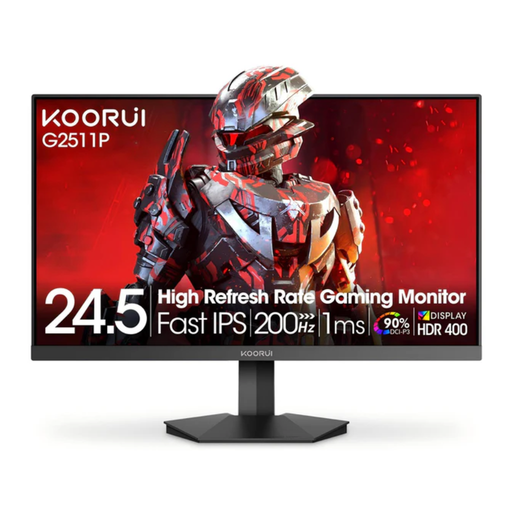
Why this product fits the profile: The 25-inch Full HD monitor combines 200 Hz with a Fast-IPS panel and is suitable for PC gamers and compatible consoles.
The product data specifies the measurement method 1 ms (OD), the resolution 1,920 × 1,080 and concrete ports: two HDMI 2.0 ports and DisplayPort 1.4.
Fast IPS, Adaptive Sync, HDR400 and VESA 75 × 75 mm are specifically stated for this form factor.
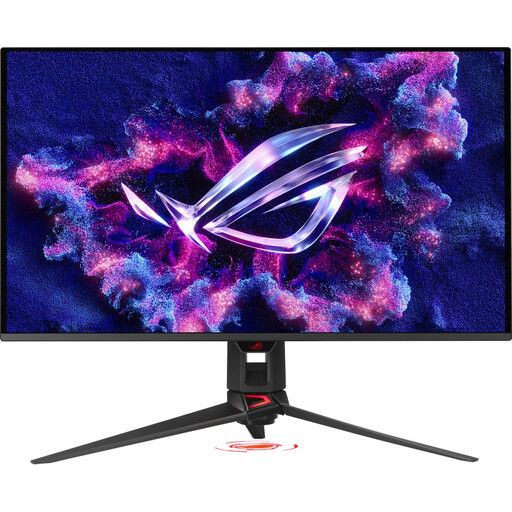
Why this product fits the profile: The 31.5-inch QD-OLED monitor combines 4K resolution, 240 Hz and ports for powerful PCs and current consoles.
QD-OLED technology, DisplayHDR True Black 400 and HDMI 2.1 and DisplayPort 2.1a are specifically stated. OLED Care functions are provided for panel protection.
0.03 ms GtG, USB-C with 90 W Power Delivery, KVM and height-adjustable stand are relevant for a hybrid workspace.
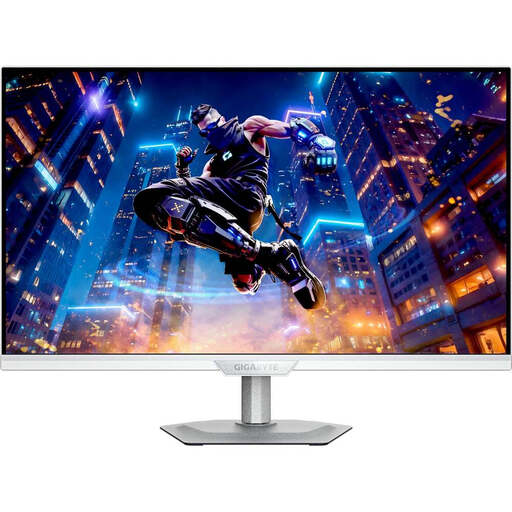
Why this product fits the profile: The 27-inch QHD monitor is designed for gaming, home office and use with two computers.
The features aren't limited to the frame rate: USB-C with 18 W Power Delivery, USB hub, KVM and a fully adjustable stand are specified.
SS-IPS with QLED, 2,560 × 1,440 pixels, 200 Hz or 210 Hz via overclocking and 99% DCI-P3 according to product data.
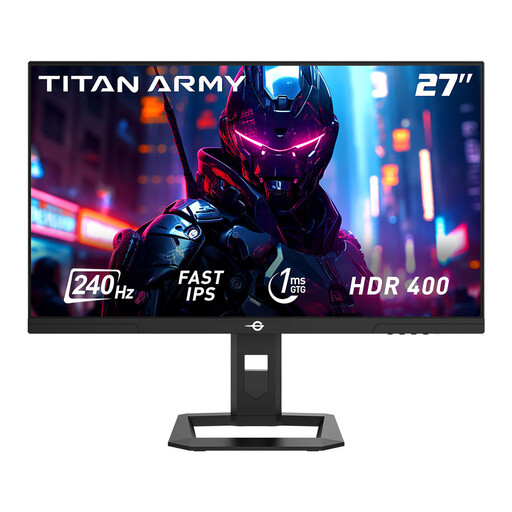
Why this product fits the profile: QHD, 240 Hz and an adjustable stand appeal to users who want to combine fast-paced gaming with productive screen work.
The data specifies 1 ms GtG, HDR400, Adaptive Sync and two DisplayPort 1.4 and two HDMI 2.0 ports.
Height adjustment of 120 mm, pivot, swivel and PIP/PBP functions support flexible setups.
We've put together a complete, regularly updated list of products that fully meet these strict selection criteria and the safety regulations in force in the EU.
For 24 to 25 inches, Full HD is a practical choice, especially with limited graphics card performance. 27 inches often lends itself well to QHD. 4K is worthwhile primarily with compatible hardware, a suitable viewing distance and a specific need for high image sharpness.
240 Hz can be useful for PC games with high frame rates. PlayStation 5 and Xbox Series X/S use a maximum of 120 Hz in many scenarios. Therefore, console gamers should check the HDMI version, VRR and supported resolution before buying.
Use the EU energy label as a guide and distinguish between SDR and HDR consumption. Higher brightness, HDR, OLED technology and high refresh rates can affect consumption. For a fair comparison, you should refer to the figures in kWh per 1,000 hours.