
Lieferung heute & morgen

Qualitätsgarantie

Willkommens-Angebote freischalten: KOSTENLOSE Lieferung | Bis zu 80 % RABATT | Kostenlose 30-Tage-JoyPlus-Testphase
App herunterladen
A gaming monitor needs to do more than just display a high refresh rate. What really matters is whether the resolution, panel, ports and graphics card suit your usage profile. If you focus solely on "1 ms" or a high Hertz number, you could end up buying an unsuitable model despite attractive product advertising.
The 1 ms response time specification can refer to either MPRT or GtG. MPRT describes motion portrayal under certain settings, while GtG indicates the switching time between grey shades. These two values are not directly comparable. So check the data sheet to see whether the value is listed as MPRT or GtG and under what conditions it applies.
A 144 Hz monitor, 165 Hz monitor, 180 Hz monitor or 240 Hz monitor can display motion more smoothly than a 60 Hz model. However, the actual frame rate also depends on your graphics card, the game and the resolution. A 4K monitor with 160 Hz places higher demands on your hardware than a Full HD monitor with 144 Hz.
HDR support alone tells you very little about the actual picture quality. Pay attention to the stated brightness in cd/m² or nits, the HDR classification and – if available – local dimming. A Mini LED monitor can achieve a different contrast range through separately controllable lighting zones compared with a standard LCD monitor. However, the actual implementation varies from model to model.
A 27-inch gaming monitor with QHD resolution of 2560 × 1440 pixels offers a higher pixel density than a 27-inch model with Full HD. This makes text and fine details in games appear sharper. For a larger viewing distance or a more generous field of view, a 32-inch gaming monitor could be the right choice. At 31.5 inches, QHD is a common combination, while 4K on 27 inches delivers particularly detailed images.
A Full HD monitor can be a sensible choice for budget-conscious users, older graphics cards or fast-paced games with high frame rates. A QHD monitor offers a balanced approach for current PCs. A 4K monitor is primarily suited to detail-oriented games, photo editing and content creation, but requires a powerful graphics card.
A curved gaming monitor with a 1500R curvature can fill your field of view more evenly on larger diagonals or ultrawide formats. Whether the curvature feels comfortable depends on your viewing distance and personal preference.
AMD FreeSync Premium synchronises the image output with a compatible graphics card. A G-Sync compatible monitor can work with certain NVIDIA graphics cards. Before buying, you should check whether the desired function is available via HDMI or DisplayPort and what maximum resolution or refresh rate the respective port can handle.
For your desk setup, you should also consider:
The following recommendations place specific models into typical usage scenarios. Information is based on the respective product details.
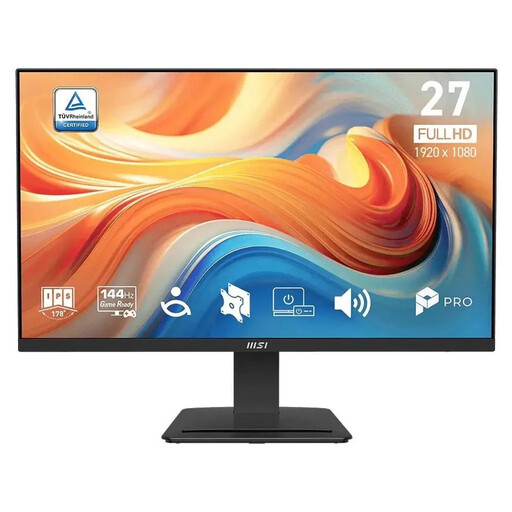
Why this product fits the profile: The 27-inch IPS panel, Full HD and 144 Hz combine modest system requirements with smooth visuals for both gaming and office tasks.
The product data distinguishes between 1 ms MPRT and 4 ms GtG. This means the response time isn't presented as a single blanket figure.
144 Hz, AMD FreeSync, built-in 6 W speakers and VESA 100 × 100 mm.
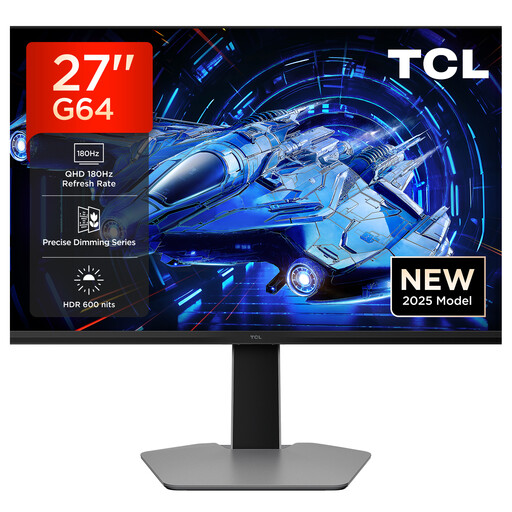
Why this product fits the profile: QHD resolution, 180 Hz and QD Mini LED technology appeal to users who want to combine fast visuals with clearly specified HDR data.
The product description lists 600 nits, QHD and 1 ms GtG separately. Buyers can check HDR brightness and response time in detail.
2560 × 1440 pixels, 180 Hz, AMD FreeSync and G-Sync compatibility according to product specifications.
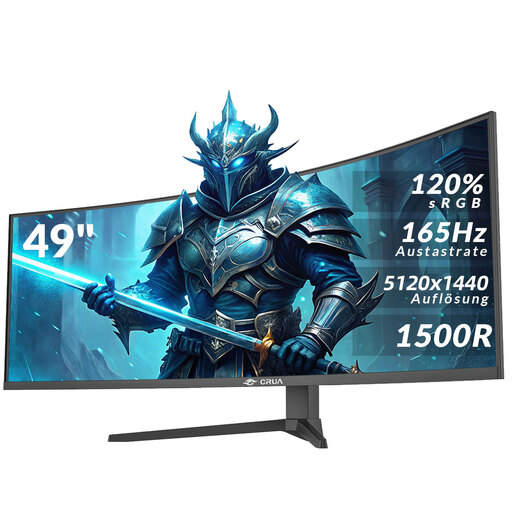
Why this product fits the profile: The 32:9 format with 5120 × 1440 pixels creates a wide workspace for multitasking, racing games, video editing and multiple windows.
The specifications list the ports, VESA size and stand adjustment. This makes it easier to check space requirements and mounting options before buying.
49 inches, 1500R curvature, 165 Hz, HDMI 2.1, DisplayPort 1.4 and height-adjustable stand.
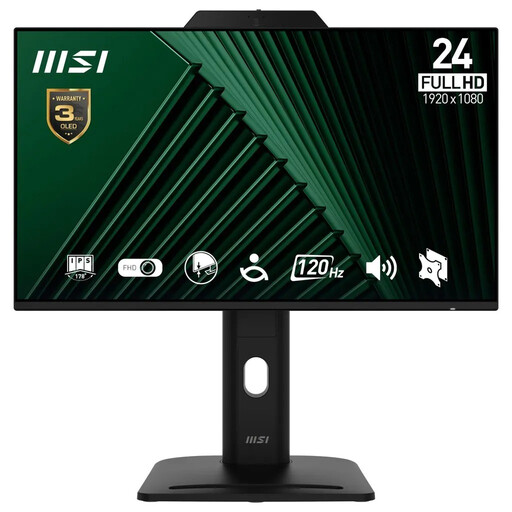
Why this product fits the profile: A built-in 2-megapixel webcam, microphone, USB hub and height-adjustable stand reduce the need for additional devices at your workstation.
According to the product data, the webcam features a privacy shutter. This allows you to physically close the camera when not in use.
120 Hz, IPS panel, 130 mm height adjustment, pivot function and two USB-A ports.
We've put together a complete, regularly updated list of products that fully meet these strict selection criteria and the safety regulations in force in the EU.
That depends on the console, the game and the connection. Many consoles support high frame rates in suitable games and settings, often via HDMI. Before buying, check the HDMI version of the monitor and the maximum supported resolution at your desired frame rate.
The lifespan depends on operating hours, environment, ventilation and device settings. Place the monitor on a stable surface, do not block any ventilation openings and use the supplied power adapter. For long periods of static content, screen savers or automatic shut-off can be useful.
Not automatically, but higher resolution, a larger diagonal, a high refresh rate and HDR operation can all affect power consumption. For a realistic comparison, you should look at the energy efficiency class and the stated consumption in SDR and HDR mode.