Evening space gaming
If you mainly play in the evening, clearly visible ship outlines and instruments against a dark background are important. RTINGS.com describes OLED and local dimming as different ways of displaying dark scenes.


For dark space scenes, compare OLED and Mini-LED LCD displays based on how they show bright outlines against a black background. RTINGS.com explains that OLED pixels can be switched off individually, while local dimming can cause halos or loss of detail, depending on how it is implemented. If your HUD elements are often visible for long periods, the risk of burn-in is an important compromise to consider with OLED. VA or IPS LCDs may also be worth considering if you need a brighter, more versatile setup or prefer a different trade-off for static displays. Also measure the space you have, including the stand, and check which resolution and refresh rate your gaming device supports through the connection you’ll actually use.
If you mainly play in the evening, clearly visible ship outlines and instruments against a dark background are important. RTINGS.com describes OLED and local dimming as different ways of displaying dark scenes.
If the space needs to serve other purposes too, compare the screen width and stand depth with the available desk space, and check which connections you need. MSI lists different refresh rates for the MAG 274QRF QD E2 depending on the input.
If your cockpit displays often stay unchanged, weigh OLED’s picture quality against the risk of burn-in and the care required. ASUS describes maintenance features as helping to reduce the risk, not as a guarantee against burn-in.
When choosing a gaming monitor for dark space scenes on a shared bedroom desk, the main considerations are picture quality, available space, the signal connection and how you plan to use static displays.
| What matters | What to check before buying | Who should pay particular attention |
|---|---|---|
| Contrast in dark scenes | Compare the panel type and reviews of dark-scene performance for the specific model. | If I want to clearly see bright outlines against a dark space background, contrast comes first for me; around 36% of consumers are likely to share this priority. |
| Desk space and shared use | Compare the available desk space with the monitor’s dimensions, including the stand. If you’re using a monitor arm, check the VESA dimensions and weight capacity. | If the monitor needs to fit on a shared desk alongside other things, the actual space it takes up matters most to me; around 29% of consumers are likely to put this first. |
| Motion and signal connection | Check the resolution and refresh rate for each input, as well as VRR compatibility with your gaming device and preferred operating mode. | If I want to keep movement clear while steering and docking, I pay particular attention to the usable frame rate and the right connection; around 21% of consumers are likely to prioritise motion clarity. |
| Static displays shown for long periods | Consider how you use a HUD that stays visible, and check the specific model’s care features and warranty terms. | If my cockpit HUD often stays unchanged for long periods, I want to weigh the risk of OLED against the picture quality I’m looking for; around 14% of consumers are likely to prioritise this kind of long-term use. |
When small, bright displays appear against a dark background, local dimming can cause halos or loss of detail, depending on how it is implemented.
Compare reviews of dark-scene performance for the specific model, and weigh them against OLED and its usage-related risks.
A monitor’s resolution and refresh rate can vary depending on whether you use HDMI, DisplayPort or USB-C.
Check the manufacturer’s specifications for the input you’ll use, along with your gaming device’s output and your preferred operating mode.
Displays that stay unchanged for long periods remain a risk with OLED, even when the manufacturer lists features designed to reduce it.
Read the warranty terms for the specific model and decide whether OLED or LCD is a better fit for how you use your HUD.
Even if the screen size is right, the stand may take up too much depth on a shared desk.
Compare the monitor’s full dimensions. Only consider a monitor arm if the mount is compatible and the arm can support the monitor’s weight.
The AW2725DF is a QHD QD-OLED model with a 360 Hz refresh rate, combining dark-scene performance with a high refresh rate. Dell lists these as features of the model; they are not a measure of picture quality in a bedroom.
The XG27AQDMGR is a QHD WOLED option with a 240 Hz refresh rate and OLED care features.
The relevant MSI model ranges include both a Mini-LED LCD option and an IPS LCD option.
The 27GS95QX-B is an example of a QHD OLED model with a 240 Hz refresh rate.
The Joybuy picks below are OLED gaming monitors for dark gaming scenes. If you often play with a HUD that stays visible, factor the risk of OLED burn-in into your decision.
 No image available
OLED is an option if dark space scenes are a priority for you. If your HUD stays visible for long periods, remember to take the risk of burn-in into account.
32 inches; 4K UHD at 3840 × 2160 at 240 Hz or FHD at 480 Hz; 1,300 Nits; 0.03 ms GtG; anti-glare; burn-in protection.
 No image available
QD-OLED is one option for dark gaming scenes. If you often display static HUD elements, take the risk of OLED burn-in into account.
27 inches; QHD at 2560 × 1440 at 240 Hz; Adaptive-Sync; USB-C; 0.03 ms.
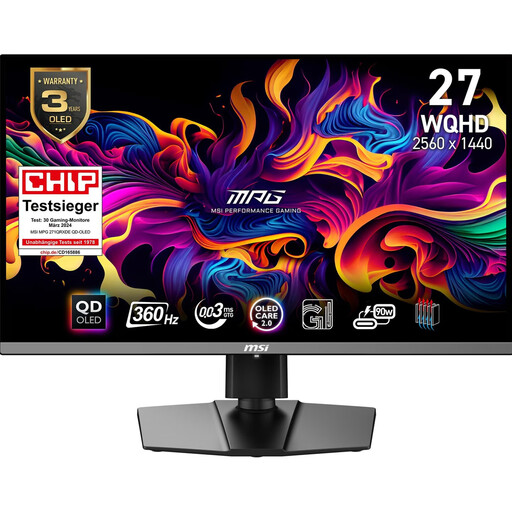 No image available
QD-OLED is an option for dark gaming scenes. If your HUD stays visible for long periods, weigh up the risk of burn-in.
26.5 inches; WQHD; 360 Hz.
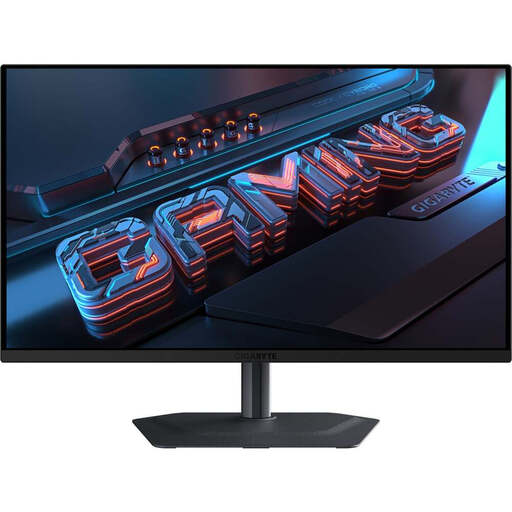 No image available
QD-OLED is an option for dark space scenes. If game displays stay visible, the risk of OLED burn-in remains relevant.
27 inches; QHD at 2560 × 1440 at 240 Hz; 0.03 ms; HDR; FreeSync Premium Pro.
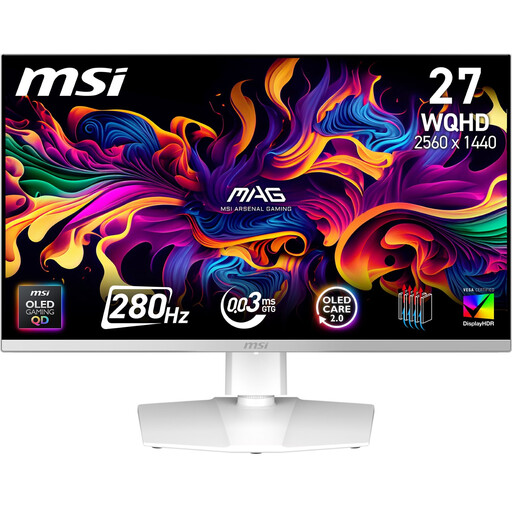 No image available
QD-OLED may suit dark gaming scenes. If your HUD stays unchanged for long periods, remember to weigh up the risk of burn-in.
27 inches; QD-OLED.
No, OLED isn’t essential. According to RTINGS.com, OLED pixels can be switched off individually. Mini-LED LCD is an alternative if you want to avoid OLED because you often display static content. With local dimming, check how the specific model displays bright objects and dark details.
Measure the available desk space and compare it with the monitor’s full dimensions, including the stand. If you plan to use a monitor arm, also check that it’s VESA-compatible and can support the monitor’s weight.
Not necessarily. For the MSI MAG 274QRF QD E2, MSI specifies up to 144 Hz at 2560 × 1440 via HDMI and up to 180 Hz via DisplayPort or USB-C. Check the input specifications for the exact variant and the output on your gaming device.
Yes, EU energy labelling also covers computer monitors. Check the energy label or product information sheet for the specific model for efficiency details; it won’t tell you about HDR picture quality.
For an online consumer contract in Germany, you generally have a 14-day right to cancel from the date you receive the goods. Notify the other party to the contract that you wish to cancel, and check the terms and any possible exceptions that apply to your specific contract.