Card readers who also use work windows
If you read cards, menus and documents on the same screen, compare the resolution and text scaling with the apps you actually use.


If you use the same monitor to read long card descriptions and get work done, a resolution that’s comfortable for you to read, a suitable screen size and good positioning matter more than the highest refresh rate. IPS LCD is a straightforward choice if menus and work windows are often on screen. OLED may be a better fit if picture quality is a priority for you, provided you check the care guidance and warranty terms for the specific model. Before you buy, also check the dimensions, connections and readability at your preferred text size.
If you read cards, menus and documents on the same screen, compare the resolution and text scaling with the apps you actually use.
Measure the available space, including the stand and cables, and check whether you can position the screen to suit your setup.
If OLED matters to you for other content too, factor in cards and windows that stay on screen for long periods, as well as the care guidance and warranty terms.
A good fit if: you use cards, menus and work windows on one versatile screen. AOC lists the Q27G4XF as having a 27-inch screen and 2560 × 1440 pixels.
Trade-off: The manufacturer’s 180 Hz specification doesn’t prove any particular benefit for deck-building games; check text size and scaling instead.
A good fit if: a less demanding display is enough for your space and the way you use it. ASUS lists the VY279HG2 as having a 27-inch screen and 1920 × 1080 pixels.
Trade-off: At the same screen size, you get fewer pixels than with QHD. Check how your games and work apps look on screen.
A good fit if: you’d like to use OLED for other content too, and check the specific care guidance and warranty terms before buying.
Trade-off: LG says that image retention from displaying unchanged images for long periods cannot be completely ruled out, even with proper use. Protective features are no guarantee against it.
| Buying priority | What to check | Who it matters most to |
|---|---|---|
| Readability | Compare the resolution, screen size and text size in your games and work apps. | If I read long card and menu descriptions and keep documents open alongside them, I want the text to remain comfortable to read. Around 33% of consumers put readability first. |
| Desk space and positioning | Measure the space for the screen, stand and cables; check the adjustment options. | If my monitor and work materials have to share a small desk, I need a position that suits my workspace. Around 25% of consumers focus above all on desk space and ergonomics. |
| Panel for static content | Weigh up IPS LCD and OLED for the way you use your monitor; if you choose OLED, read the model’s care guidance and warranty terms. | If cards, menus or work windows stay on screen for a long time, I want to know which care guidance and terms apply to my model. Around 25% of consumers prioritise these panel and care considerations. |
| Connections and display modes | Check your devices’ outputs against the resolution and refresh rate supported by each connection. | If I connect both a work device and a gaming device, I want them both to support the display mode I need. Around 17% of consumers check their devices’ connections first. |
A high maximum refresh rate alone doesn’t prove that a monitor offers an advantage for deck-building games. The modes supported can also depend on the connection you use.
First, check readability and the outputs on your devices. Then consider the refresh rate in light of your other games and the connection you’ll be using.
LG says that image retention from displaying unchanged images for long periods cannot be completely ruled out, even with proper use. Statutory rights and a voluntary manufacturer’s warranty are different forms of protection, as the Verbraucherzentrale also explains.
Read the care guidance and warranty terms for the exact model you’re planning to buy.
The screen size alone won’t tell you how much room the stand and cables will take up on your desk.
Compare the full dimensions and adjustment options with your workspace.
The Q27G4XF is an example of a QHD IPS monitor for gaming and desk use.
These model examples show IPS monitors with different resolutions.
The UltraGear range includes a variety of gaming monitors. OLED is a separate option to consider if contrast is a priority.
The MPG models include OLED options for users who give picture quality greater priority when choosing a monitor.
The G2724D shows why connection mode and screen positioning are worth checking when choosing a monitor.
The products below are QHD gaming monitors for gaming and desk use. Compare their resolution and panel specifications with your preferred text size and the space available in your workspace.
 Image unavailable
QHD could be a good fit for cards and work windows if the text size is easy to read at your desk.
27 inches, 2560 × 1440 pixels, Fast IPS, 144 Hz, height-adjustable stand, HDMI and DisplayPort.
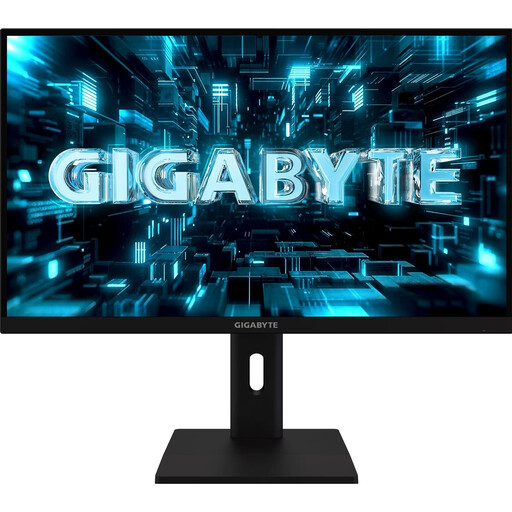 Image unavailable
QHD resolution is an option if you use the same display for cards and work windows; check how it looks at your preferred text size.
27 inches, 2560 × 1440 pixels and SuperSpeed IPS.
The product name states 320 Hz; this doesn’t prove any benefit for deck-building games.
 Image unavailable
Check whether the listed display features suit the way you use your monitor and whether its dimensions will fit your workspace.
27 inches, QHD 2K, IPS, 275 Hz, HDMI and DisplayPort; the product name specifies a height-adjustable stand.
 Image unavailable
The QHD specification may be relevant for gaming and work windows; check text size in the apps you use.
27 inches, 2560 × 1440 pixels, IPS and 120 Hz.
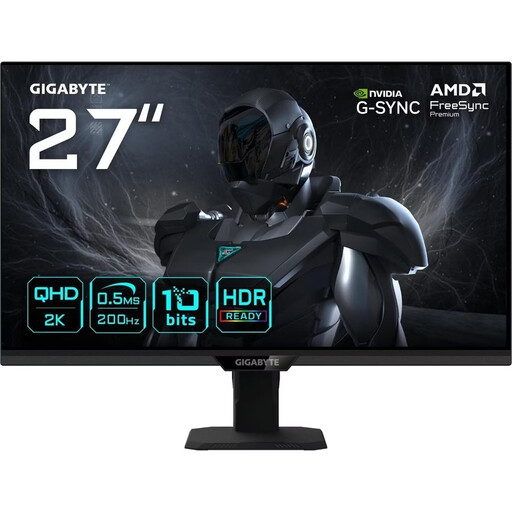 Image unavailable
If QHD suits your gaming and work content, also check whether you can position the screen comfortably.
27 inches, 2560 × 1440 pixels and SuperSpeed IPS; the stated refresh rate is 200 Hz, or 210 Hz with overclocking.
Only tilt adjustment is specified for the stand. Check whether this gives you enough flexibility to position the screen as you’d like.
It shouldn’t be your first consideration. Start by checking that you can read cards and menus comfortably. A high maximum refresh rate on a particular model doesn’t prove any specific benefit for your deck-building game. If you’re connecting several devices, it also matters which mode is supported by the connection you use.
First, measure the available space, including the stand and cables, and check the positioning options on the specific model. Germany’s ASR A6 guidance from the Federal Institute for Occupational Safety and Health covers screen-based work in workplaces and teleworking environments; it doesn’t apply universally to every kind of private use at home.
Read the guidance for the specific model on images that remain on screen for long periods, care and protective features. LG says image retention after displaying unchanged images for a long time cannot be completely ruled out, even with proper use. Warranty terms vary by model.
No. Statutory rights are claims against the seller, while a manufacturer’s warranty is an additional voluntary service with its own terms. Under § 438 BGB, relevant claims for defects in an ordinary purchase of goods generally become time-barred two years after delivery.
Consumers generally have a right to cancel an ordinary distance purchase; § 355 BGB sets a 14-day period, while § 312g BGB covers exceptions. Check the cancellation information and how the deadline is calculated for your purchase.