What should you look for?
Start by checking readability and space requirements, then look at the audio connection and the model’s running costs.
| What matters |
What to check before buying |
Who is it important to? |
| Reading cards and text |
Screen size, native resolution and scaling in the game you play; your gaming device’s output must also be compatible. |
If you want to take in game cards and menus at a glance, readability is your main priority. Around 31% of consumers put the display first. |
| Space and positioning |
Width and depth with the stand, plus height adjustment; if you’re using a mount, check the exact model’s VESA measurements too. |
If you share a desk, you’ll want the monitor and stand to fit without taking up the rest of the space. Around 31% of consumers focus mainly on the space it occupies. |
| Playing without disturbing others |
Brightness controls and a usable headphone connection on the monitor or gaming device; also check that sound can be output through the connection you want to use. |
If someone in the room needs some peace and quiet, you’ll want to avoid using speakers while gaming and set the display to a comfortable brightness. Around 23% of consumers put consideration for others in a shared room first. |
| Purchase and electricity costs |
Compare any accessories you need, such as headphones or a mount, as well as the energy label and consumption figures for the specific display. |
If you’re factoring in the cost of accessories and electricity, you’ll want to pay only for features you’ll actually use. Around 15% of consumers focus on overall costs. |
Joybuy product selection
This selection features 27-inch QHD gaming monitors for detailed game interfaces. Positioning options and audio connections vary by model.
 No image available
Gigabyte GS27QCA 27-inch curved QHD gaming monitor
The curved screen may suit you if it works with your viewing distance and the way you share the display.
The product specifications list a 27-inch screen, QHD resolution of 2560 × 1440 pixels, a headphone output and VESA 100 × 100 mm.
Joybuy
 No image available
GIGABYTE G27Q26 27-inch QHD gaming monitor
This model is worth considering if you’re looking for a QHD display with an adjustable stand and headphone output.
Specifications include a 27-inch screen, 2560 × 1440 pixels, SuperSpeed IPS and a 3.5 mm headphone output. The product details also list height adjustment of up to 13 cm and VESA 100 × 100 mm.
Joybuy
 No image available
INNOCN 2751S PLUS 27-inch Mini LED QHD gaming monitor
The product title mentions built-in speakers. Check whether this audio option is suitable for a shared room or if you’d prefer to use headphones.
Specifications include a 27-inch screen, QHD resolution of 2560 × 1440 pixels and a Fast IPS display. The product details also list height adjustment and VESA 100 × 100 mm.
Joybuy
 No image available
KTC H27D9 27-inch QHD monitor
VESA mounting is one possible way to position the monitor, as long as the mount and fixing surface are compatible.
The product specifications list an IPS display with 2560 × 1440 pixels, HDMI, DisplayPort and VESA mounting.
Joybuy
 No image available
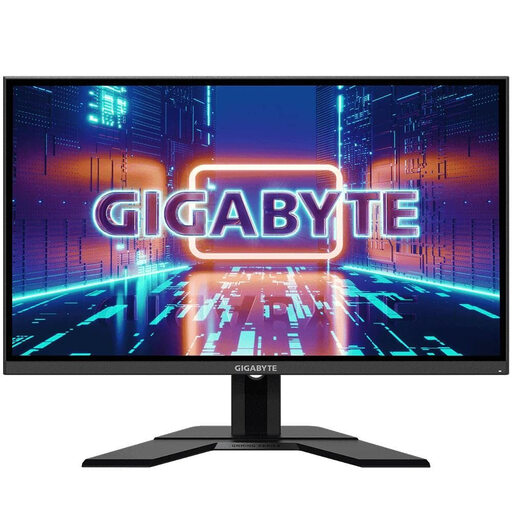
GIGABYTE GS27QA 27-inch QHD IPS gaming monitor
The listed audio connection may be suitable for headphones if your gaming device outputs sound through the monitor.
Specifications include a 27-inch screen, QHD resolution of 2560 × 1440 pixels, an IPS display, HDMI, DisplayPort and an audio connection. The product details also list VESA mounting.
Joybuy
Frequently asked questions
Do you need a particularly high refresh rate for a digital board game monitor?
Not simply because of the type of game. First, check that cards and menus are easy to read in the game at your intended resolution and scaling. To use a higher refresh rate, your gaming device and connection must also support the output you want.
How should you position a monitor in a shared bedroom?
Measure the available desk space and the depth of the stand, then position the screen to suit the actual seating arrangements. If you want to use a mount, check that its VESA measurements and fixing method match the specifications for your exact monitor.
Can you plug headphones straight into the monitor?
Only if the specific model has a suitable connection and your gaming device sends sound to it. BenQ lists a headphone socket on the EX2710Q, as does ASUS on the VG27AQ3A. Once connected, check that the audio is routed as you want.
How can you compare the electricity costs of different monitors?
Compare the consumption figures on the EU energy label and in the product information for each model, and factor in how long you’ll use it. The European Commission lists electronic displays as products covered by energy labelling.
What are your rights when buying a monitor online from a business seller?
For a standard distance sale in the EU, you generally have 14 days from delivery to withdraw from the purchase. Exceptions and any return costs depend on the applicable terms and the information provided by the seller. If the goods are faulty, you also have statutory rights against the seller; Your Europe describes a minimum period of two years under EU rules. A voluntary manufacturer’s guarantee does not replace these rights.


