A flat 27-inch QHD gaming monitor is a sensible starting point for clear maps and menus, provided your desk and PC can accommodate it. Also check the space available, audio connections, adjustable positioning and the refresh rate your PC can actually output through the connection you plan to use. A very high refresh rate alone won’t meet the needs of a shared bedroom.
The right monitor for you
For clear maps and menus
If you want to see fields, maps and menus clearly and have room for a larger screen, a 27-inch QHD model could be a good fit — provided your PC and available space can accommodate it. AOC lists this size and resolution for the Q27G4XF, for example.
For considerate evening gaming
If you play while someone else is using the bedroom, look for a suitable headphone setup and check whether you can adjust the screen for your seating position. Dell lists a headphone output on the G2725D; also check how the audio source and headphones will work with your setup.
For a compact desk
If you share your desk or sit close to the screen, measure the stand and allow space for cables before choosing a screen size. GIGABYTE lists the GS27QCA’s dimensions both with and without its stand.
What to look for when buying
Start by comparing readability and the space you have. Then check the connections, audio setup and energy consumption against your specific setup.
| What matters |
What to check before buying |
Who should pay particular attention |
| Clear maps and menus |
Check the screen size and resolution against the game interface and your PC’s QHD output. |
If I want to see maps and menus clearly without pushing my PC beyond what it can handle at that resolution, choosing the right combination is essential. Around 33% of consumers consider readability and image quality their main concern. |
| Being considerate in the evening |
Check for a headphone connection or a suitable alternative audio option, as well as adjustable brightness. |
If I’m gaming while someone else is using the room, I want to be able to route the sound appropriately and adjust the screen for my seating position. For around 25% of consumers, being considerate while gaming in the evening is the main priority. |
| Desk space and seating position |
Measure the monitor and stand, allowing room for cables; weigh up a more compact screen against a 27-inch model. |
If I share a desk or sit close to the monitor, the screen and stand need to fit in the space available. Limited desk space is the main concern for around 25% of consumers. |
| Connections and energy consumption |
Compare the refresh rate available through each connection with your PC or console, and check the EU energy label for the specific model. |
If the connections on my device and energy consumption matter more to me than other features, I compare those details for the specific model. Around 17% of consumers say connection and energy compatibility are their main priorities. |
Common buying mistakes
-
Assuming the highest refresh rate is automatically the best choice
A high-profile recommendation or a high refresh rate doesn’t automatically mean a monitor is well suited to farming simulation games or a shared bedroom.
Check readability, available space, audio connections and your PC’s display output first.
-
Relying on the maximum refresh rate without checking the connection
The refresh rate you can achieve may vary depending on the input. Dell, for example, lists up to 180 Hz via DisplayPort and up to 144 Hz via HDMI for the G2725D. Philips warns that overclocking may cause display issues.
Check the connection, resolution and refresh rate for your specific device, and distinguish standard operation from an overclocked setting.
-
Confusing screen size with the desk space you’ll need
The screen’s diagonal measurement doesn’t tell you how much room the monitor, stand and cables will take up on a shared desk.
Measure the available space, including the stand’s depth and room for cables, before choosing a size.
Brands and model ranges to consider
AOC
The AGON Q27G4XF and CQ27G4X offer two different designs: a flat QHD Fast IPS monitor and a curved QHD Fast VA model.
- AOC lists a 27-inch screen, Adaptive Sync and 180 Hz for both models.
- You’ll need to decide whether a curved screen suits your seating position and shared room. The listed features don’t provide independent evidence of how the display performs.
Philips
The Evnia 27M2N3501PA/00 is positioned as a gaming monitor, while the 27B2G5500/00 is a QHD all-rounder for office work and more relaxed gaming.
- Philips lists a 100 Hz refresh rate, light sensor and presence sensor for the 27B2G5500/00.
- Philips positions the 27B2G5500/00 as an office monitor. For the overclockable Evnia model, the manufacturer warns of possible display issues.
Dell
The G2725D is an example of a flat 27-inch QHD Fast IPS gaming monitor with a headphone output.
- Dell lists up to 180 Hz via DisplayPort and up to 144 Hz via HDMI at QHD resolution.
- The refresh rate you can achieve depends on the connection you use, so check your PC or console’s outputs too.
LG
The UltraGear 27GS75QX-B is another example of a flat QHD IPS gaming monitor.
- LG lists a 180 Hz refresh rate, with an overclockable setting of up to 200 Hz.
- LG doesn’t list built-in speakers for this model. Check how you’ll output audio with your setup.
MSI
The MPG 271QRDE QD-OLED X50 is a QHD OLED alternative for comparison, but it isn’t automatically an obvious choice for farming simulation games.
- MSI specifies a 500 Hz refresh rate for this model.
- The refresh rate alone doesn’t demonstrate a particular benefit for farming simulation games. Check the protective features and terms of any voluntary warranty for the specific model version.
Joybuy monitors for maps, menus and shared spaces
This selection of QHD gaming monitors from Joybuy includes models designed to make maps and menus easy to read. They differ in features such as panel type, curvature, connections and stand.
 No image available
Z-Edge AGEX 27-inch QHD gaming monitor
A good option if you’re looking for QHD for clear maps and menus, a headphone output and a height-adjustable stand.
27 inches; 2560 × 1440 pixels; Fast IPS; 144 Hz; 1 ms MPRT; 3.5 mm audio output.
View at Joybuy
 No image available
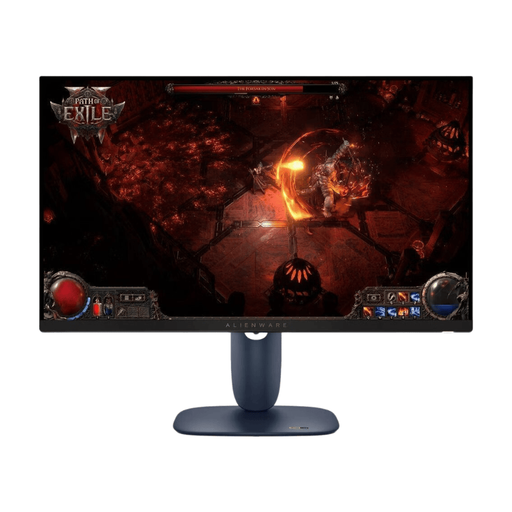
Dell Alienware AW2725DM 27-inch WQHD gaming monitor
A good fit if you’re looking for a QHD screen with an IPS panel and a stand with multiple adjustment options.
27 inches; 2560 × 1440 pixels; IPS; 180 Hz; stand with height, tilt, swivel and pivot adjustment.
View at Joybuy
 No image available
KTC H27T6 flat Fast IPS QHD monitor
An option to consider if you’re looking for a flat QHD screen with an adjustable stand and audio output.
27 inches; 2560 × 1440 pixels; Fast IPS; 200 Hz, overclockable to 210 Hz; audio output; height-adjustable stand.
View at Joybuy
 No image available
GIGABYTE GS27QCA curved QHD gaming monitor
This could be right for you if you mostly sit centrally and specifically prefer a curved screen.
27 inches; QHD; VA; 1500R curvature; 180 Hz; headphone output; tilt-adjustable stand.
View at Joybuy
 No image available
INNOCN 2751S PLUS 27-inch Mini LED QHD gaming monitor
An option if you’re looking for a QHD monitor with built-in speakers and a height-adjustable stand.
27 inches; QHD; Mini LED; IPS; 275 Hz; built-in speakers; height-adjustable stand.
View at Joybuy
Frequently asked questions
Do I need 240 Hz or more for farming simulation games?
No. A refresh rate of 240 Hz or more isn’t a must-have for farming simulation games. Check readability, available space and suitable connections first. A high refresh rate may also appeal if you play other fast-paced games and your PC can output it through the connection you choose.
How should I connect the monitor to get the refresh rate I want?
Compare the specifications for the specific monitor and your source device using the same connection. Dell, for example, lists up to 180 Hz at QHD via DisplayPort and up to 144 Hz via HDMI for the G2725D; these figures don’t apply to other monitors.
How can I keep a shared desk practical when gaming?
Measure the screen and stand, and allow room for cables before you buy. Also check whether you can adjust the screen position and whether your PC or console supports headphones. A headphone output on the monitor alone won’t tell you how audio will work across your whole setup.
What should I know about energy consumption and consumer rights in Germany?
For specific models, compare the information on the EU energy label. Your statutory rights against the seller are separate from any voluntary manufacturer’s warranty. For a typical online purchase, you generally have a 14-day right to cancel from the day you receive the goods; the Verbraucherzentrale explains the exceptions and how to notify the seller of your decision to cancel. Your rights if goods are faulty should be considered separately.


