Gamers with limited desk space
If you share a room and desk, your screen and stand need to fit without taking up too much of your seating area.


If desk space is limited, a compact Full HD monitor is often the more obvious starting point. A 27-inch QHD model may be a good choice if you have enough room, the right viewing distance and a compatible gaming device. The key factor isn’t just the monitor’s maximum refresh rate, but the resolution and frame rate the specific game can output through your chosen connection. In a shared bedroom, the stand, adjustment options and ability to connect headphones also matter.
If you share a room and desk, your screen and stand need to fit without taking up too much of your seating area.
Check which display output your gaming device and the specific football game support through the connection you plan to use, rather than simply comparing the highest stated refresh rates.
If other people are in the room, positioning the screen appropriately and using headphones instead of monitor speakers may be important.
A good fit if: You need to fit your screen, peripherals and other items on a small desk, and Full HD is sufficient at your viewing distance.
The trade-off: Full HD displays fewer pixels than QHD, and a compact size doesn’t tell you whether the stand is height-adjustable or has a headphone socket.
A good fit if: You have room for the larger monitor and your PC or console can output the resolution and refresh rate you want through the input you plan to use.
The trade-off: The larger design takes up more space; the resolution and refresh rate need to be compatible with your gaming device and the connection you use.
| What matters | What to check when buying | Who it matters most to |
|---|---|---|
| Space and positioning | Compare the available desk width and depth with the monitor’s full dimensions, including the stand, and check its adjustment options. | If I share my desk and seating area, the monitor and stand need to fit. Around 36% of consumers are likely to see desk space as their top priority. |
| Smooth, compatible display output | Check the frame rate supported by the specific game, then compare the resolution and refresh rate listed for the HDMI or DisplayPort input you’ll use. | For fast-paced gameplay, I want to know what my gaming device can output with the specific game. Around 29% of consumers are likely to prioritise smooth, compatible display output. |
| Being considerate in a shared room | Check for a headphone socket or an audio output on your gaming device, as well as monitor height and tilt adjustment. | If someone else in the room needs peace and quiet, I want to listen privately and position the screen comfortably. Around 21% of consumers are likely to put consideration for others first. |
| Picture detail at the right size | Weigh up Full HD and QHD in light of your viewing distance, available space and the display output supported by your gaming device. | If more pixels matter to me, I also need enough space for the larger size. Around 14% of consumers are likely to see picture detail as their top priority. |
The monitor’s maximum refresh rate alone doesn’t tell you what frame rate the specific game can output through your gaming device and chosen input. Xbox notes that the frame rate at 120 Hz depends on the game.
Start by checking your gaming device, football game and connection. Then check which resolution and refresh rate combination the monitor supports through that input.
The stand takes up extra space, and adjustment options vary from model to model.
Measure the available desk space and compare it with the full dimensions of the specific monitor and stand.
Monitor speakers play sound into the room, and not every gaming monitor has them.
Before buying, check whether the monitor has a suitable headphone socket or your gaming device offers an appropriate audio output.
The 24G4XE is a compact gaming monitor worth considering if you’re looking at the space and connection options you need.
The 24M2N3200A/00 is a 23.8-inch Full HD monitor. Before buying, check the full variant name against the model you want.
The MOBIUZ EX2510S is a compact Full HD option with an adjustable stand.
The G2724D is a 27-inch QHD option with an adjustable stand.
The TUF Gaming VG27AQ3A is a 27-inch QHD option with HDMI and DisplayPort inputs.
The models below range from 24- and 25-inch Full HD monitors to 27-inch QHD options. Before choosing, compare the desk space available, your gaming device’s display output and the audio connections.
 No image available
An option if you want a larger QHD picture and an adjustable screen position.
27 inches; 2K or 1440p; 144 Hz; Fast IPS panel; stand adjusts for height, tilt, swivel and pivot; 3.5 mm audio output. According to the product description, 144 Hz at 2K is achievable over DisplayPort with a compatible dedicated graphics card.
 No image available
A 25-inch Full HD option if a more compact size than 27 inches suits your desk better.
25 inches; Full HD; 144 Hz; Mini LED and IPS panel. The product description lists HDMI and DisplayPort.
 No image available
A compact Full HD option if screen size and private audio matter when setting up your monitor.
24 inches; Full HD; 144 Hz; IPS panel; HDMI and DisplayPort; headphone socket. According to the product description, the tilt can be adjusted from −5° to 15°.
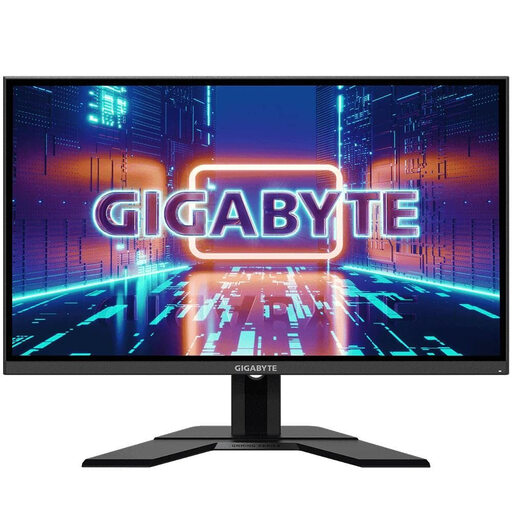 No image available
A 27-inch QHD option if you want a larger screen and an adjustable setup.
27 inches; QHD at 2560 × 1440 pixels; 165 Hz; IPS panel. The product description lists an adjustable stand and an audio connection.
 No image available
A 27-inch option with an adjustable stand and headphone output if these features matter when sharing your space.
27 inches; Full HD; IPS panel; 180 Hz; DisplayPort and HDMI; headphone output. According to the product description, the stand adjusts for height, tilt, swivel and pivot. Full HD displays fewer pixels at 27 inches than QHD.
No. The specific game and gaming device must be able to output 120 frames per second, and the monitor input you choose must support your desired resolution at 120 Hz. Xbox describes 120 Hz settings for supported games; this doesn’t mean every football game will run at that frame rate.
Before buying, measure the space available for the monitor and its stand. Adjust the height and tilt if the specific model allows it, and check for a headphone socket or audio output on your gaming device for private listening. According to ASUS, the stand on the ASUS TUF Gaming VG27AQ3A isn’t height-adjustable.
Statutory consumer rights for faulty goods are separate from a voluntary manufacturer’s warranty; if a product is faulty, the seller is initially responsible for providing a remedy. For online purchases, consumers generally have a 14-day right to cancel after receiving the goods, and they must notify the seller that they wish to cancel.
According to the European Commission, computer monitors are covered by the rules for electronic displays, with an energy efficiency scale from A to G. The label lets you compare products, but it doesn’t set a particular efficiency class for your personal purchase.