When space is tight, a compact Full HD model is the obvious place to start. If you have enough desk space and viewing distance, and your gaming device can handle it, a 27-inch QHD model is another option. This reflects TÜV SÜD’s advice to consider screen size, viewing distance and computer performance together. Before buying, check how you’ll connect your headphones, the dimensions including the stand, and the refresh rate available through the input you’ll actually use. A high refresh rate alone won’t make the room quieter or increase your gaming device’s output.
Which monitor is right for you?
Gamers with limited desk space
If you share a bedroom and need room for your gaming device or other things as well as your monitor, check its width and depth, including the stand. The screen’s diagonal measurement alone won’t tell you whether it will fit on your desk.
Quiet evening gamers
If someone else is in the room, it’s important to have a suitable way to connect your headphones and position the monitor considerately. Depending on the model, you may be able to plug your headphones into the monitor or your gaming device.
Gamers using a PC or console
When choosing a resolution and refresh rate for your specific gaming device, check the connections and the game’s output too. You can only make use of a high monitor refresh rate if the rest of the connection supports it.
What should you look for when buying?
| Consideration |
What to check before buying |
Who is this important to? |
| Space and screen size |
Check the available width and depth, the overall dimensions including the stand, and how adjustable it is. |
If desk space is limited, I need to know the dimensions of the screen and stand before I focus on the diagonal measurement. Around 31 % of consumers put the space it takes up first when considering this. |
| Being considerate in a shared room |
Check whether you can connect headphones to the monitor or gaming device, and look at the screen’s adjustment options. |
I want to play without unnecessarily disturbing anyone else with the sound or the way the monitor is set up. Consideration for others is the main concern for around 25 % of consumers. |
| Connection and refresh rate |
Check that your gaming device, game, cable and HDMI or DisplayPort input support the resolution you want. |
If I play on a PC or console, I want the output I’m looking for to work through the connection I’ll actually use. Around 25 % of consumers focus mainly on compatibility with their devices. |
| Picture detail and motion |
Compare Full HD and QHD at the size you have in mind, and take your gaming device’s supported output into account. |
If picture detail or smooth visuals matter to me, I want to weigh these preferences against the space available and my device’s output. Around 19 % of consumers put picture quality first. |
Common buying mistakes
-
Choosing a monitor based solely on its highest refresh rate
The refresh rate you can actually use also depends on your gaming device, the game and the input you select. Dell states that the G2725D supports up to 180 Hz at QHD via DisplayPort and up to 144 Hz via HDMI. According to Nintendo, the Nintendo Switch 2 is limited to a maximum 4K output of 60 fps, and this requires a supported game and a compatible screen.
Before you buy, check the specifications for that exact model against the combination of device, game, resolution and input you want to use.
-
Measuring only the screen diagonal
In a shared room, it’s the space taken up by the whole monitor that matters. COMPUTER BILD reports that the AOC 24G4XE it tested can only be tilted when used with its supplied stand.
Measure the width and depth including the stand, and check that its adjustment options suit where you sit.
-
Confusing speakers with a private audio option
Having speakers built into the monitor doesn’t solve the question of how to play without disturbing anyone else in the bedroom.
Before deciding how to connect your headphones, check the audio outputs on your gaming device and the connections on the specific monitor.
Key brands to consider
AOC
The 24G4XE is an example of a compact Full HD gaming monitor.
- AOC lists a 23,8-inch screen, 1920 × 1080 pixels and 180 Hz for the 24G4XE.
- COMPUTER BILD describes the tested model as having a short response time, but a stand that can only be tilted. This assessment applies to the monitor tested.
Philips Evnia
The 24M2N3200A/01 is an example of a compact Full HD monitor.
- Philips lists a 23,8-inch screen and 180 Hz for this model.
- COMPUTER BILD lists speakers but no USB hub for the model it tested. Speakers are no substitute for private audio if you don’t want to disturb anyone else in the room.
Dell
The G2725D is a 27-inch QHD LCD monitor with a headphone output.
- Dell lists a resolution of 2560 × 1440 pixels and a headphone output.
- Dell states that the monitor supports up to 180 Hz at QHD via DisplayPort and up to 144 Hz via HDMI. The refresh rate available therefore also depends on the input you use.
BenQ MOBIUZ
The EX271Q is an example of a 27-inch QHD monitor with adjustable light and dark image settings.
- BenQ describes picture adjustments for the model, including Light Tuner.
- The manufacturer’s claims about making dark details more visible are not an independent measurement under bedroom conditions.
MSI
The MPG 271QRX QD-OLED is an example of an OLED alternative with a high stated refresh rate.
- MSI lists QHD, 360 Hz and OLED Care 2.0 for this model.
- MSI’s description of reduced burn-in risk doesn’t mean that the risk is eliminated. A high stated refresh rate isn’t necessary for every game either.
Joybuy products
These Joybuy models range from compact Full HD displays to 27-inch QHD screens. Before choosing, compare the space they take up, their connections and your gaming device’s output.
 No image available
MSI MAG 274FDE eSports gaming monitor, 27 inches, Full HD
A 27-inch Full HD option if you’d like a larger screen and a headphone output.
IPS panel, 180 Hz, 1 ms, DisplayPort and HDMI; the stand is height-adjustable, swivels and tilts, and can rotate to portrait orientation.
View at Joybuy
 No image available
TCL 25G54 gaming monitor, 25 inches, Full HD, Mini LED
The 25-inch format is a good option if you’re looking for a compact Full HD display.
IPS panel and 144 Hz; the product title also lists 450 Nits and VESA DisplayHDR 400.
View at Joybuy
 No image available
KTC H24B9S, 24-inch Full HD gaming monitor, 144 Hz
The 24-inch format could be a good fit if you have limited desk space.
IPS panel, Full HD and 144 Hz; the title lists HDMI and DisplayPort. The stand tilts.
View at Joybuy
 No image available
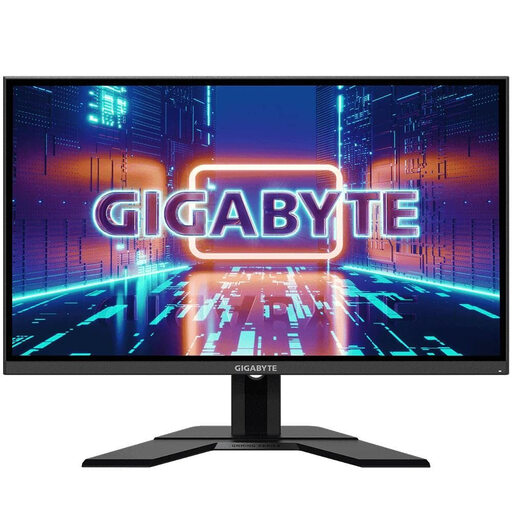
GIGABYTE GS27QA, 27-inch QHD gaming monitor
A 27-inch QHD option if you have enough desk space and your gaming device can output QHD.
IPS panel with 2560 × 1440 pixels and 165 Hz; the stand is adjustable and the monitor has an audio output.
View at Joybuy
 No image available
UPERFECT portable gaming monitor, 18.5 inches, Full HD, 120 Hz
The portable design is a good option if you’re looking for a smaller display and want to use USB-C or Mini-HDMI.
Matte IPS display with 1920 × 1080 pixels; according to the product description, the refresh rate you can achieve depends on the device and cable.
View at Joybuy
Frequently asked questions
Do I really need 180 Hz or more for platform games?
No. What matters is the refresh rate your gaming device can output with the specific game and monitor input you’re using. TÜV SÜD points out that high refresh rates require a suitably powerful PC. According to Nintendo, the Nintendo Switch 2 is limited to a maximum 4K output of 60 fps, and this requires a supported game and a compatible screen.
How can I connect a console without disturbing others with game audio?
Check the HDMI connection and headphone option on your console or monitor beforehand. Dell lists a headphone output on the G2725D; whether this connection suits you also depends on your audio settings. For other models, check the connections they offer.
How should I set up and care for a monitor in the bedroom?
Adjust the screen height and viewing distance to suit your space, and follow the care instructions from the manufacturer of your model. For the MSI MPG 271QRX QD-OLED, MSI lists protection features designed to reduce the risk of burn-in, not eliminate it.
What do the energy label and right to cancel mean when buying online in Germany?
The European Commission describes an energy label for electronic displays, with an efficiency scale from A to G. For a qualifying online purchase from a business seller, you generally have 14 days from delivery to cancel; exceptions may apply. Your statutory rights against the seller are separate from any voluntary guarantee.


