
Lieferung heute & morgen

Qualitätsgarantie

Willkommens-Angebote freischalten: KOSTENLOSE Lieferung | Bis zu 80 % RABATT | Kostenlose 30-Tage-JoyPlus-Testphase
App herunterladen
Choosing a new gaming monitor can be daunting, given the sheer number of technical specs and marketing buzzwords. Resolution, refresh rate, response time, and panel type are just a few of the factors that significantly impact the gaming experience. Whether you play competitive esports titles or immerse yourself in the worlds of AAA games, the right display is crucial for performance and visual quality.
This guide will help you understand the technical specifications and make an informed decision. We'll explain objective criteria and present a selection of models suited for different user profiles and budgets.
Before you decide on a model, it's helpful to understand the three most important technical features and how they affect your gaming experience.
Choosing between a high resolution and a high refresh rate is often the first decision you'll need to make.
Resolution (Pixels): Determines image sharpness and the level of detail.
Refresh Rate (Hz): Indicates how many frames the monitor can display per second. A higher rate results in smoother on-screen motion.
The panel is the heart of the monitor, determining colour quality, viewing angle stability, and speed.
Synchronisation technologies prevent "screen tearing," where the image appears disjointed because the graphics card and monitor are out of sync.
Here is a selection of three monitors that cover the needs of different types of gamers.
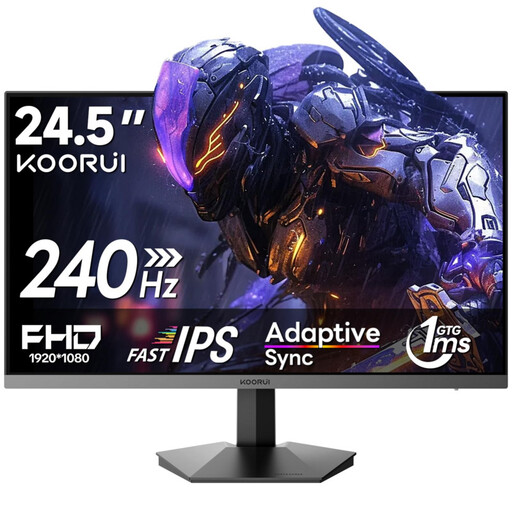
KOORUI G2511X 24-inch Gaming Monitor, Full HD 240Hz Rapid IPS Panel
Why It Stands Out: This model focuses on the essentials for competitive gaming: maximum speed. The combination of a 240Hz refresh rate and a 1ms response time on a compact 24.5-inch display is designed for fast-paced FPS titles like Valorant or CS:GO.
Advantages:
Who Is It For? Esports enthusiasts and players of fast-paced multiplayer titles who prioritise maximum refresh rates and responsiveness at Full HD resolution.
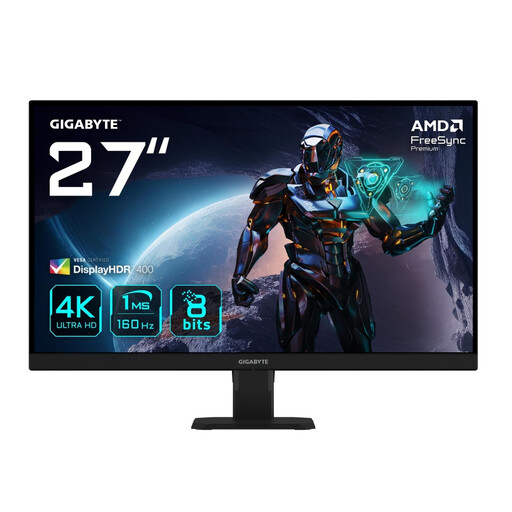
GIGABYTE GS27U 27-inch UHD Gaming Monitor - SS-IPS Panel, 160Hz, 1ms
Why It Stands Out: The GIGABYTE GS27U combines the visual brilliance of a 4K gaming monitor with a high 160 Hz refresh rate. This makes it an excellent choice for gamers who want to enjoy graphically rich AAA titles on PC and fully leverage the power of their PS5 or Xbox Series X.
Advantages:
Who Is It For? PC and console gamers who refuse to compromise on image quality and are looking for a display that is equally suited for immersive single-player experiences and fast-paced action.
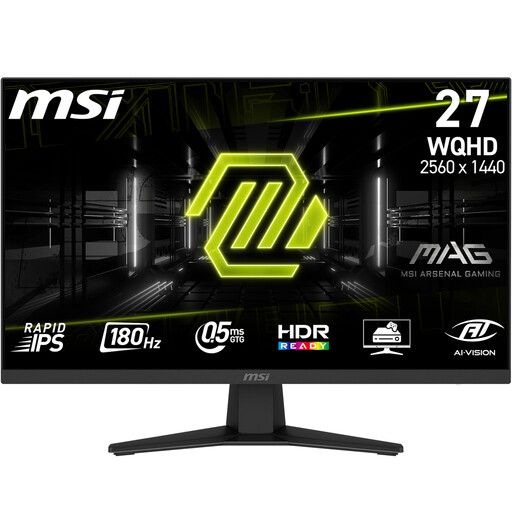
MSI MAG 274QFDE 27-inch WQHD Rapid IPS LED 180 Hz Gaming Monitor
Why It Stands Out: This model from MSI hits the "sweet spot" for many PC gamers. The WQHD monitor offers significantly more sharpness than Full HD without being as demanding on the graphics card as a 4K display. Paired with a very high 180 Hz refresh rate and an extremely fast response time, it's a versatile performer.
Advantages:
Who Is It For? PC gamers looking for an all-rounder for various genres. It's well-suited for fast-paced shooters as well as graphically demanding RPGs and strategy games.
The models presented here cover common user profiles. If you haven't found the right device for your specific needs or budget, there are many other alternatives to discover. Every gamer has different priorities, whether it's a curved display for more immersion, an ultrawide format for a wider field of view, or a model with specific ergonomic features.
Discover our entire selection of discount computer monitors and find the perfect model for your setup.
Both are important for a good gaming experience, but they address different aspects. A high refresh rate (e.g., a 144Hz monitor or higher) ensures smooth motion rendering. A low response time (e.g., a 1ms monitor) prevents blur and smearing on fast-moving objects. For competitive PC monitor gaming, both metrics are highly important.
The PS5 and Xbox Series X support native 4K gaming at up to 120 FPS. To fully leverage this potential, a 4K gaming monitor with an HDMI 2.1 port is the ideal choice. However, WQHD monitor models can also deliver an excellent picture, often with the advantage that higher frame rates are more easily achieved in demanding games.
Monitors with a dedicated G-Sync module contain special hardware from NVIDIA, which was historically considered the premium solution. G-Sync Compatible means that a monitor (usually one with FreeSync technology) has been validated by NVIDIA to enable a variable refresh rate without tearing when used with NVIDIA graphics cards. These monitors often offer a better price-performance ratio and a wider selection.