
Lieferung heute & morgen

Qualitätsgarantie

Willkommens-Angebote freischalten: KOSTENLOSE Lieferung | Bis zu 80 % RABATT | Kostenlose 30-Tage-JoyPlus-Testphase
App herunterladen
A gaming monitor needs more than just a high refresh rate. What really matters is whether the resolution, ports, panel technology and synchronisation are compatible with your PC or console. With a 27-inch gaming monitor in particular, technical differences have a noticeable impact on sharpness, motion clarity and everyday usability.
Many deals boast “1 ms”, HDR or extremely high hertz figures. However, these specifications are only meaningful when considered alongside other features. The Joybuy Product Recommendation Officer selection objectively assesses the key characteristics and highlights which models suit different usage scenarios.
The 1 ms figure can refer to MPRT or GtG. MPRT is often achieved with motion blur reduction enabled, which depending on the implementation can affect brightness or limit the use of Adaptive Sync. GtG, on the other hand, describes the switching time between colour levels. Neither value should be looked at in isolation.
Also pay attention to independent information about the actual supported refresh rate and the ports used. A 1 ms monitor with HDMI 1.4, for example, may be more limited at high resolutions and frame rates than a model with HDMI 2.1 or DisplayPort 1.4.
A 144 Hz monitor, 165 Hz monitor, 180 Hz monitor or 240 Hz monitor can display motion more smoothly than a 60 Hz model. However, your graphics card must deliver enough frames per second in the game in question. At 4K resolution, the required graphics power is significantly higher than at Full HD.
Some models offer a dual mode: for example, 4K at 160 Hz or Full HD at 320 Hz. This can be useful for users who want to switch between detailed visuals and particularly high frame rates. Check before buying whether this function is actually available via the port you intend to use.
HDR gaming monitor isn’t the same as HDR gaming monitor. Certifications such as VESA DisplayHDR 400, DisplayHDR 600 or DisplayHDR True Black 400 provide indicators of brightness and image quality. The perceived quality also depends on contrast, dimming technology, colour gamut coverage and the HDR support of the game itself.
With OLED displays, deep black levels come from the self-emissive pixels. Mini-LED monitors, on the other hand, use many separately controllable backlight zones. Depending on the image content, bright objects on a dark background can be surrounded by visible halos. This potential blooming effect should factor into your decision.
At 27 inches, Full HD offers a relatively low pixel density. Text and fine details can appear less sharp, while the lower resolution puts less strain on your graphics card. A QHD gaming monitor with 2560 × 1440 pixels shows more detail on this diagonal and is versatile for gaming, streaming and office work.
A 4K gaming monitor with 3840 × 2160 pixels delivers even finer contours. However, you’ll need a powerful graphics card for high frame rates. With consoles, check whether 4K, 120 Hz and VRR are all supported together.
Adaptive Sync, AMD FreeSync and G-SYNC Compatible synchronise the image output of your monitor and graphics card within a supported frequency range. Check whether the function is available via DisplayPort, HDMI or USB-C, and whether your graphics card is compatible.
For current consoles, HDMI 2.1, HDMI VRR and ALLM are relevant. At your desk, DisplayPort, USB-C with DisplayPort Alt Mode, a USB hub or KVM function make switching between multiple devices easier.
A height-adjustable monitor with tilt, swivel and pivot functions can be better adapted to your seating position and desk height. VESA 100 × 100 mm expands the possibilities for monitor arms and wall mounts.
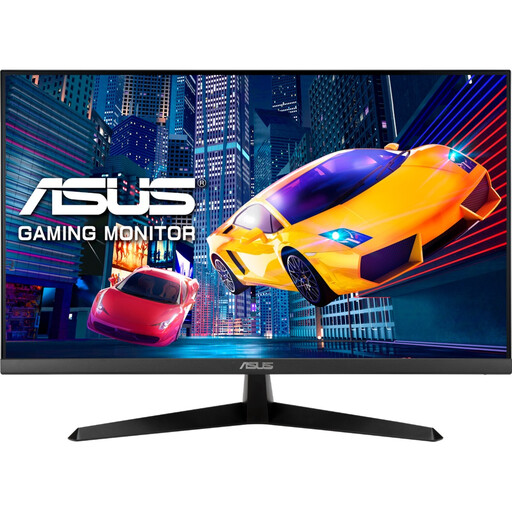
Why this product fits the profile: According to ASUS product specifications, this model combines a 27-inch IPS panel with Full HD, 120 Hz and Adaptive Sync. That’s a sensible specification for occasional gaming, older PCs and home office use.
The resolution and frame rate are clearly stated. Buyers aren’t paying for high 4K performance that their existing hardware may not be able to use.
IPS panel, 120 Hz, 1 ms MPRT according to product data, plus HDMI and VGA ports.
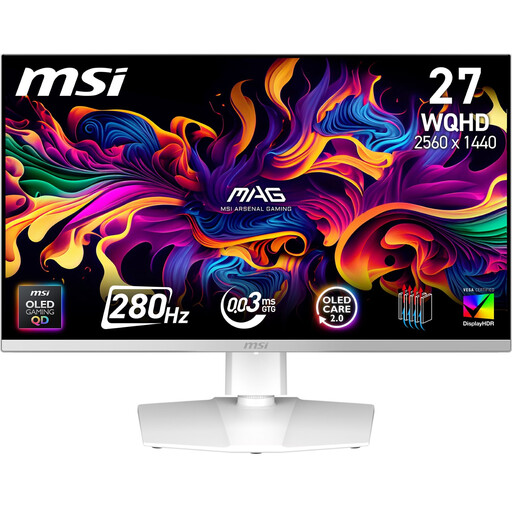
Why this product fits the profile: According to MSI product specifications, this 27-inch QHD OLED monitor offers 280 Hz, 0.03 ms GtG, 10-bit colour and VESA DisplayHDR True Black 400. Adaptive Sync, AMD FreeSync Premium Pro and HDMI VRR are also listed.
The fast GtG figure is explicitly stated. Frequency ranges and ports for high QHD frame rates are also documented.
QD-OLED panel, QHD resolution, 280 Hz, USB-C with DisplayPort and height-adjustable stand according to product data.
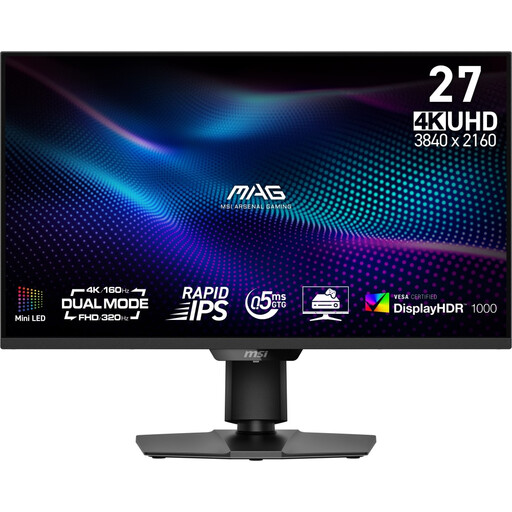
Why this product fits the profile: According to MSI product specifications, this 4K gaming monitor combines a Rapid IPS panel with Mini-LED, 1,152 dimming zones and dual mode. Depending on the game, you can choose UHD at 160 Hz or FHD at 320 Hz.
The two operating modes make it clear which resolution is paired with which frame rate. The HDR specification is concretely defined by VESA DisplayHDR 1000.
4K resolution, Mini-LED backlighting, HDMI 2.1, USB-C and height-adjustable stand according to manufacturer data.
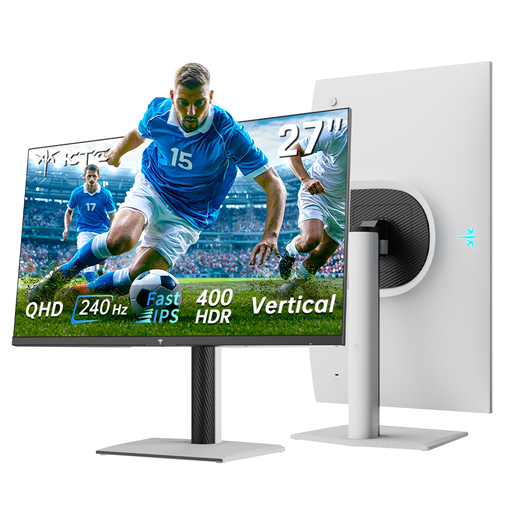
Why this product fits the profile: According to KTC product specifications, this model combines QHD, 240 Hz and a Fast IPS panel. The stated overclock to 275 Hz should be checked against your graphics card and port before buying.
Native 240 Hz and the optional overclock value are listed separately. FreeSync and G-SYNC compatibility are mentioned as specific features.
QHD resolution, Fast IPS, 240 Hz, 1 ms, HDR400 and height-adjustable stand according to the product description.
We’ve put together a complete, regularly updated list of products that fully meet these strict selection criteria and the safety regulations in force in the EU.
Before ordering a gaming monitor, you should check the following points:
For many PC gamers, 144 Hz to 180 Hz offers a balanced ratio of smooth motion to the hardware power required. 240 Hz or more is mainly aimed at users whose systems consistently achieve very high frame rates in competitive games.
QHD displays more pixels and therefore finer detail at 27 inches. Full HD can make sense if you’re using an older graphics card, or if a particularly high frame rate is more important than extra sharpness.
The lifespan depends on operating hours, heat generation, care and panel technology. With OLED models, static content shouldn’t be displayed for unnecessarily long periods, and automatic panel care features should be used according to the manufacturer’s instructions. For all monitors, adequate ventilation and cleaning with a soft, dry cloth are recommended.