Quest gamers with a work monitor
If one screen needs to display game maps, dialogue and work windows, its resolution, footprint and adjustability all need to work together. AOC and ASUS offer specific 27-inch QHD IPS configurations to compare.


For a desk you share between work and gaming, a 27-inch QHD IPS monitor is a sensible starting point, provided the space, adjustability and refresh rate you can actually use all suit your setup. Ultrawide OLED is a better fit if the games you play support it and the wider format benefits your work windows, while you also have room for it and have considered how you’ll use the OLED screen. 4K QD-OLED requires a suitably powerful PC and enough space.
If one screen needs to display game maps, dialogue and work windows, its resolution, footprint and adjustability all need to work together. AOC and ASUS offer specific 27-inch QHD IPS configurations to compare.
An ultrawide format may suit you if your PC games support it and there’s enough room on your desk. Samsung’s Odyssey OLED G8 G85SD is a specific 34-inch example, with a resolution of 3440 × 1440 pixels.
If you’re considering 4K and high refresh rates, compare the monitor’s specifications with the actual output of your PC and the connection you’ll use. Dell lists the AW3225QF at 3840 × 2160 pixels and up to 240 Hz.
For open-world quests at your home-office desk, start by identifying what matters most to you.
| Priority | What to check before buying | Who is this important to? |
|---|---|---|
| Quest details | Compare the native resolution and screen size with your PC’s performance. | If I want to see game worlds, maps and dialogue in detail, I’ll compare the resolution and screen size with my PC; around 36% of consumers put fine quest details first. |
| Workspace and positioning | Check desk space, height adjustment, tilt and, where relevant, VESA mounting. | If the monitor will also display work windows every day, I’ll check that it fits on my desk and can be positioned comfortably; around 28% of consumers prioritise using their monitor for work. |
| Wide screen and OLED | Check whether your games support the aspect ratio, whether you have enough space and what the warranty terms are for the specific OLED model. | If I want a wide or high-contrast gaming picture, I’ll also consider the space available and how much static work content I’ll display; around 18% of consumers give picture quality the highest priority. |
| Compatibility with your PC and connection | Compare the resolution and refresh rate supported by the input you’ll use with the output from your source device. | If I want to keep using my current PC, I’ll check which resolution and refresh rate it can actually output through the connection I’ve chosen; around 18% of consumers prioritise device compatibility. |
For the ASUS TUF Gaming VG27AQ3A, ASUS lists up to 180 Hz via DisplayPort, but a maximum of 144 Hz via HDMI. The refresh rate you get in a game also depends on the output from your source device.
Compare the refresh rate for the specific input you plan to use, and check the output from your PC or console.
An HDR10 specification alone doesn’t tell you how a particular monitor will display HDR scenes.
Check the certification level and independent test results for the exact model separately from general HDR specifications.
A 34-inch ultrawide display needs plenty of desk space. In an explanation published in 2023, LG notes that leaving the same image on screen for a long time can cause image retention on OLED displays.
Measure the space available, check that your games support the format and read the current warranty terms for the specific model.
The AGON by AOC Q27G4XF is a specific 27-inch QHD IPS option for sharing between gaming and work.
The TUF Gaming VG27AQ3A is another 27-inch QHD IPS option, where the connection and stand are worth comparing.
The Odyssey OLED G8 G85SD represents the 34-inch ultrawide OLED option.
The Alienware AW3225QF illustrates the larger 4K QD-OLED option.
The UltraGear 27GS95QE-B is an example of a 27-inch QHD OLED configuration.
This selection ranges from 27-inch QHD models for gaming and work to larger 4K and ultrawide displays. Check that the aspect ratio, available space and connection suit your PC and the games you plan to play.
 No image available
This 27-inch model is worth considering as a QHD option for games and work windows, provided its resolution and size suit your desk.
The product title lists a resolution of 2560 × 1440 pixels, 144 Hz, Fast IPS, FreeSync and a height-adjustable stand.
The title also specifies 1 ms MPRT and HDR10; the HDR10 specification alone doesn’t guarantee a particular HDR picture.
 No image available
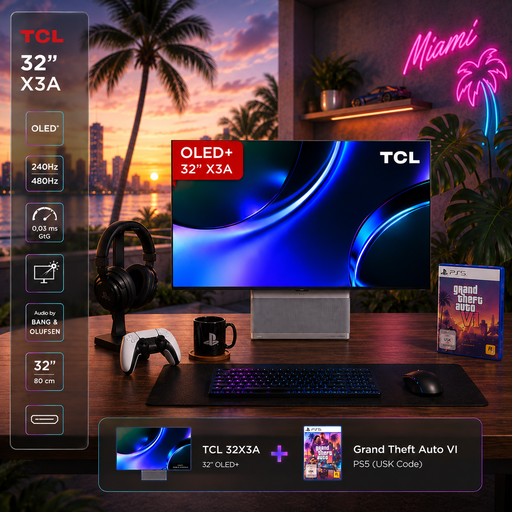
This 32-inch 4K OLED option may suit you if your PC can output your preferred resolution and refresh rate, and you’ve considered how you’ll use the OLED screen for work.
The product title lists a resolution of 3840 × 2160 pixels, with 240 Hz at 4K and 480 Hz at FHD.
LG describes leaving the same image on screen for a long time as a potential risk for OLED displays; this doesn’t tell you anything about the warranty terms for this TCL model.
 No image available
This model is worth comparing as a QHD screen for work and gaming, provided its refresh rate and stand adjustment suit your setup.
The product title lists a resolution of 2560 × 1440 pixels, Fast IPS, 120 Hz OC and a tilting stand.
The title also lists FreeSync and G-Sync compatibility, along with VESA mounting at 100 × 100 mm.
 No image available
This 32-inch bundle is a 4K OLED option for a setup where the screen size and PC output are a good match.
The product title lists a resolution of 3840 × 2160 pixels and an anti-glare display. Check the refresh-rate specifications for this exact product variant before comparing it with other models.
LG describes leaving the same image on screen for a long time as a potential risk for OLED displays; check this model’s warranty terms separately.
 No image available
The wide format may suit you if your games support it and the screen fits on your desk.
The product title lists UWQHD at 3440 × 1440 pixels, 165 Hz and a VA panel.
HDR10 is also listed in the title; this specification alone doesn’t guarantee a particular HDR picture.
Measure the screen and stand on your desk, and check that you can position the screen comfortably. A VESA mount and a height-adjustable stand are different features. According to the Federal Institute for Occupational Safety and Health, ASR A6 applies to the types of workplaces and teleworking arrangements specified in the guidance; it doesn’t automatically apply to every instance of working from home privately.
The maximum refresh rate may depend on the input: ASUS lists a maximum of 180 Hz via DisplayPort and 144 Hz via HDMI for the VG27AQ3A. Also check the output from your source device and your settings; the monitor’s specification alone doesn’t tell you the frame rate you’ll get in a game.
Don’t assume warranty terms are the same across OLED models. In an explanation published in 2023, LG notes that leaving still images on screen for a long time can cause image retention. Check the protection features and current terms for the specific model you’re thinking of buying.
Statutory consumer rights apply against the seller and are separate from a voluntary warranty. For a standard purchase of a new item, section 438 of the German Civil Code (BGB) generally sets a two-year limitation period for defect claims, starting from delivery; the specific conditions for the claim still apply.
EU energy-labelling rules cover electronic displays, including monitors. According to the Verbraucherzentrale, consumers generally have a 14-day right to cancel an online contract after receiving the goods they ordered; any exceptions and the terms of the specific purchase should be taken into account.