Detail-focused explorers
If landscapes, fine image detail and contrast matter most in your games, you can weigh up 4K OLED against the care it needs when displaying static office content. LG and MSI offer specific examples of 4K OLED models.


A 4K OLED monitor is worth considering for richly detailed game worlds and dark scenes. If your monitor will display fixed office windows for many hours, an IPS or VA LCD is the more cautious choice. Also consider desk space, game support, graphics hardware and the connection you’ll actually use: a high refresh rate alone doesn’t tell you what frame rate your PC can achieve. With OLED, take the care requirements and the specific model’s warranty terms into account.
If landscapes, fine image detail and contrast matter most in your games, you can weigh up 4K OLED against the care it needs when displaying static office content. LG and MSI offer specific examples of 4K OLED models.
If you use the same screen for office windows and games, consider the size, connections and stand together. The ASUS TUF Gaming VG27AQ3A is a 27-inch QHD IPS example. ASUS specifies a higher refresh rate for this model over DisplayPort than over HDMI.
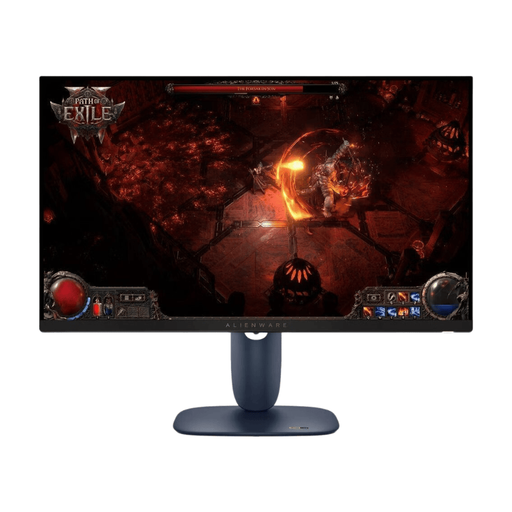
A 34-inch ultrawide could be a good fit if you have the desk space and your games support the format. The Dell Alienware AW3426DWM is a VA LCD model with a resolution of 3440 × 1440 pixels.
A good fit if: You want one screen for office work and gaming in a manageable 16:9 format.
The trade-off: There are fewer pixels than with 4K and less screen space than with a 34-inch ultrawide. Also check the stand and connections on the specific model.
A good fit if: You want a wider view in supported PC games and space alongside it for work windows.
The trade-off: The format takes up more desk width. Measure your space and check support for each of your games individually.
A good fit if: Detailed game worlds and high-contrast scenes are especially important to you.
The trade-off: The frame rate you can achieve depends on your PC, game and settings. If static office elements stay on screen for long periods, you’ll also need to consider OLED care and the specific model’s warranty terms.
| What matters | What to check when buying | Who is it important to? |
|---|---|---|
| Image detail and contrast | Compare the resolution and panel type, game settings, and care guidance and warranty terms for the exact model. | If I play exploration games mainly for their visuals, I want to prioritise detail and contrast. Around 33% of consumers put image detail and contrast first. |
| Everyday office use | Consider the space available, stand adjustment and the content you’ll display most often. | For long working days with fixed windows on screen, everyday usability and a suitable setup matter to me. Around 25% of consumers prioritise everyday office use. |
| Widescreen format | Check the dimensions of the specific monitor and whether your games support 21:9. | If I want a wider field of view and work windows side by side, I need enough room for it. Around 25% of consumers prioritise ultrawide. |
| Space and PC performance | Measure your desk and check the resolution, video output and refresh rate achievable through the connection you plan to use. | I want the screen size and desired frame rate to suit my desk and PC. Around 17% of consumers prioritise space and the hardware they already have. |
The refresh rate you can achieve may vary depending on the connection and operating mode. On the LG 32GS95UE-B, the 480 Hz mode is available at Full HD, not 4K.
Compare resolution and refresh rate together for the connection and mode you actually plan to use. ASUS specifies up to 180 Hz over DisplayPort and up to 144 Hz over HDMI for the VG27AQ3A.
Images that stay almost unchanged on screen for long periods at high brightness can put strain on OLED panels. BenQ describes this as a potential risk of burn-in.
If you work with fixed screen elements for many hours, compare OLED and LCD based on how you’ll use the monitor, and check the care guidance and warranty terms for the exact model.
A 34-inch monitor with a resolution of 3440 × 1440 pixels has a widescreen format. The monitor specifications alone don’t tell you how a particular game will appear on it.
Measure your desk and check how your most important games are displayed before settling on 21:9.
The TUF Gaming VG27AQ3A is an example of a 27-inch QHD IPS monitor for a combined work and gaming setup.
The AW3426DWM is a 34-inch ultrawide example with a VA LCD panel; don’t confuse it with the AW3423DWF, which is a QD-OLED model.
The UltraGear 32GS95UE-B is a 32-inch 4K OLED model for anyone who prioritises image detail while gaming.
The MPG 321URXDE QD-OLED offers another 4K OLED option; check that the DE suffix matches the specific listing.
The following selection mainly includes 27-inch QHD monitors and one 34-inch ultrawide model, offering options for a classic screen format or a wider gaming space.
 No image available
A 27-inch QHD option if you’re looking for a classic format for gaming and working on screen.
The title lists 144 Hz, a Fast IPS panel, FreeSync and a height-adjustable stand.
 No image available
A 27-inch WQHD model for anyone looking for a classic 16:9 format in a combined work and gaming setup.
The title lists IPS, 180 Hz and a 16:9 aspect ratio.
 No image available
Could be a good fit if you’re looking for a 27-inch QHD format with a high listed refresh rate.
The title lists 200 Hz and overdrive up to 210 Hz. Compare these figures separately and check which mode applies to your connection.
 No image available
A curved QHD option if you’re considering a 27-inch format for your work and gaming setup.
The title lists 180 Hz and AMD FreeSync. Check the specific listing for details of stand adjustment before buying.
 No image available
A wide screen for supported games and work windows side by side; measure the space available first.
The title lists a resolution of 3440 × 1440 pixels, 165 Hz, a VA panel and 1500R curvature. According to the description, the stand is tilt-adjustable; you may need a VESA mount for further ergonomic adjustments.
No. ASUS specifies up to 180 Hz over DisplayPort and up to 144 Hz over HDMI for the VG27AQ3A. So check your PC’s video output, the cable and the input on the specific monitor.
Images that stay almost unchanged on screen for long periods at high brightness can be problematic with OLED. Follow the care guidance and use the protective features of the specific model, and check its warranty terms too.
Electronic displays have an EU energy label, with efficiency classes from A to G. Compare the details for each model on its energy label or product datasheet; your own energy use also depends on how you use the monitor and its settings.
No. For a consumer purchase of goods, statutory rights relating to defects are claims against the seller. For ordinary goods, Section 438 of the German Civil Code (BGB) generally sets a limitation period of two years from delivery. A voluntary manufacturer’s warranty may also apply and comes with its own terms.