Horror gamers who love dark scenes
You mainly play atmospheric, dark games and are weighing up OLED contrast against the demands of everyday office work.


If dark scenes in games are your top priority, OLED could be worth considering. If you spend long hours at work with static windows on screen, weigh up the risk of burn-in and check the care guidance for the specific model. Mini-LED, IPS and VA LCDs offer different compromises in screen space, work use and features. Before choosing, also check that the monitor, its footprint and its connections are right for your desk and source device.
You mainly play atmospheric, dark games and are weighing up OLED contrast against the demands of everyday office work.
You often keep fixed windows, menus or spreadsheets open and need a screen that’s also suitable for extended periods of reading and writing.
You need to make sure the screen and stand work with your available desk space, seating position and ports.
ASUS notes that high-contrast static content displayed for long periods can pose a risk of burn-in on OLED screens. The German Federal Institute for Occupational Safety and Health recommends adjusting your screen position to suit your seating position and individual vision needs.
| What matters | What to check before buying | Who should consider it? |
|---|---|---|
| Dark scenes and HDR | Check the panel type and HDR specifications for the specific model. Don’t judge performance in your own games by advertised figures alone. | If shadow detail and atmosphere matter more to me than anything else, I pay particular attention to how dark scenes look. Around 33% of consumers put dark scenes in games first. |
| Text work and static content | Check the model’s OLED care guidance and warranty terms, and judge the text quality for yourself before deciding. | If I work for long hours every day with fixed windows and toolbars, the monitor needs to suit my office tasks too. Around 27% of consumers put long hours of screen work at the centre of their decision. |
| Desk space | Measure the width and depth, including the stand. If you plan to use a monitor arm, check the model’s VESA specification. | If my desk space is limited, I want to fit the screen and stand without losing sight of my working area or seating position. Around 20% of consumers say available desk space is their main concern. |
| Source device and motion | Check that the monitor and source device support the connection and modes you need. For USB-C, check for a video signal and the required charging power. | If connecting my gaming device and smooth motion are my priorities, I compare the modes on the input I’ll actually use. Around 20% of consumers put connectivity and motion first. |
ASUS describes its OLED protection features while also noting that static images displayed for long periods can pose a risk.
Check the care guidance and warranty terms for the specific model, especially if you display fixed content at work every day.
Following the recommended care guidance in your everyday office routine and checking the warranty terms may take extra effort.
The screen size alone won’t tell you whether the monitor and stand will fit in the space you have.
Measure the available width and depth. If you’re planning to use a monitor arm, check the VESA specification for the specific model.
A larger screen may take up more desk space, so factor in the stand or a suitable mounting option when setting up.
The monitor’s maximum refresh rate doesn’t tell you what frame rate your gaming device can achieve or which combination will work through the connection you choose. Advertised response-time methods aren’t necessarily comparable either.
Check the resolution and refresh rate supported by both the monitor and source device on the input you plan to use. Also check which measurement method is used for any advertised response time.
The ROG Strix OLED XG27AQWMG is a QHD OLED option for dark scenes, designed for a desk that’s also used for work.
The MOBIUZ EX321UX is a 32-inch 4K Mini-LED LCD option for gaming and work, provided you have enough desk space.
The MAG 274QRFDE QD E2 is a 27-inch QHD IPS LCD model for work windows and gaming.
The Evnia 34M2C3500L/01 is a curved 34-inch Fast VA LCD monitor in an ultrawide format.
The AW3423DWF is a 34-inch QD-OLED ultrawide option.
These models cover IPS and Mini-LED LCD options, as well as a VA ultrawide format for gaming and a shared desk.
 No image available
QHD resolution and an adjustable stand make this a good fit for a desk used for both work and gaming.
 No image available
The UHD and FHD modes mentioned in the product name make this a good option if you want to compare different resolution and refresh-rate modes.
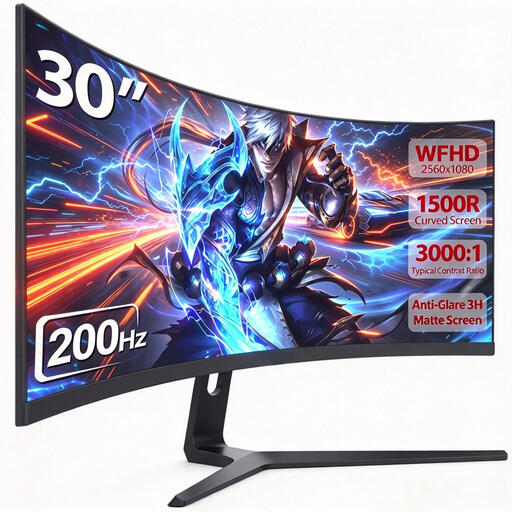 No image available
The 21:9 format is worth considering if you want a wide picture and space for work windows. Measure the space available first, and check that your games support the aspect ratio you want.
 No image available
This 27-inch QHD Mini-LED model is an option for gaming and a shared workspace.
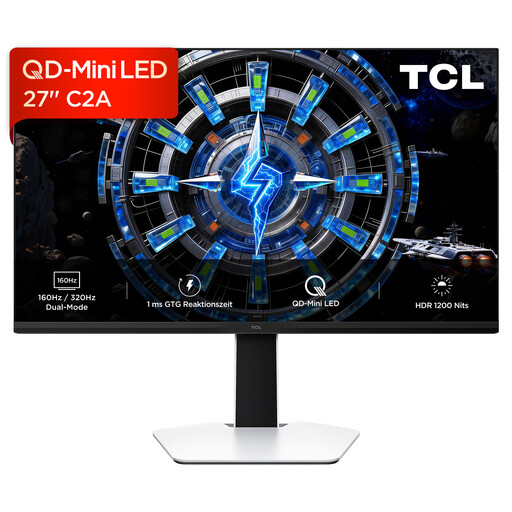 No image available
QD Mini-LED technology and an adjustable stand are worth considering if you want to use the same monitor for gaming and work.
No. First decide how you want dark scenes to look and whether the screen suits your work. Then compare the modes supported by your source device on the input you’ll use. The monitor’s maximum refresh rate doesn’t guarantee the frame rate your game will achieve.
Follow the care guidance for the specific model and position the screen to suit your seating position. ASUS notes that high-contrast static images displayed for long periods can pose a risk of burn-in; protection features don’t eliminate that risk.
Compare the figures on the specific EU energy label for SDR and HDR rather than assuming power consumption from the panel type alone. The European Commission explains how electronic displays are labelled. For consumer purchases in the EU, you have a minimum legal guarantee of two years from receiving the goods, which applies against the seller. This is separate from any additional manufacturer’s warranty. The European Union’s Your Europe website explains these consumer rights.
For online purchases made by consumers, you generally have a 14-day right to cancel from the date you receive the goods. You must notify the retailer that you’re cancelling; simply sending the item back isn’t enough. The consumer advice centre explains the right to cancel and notes that conditions and exceptions may apply to your specific purchase.