Hospital simulation players with a home office
You want to enjoy a clear view of the game and readable text at the same desk, so you’re comparing screen size, resolution and setup.


Start by choosing a monitor with a screen size, resolution and setup that suit your desk. A 27-inch QHD model is worth considering, but it isn’t a minimum requirement. If space is tight, a smaller display may be a better fit. And a high refresh rate alone won’t guarantee that menus are easy to read or that you can position the screen comfortably. Also compare the ports and the refresh rate available through each input with your computer.
You want to enjoy a clear view of the game and readable text at the same desk, so you’re comparing screen size, resolution and setup.
You need to make the screen size and position work with your desk space before deciding on a screen size.
You use the same screen for work and gaming, so you need to check that it has the right video inputs and supports the refresh rate your devices can output.
First, check the space available and how you want to position the monitor, then look at resolution and ports. A high refresh rate only matters after that, and only if your computer and game can actually output the required frame rate.
| What matters | What to check before buying | Who is this important for? |
|---|---|---|
| Clear gameplay and readable text | Compare screen size, native resolution, desk width and text scaling. | If I need to see the game clearly and read text on the same screen, I compare screen space and readability. Around 36% of consumers prioritise a clear view of the game and readable text. |
| Positioning the monitor on your desk | Check the stand’s dimensions, tilt, height adjustment and, where relevant, VESA mounting. | At a small desk, I want to position the screen comfortably without taking up unnecessary space. Around 29% of consumers prioritise how the monitor can be positioned. |
| Connecting multiple devices | Check your computer’s video output, the monitor’s input, the cable, and the resolution and refresh rate supported by each input. | If I want to connect both my work and gaming devices to the same monitor, their inputs and outputs need to be compatible. For around 21% of consumers, connecting their devices is the main concern. |
| Smoother motion in games | Check the maximum refresh rate for each input, variable sync support and the output your computer can actually deliver. | When gaming occasionally, I want to know whether my computer can deliver a higher frame rate before prioritising it over other features. Around 14% of consumers prioritise smoother motion. |
GIGABYTE lists a maximum of 180 Hz for the GS27QA, while a product page for the GS27QA listed at Joybuy specifies 165 Hz. This discrepancy concerns an important feature of the model.
Before ordering, compare the full model number and the details for the exact version on offer. Don’t assume one of the conflicting refresh rates is correct.
A stand without height adjustment or a lower refresh rate through a particular input may matter more for your workspace than the biggest number in the product description.
Check the available space, adjustment options and signal chain first. Depending on your setup, you may also need a suitable monitor arm or cable.
Your statutory rights if goods are faulty apply independently of any voluntary extended warranty. Your Europe distinguishes these rights from voluntary guarantees.
Before taking out additional cover, compare its terms and benefits with your statutory rights.
The G274QPF E2 is a 27-inch QHD option for gaming and desk work if an adjustable stand is important to you.
The GS27QA is a 27-inch QHD option if tilt adjustment is enough, or if you plan to use a compatible monitor arm.
The TUF Gaming VG27AQ3A is a 27-inch QHD option for buyers comparing refresh rates across inputs.
The UltraGear 27GS75QX-B is a documented 27-inch QHD IPS alternative.
The G2724D is a QHD gaming comparison model to consider if you want a stand with plenty of adjustment options.
This selection includes gaming monitors for hospital simulation and desk work, including 27-inch QHD models and a 34-inch ultrawide model.
 No image available
An option to consider if you’re looking for QHD and a height-adjustable stand for gaming and desk work.
27 inches; 2560 × 1440 pixels; Fast IPS; 144 Hz; 1 ms MPRT; FreeSync; height-adjustable stand.
 No image available
A curved 27-inch option if QHD and tilt adjustment suit your desk.
27 inches; QHD; 1500R; 180 Hz; 1 ms; AMD FreeSync; HDR; tilt adjustment; VESA 100 × 100 mm.
 No image available
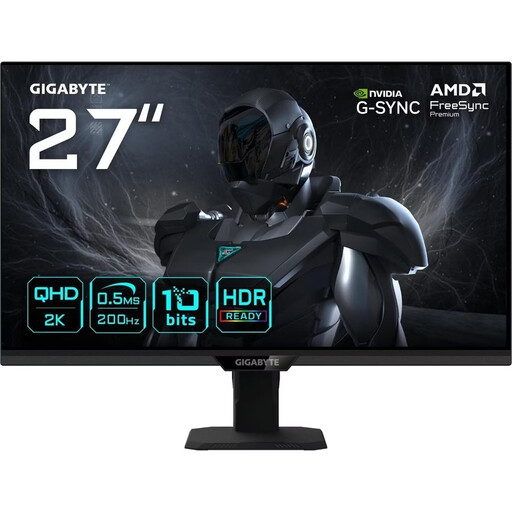
Another 27-inch QHD option if its specified refresh rate suits your computer and the input you’re using.
2560 × 1440 pixels; IPS; 200 Hz, 210 Hz in OC mode; 0.5 ms GTG; tilt adjustment; VESA 100 × 100 mm.
 No image available
The wider format is worth considering if you have enough desk space and want to display several things on one screen.
34 inches; 3440 × 1440 pixels; UWQHD; VA; 21:9; 1500R; 200 Hz; FreeSync; PIP/PBP; height-adjustable stand; built-in speakers with 4 Ω and 3 W.
A 34-inch ultrawide takes up more desk space than a smaller display.
 No image available
A 27-inch QHD option if you can check that its specified refresh rate, ports and stand adjustments suit your setup.
2560 × 1440 pixels; Mini-LED with 1152 dimming zones; 275 Hz; 1 ms; IPS; FreeSync; HDMI 2.1; DisplayPort 1.4; height-adjustable, tiltable, swivel and pivot adjustment.
No. The game’s format doesn’t establish a minimum refresh rate of 180 Hz. SEGA describes Two Point Hospital as a hospital management game, so start by checking that the game and its menus display clearly on your screen. The maximum refresh rate is an additional feature that depends on your system.
Check that the stand and its adjustment options suit your desk and seating position. The German Federal Institute for Occupational Safety and Health explains the requirements in ASR A6 for the workplaces and home-working environments covered by the rules. Private screen use outside these workplaces is explicitly excluded, so the rules aren’t a blanket requirement for gaming at home.
The refresh rate you can use may depend on the input. For the ASUS TUF Gaming VG27AQ3A, ASUS lists a maximum of 180 Hz over DisplayPort and 144 Hz over HDMI. Check the specifications for your exact model, as well as your computer and cable.
For an ordinary online purchase by a consumer, there is generally a 14-day right to cancel, although exceptions and the circumstances of the contract must be considered. Your Europe also explains that if goods are faulty, you have a legal guarantee of at least two years from receipt, which you can claim from the seller. A voluntary extended warranty is separate from this.
For electronic displays covered by EU energy labelling rules, the European Commission describes an energy efficiency scale from A to G. Check the energy label for the exact monitor and make sure the information relates to the model you’re considering.