What should you look for when buying?
First check that your device, game and preferred display mode are compatible. Then consider the connection, screen format and how the monitor will fit at your seat.
| What matters |
What to check before buying |
Who is this important to? |
| Motion on PC |
Match the resolution and refresh rate to your PC’s performance; check the refresh rate available through the input you’ll use. |
If I want smooth visuals on PC, I’ll match the monitor to my computer. Around 40% of consumers prioritise motion on PC. |
| Console connection |
Check the HDMI input against the console and game mode you want; don’t assume the frame rate based on the monitor’s refresh rate alone. |
If I play on console, I want to know that the monitor and game support the HDMI mode I want to use. Console compatibility is a priority for around 30% of consumers. |
| Positioning at your seat |
Compare the screen’s dimensions with your viewing distance and available space; check whether the stand or mount can position it at your preferred height. |
With a fixed seating position, I want to be able to position the screen comfortably without it taking up more space than I have. Around 20% of consumers focus mainly on seating and setup. |
| Wider screen format |
Before buying, check that your PC and kart racing game support the 21:9 resolution you want; make sure you have enough room for the wider display. |
If I want a wider picture, my kart racing game needs to support the format too. Around 10% of consumers prioritise ultrawide. |
Gaming monitors at Joybuy
This selection features 16:9 gaming monitors for PC and console games, including Full HD and QHD models, as well as options with adjustable stands.
 No image available
Z-Edge AGEX 27-inch QHD gaming monitor
For a PC setup where QHD resolution and adjustable screen height are important.
2560 × 1440; 144 Hz; Fast IPS panel; FreeSync; height-adjustable stand. The product description states that up to 144 Hz is available at QHD resolution via DisplayPort.
View at Joybuy
 No image available
MSI MAG 274FDE 27-inch Full HD gaming monitor
A Full HD option for a fixed seating position, with a height-adjustable stand and pivot function.
Full HD; IPS panel; 180 Hz; height-adjustable stand with pivot; DisplayPort and HDMI.
View at Joybuy
 No image available
GIGABYTE G27Q26 27-inch QHD gaming monitor
For a PC setup where a QHD display with a high stated refresh rate is an option.
2560 × 1440; SuperSpeed IPS; 260 Hz, up to 275 Hz in OC mode; 1 ms GTG.
View at Joybuy
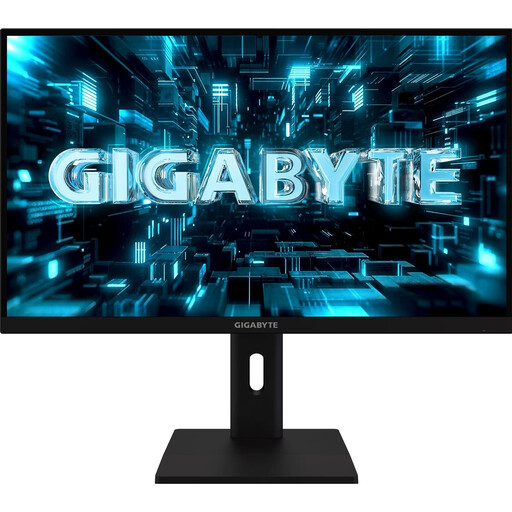 No image available
GIGABYTE G27Q3 27-inch QHD gaming monitor
For a PC setup where QHD and an adjustable screen position are important.
2560 × 1440; SuperSpeed IPS; 320 Hz; 1 ms GTG. According to the product description, the stand is height-adjustable, tiltable, swivelling and pivotable.
View at Joybuy
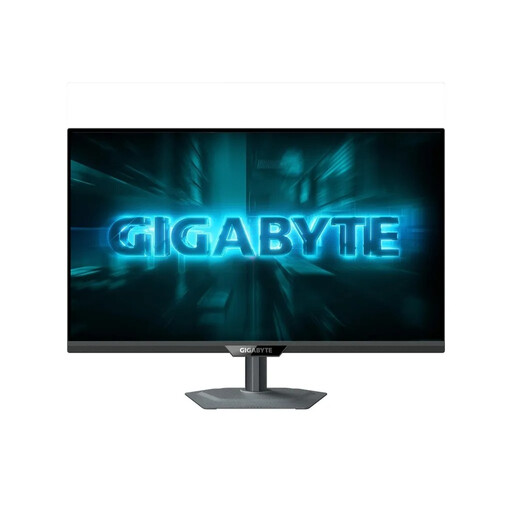 No image available
GIGABYTE G27Q2 27-inch QHD gaming monitor
For a QHD PC setup where you want to adjust the screen’s height and position at a fixed seating position.
2560 × 1440; SuperSpeed IPS; 200 Hz, up to 210 Hz in OC mode; 0.5 ms GTG. The stand supports height adjustment, pivot, swivel and tilt.
View at Joybuy
Frequently asked questions
Is 120 Hz enough for kart racing on the Nintendo Switch 2?
According to Nintendo Germany, the Switch 2 supports up to 120 fps at 1920 × 1080 or 2560 × 1440 via HDMI in TV mode; at 3840 × 2160, the maximum is 60 fps. Also check that your game supports the mode and that your monitor accepts it through the HDMI input you’re using.
How do I connect a Nintendo Switch 2 to a monitor?
Nintendo describes TV mode as using the Switch 2 dock, which connects to a monitor or TV. Then select the right HDMI input and check which output modes the game supports.
What should I consider when setting up my monitor?
Compare the dimensions of the monitor and stand with the space available, and check whether the stand or a suitable mount can position the screen at your preferred height. Follow the instructions for your model for care and operation.
What should I know about buying online and faults in Germany?
According to Verbraucherzentrale, consumers buying online generally have a 14-day right to cancel. If a product is faulty, statutory consumer rights against the seller are separate from any voluntary guarantee; Verbraucherzentrale explains your right to have the fault remedied.
Which energy label is relevant for gaming monitors?
The European Commission classifies computer monitors as electronic displays that require energy labelling. Check the energy label for the specific model if you want to assess its energy efficiency.


