Detail-focused map-makers
If you want to assess map sections and fine details across a large display, compare 32-inch models with 4K resolution in particular. ASUS ROG and MSI both offer examples of this type of monitor.


For detailed map-making, a large 16:9 monitor with 4K resolution is an obvious choice. If your editor places tools alongside the map and your game supports 21:9, a 34-inch ultrawide could be a better fit. For long sessions with static menus, also weigh up OLED against the model’s specific protection features and warranty terms. Check, too, which resolution and refresh rate your PC can actually output through the connection you plan to use.
If you want to assess map sections and fine details across a large display, compare 32-inch models with 4K resolution in particular. ASUS ROG and MSI both offer examples of this type of monitor.
If you want room for the map and tools side by side, a 34-inch ultrawide could be a good option. First check that your editor and game make effective use of the 21:9 format.
If toolbars stay on screen for long periods, weigh up OLED’s picture quality against how it handles static content. ASUS notes that displaying static, high-contrast images for extended periods on OLED screens can contribute to image retention or burn-in.
First decide whether you value greater vertical detail or extra width for tools more. Then compare the panel type, connections and the refresh rate your PC can achieve at the resolution you’ve chosen.
| What matters | What to check before buying | Who should pay particular attention? |
|---|---|---|
| Map detail and workspace | Check the native resolution, aspect ratio and scaling in your editor against your PC’s graphics performance. | If I want to assess fine map details across a large display, I pay particular attention to resolution and editor scaling. Around 40% of consumers put map detail first. |
| Map and tools side by side | Check that your specific editor and game support 21:9; measure the width of the screen and stand to make sure they’ll fit on your desk. | If I want to see toolbars alongside the map without constantly switching windows, the editor layout is key. Around 30% of consumers prioritise extra space beside the map. |
| Panel for long editing sessions | Read the exact model’s panel type, protection features, usage guidance and warranty terms. | If high-contrast menus stay on screen for long periods, I want to understand the trade-offs of the panel I choose. Around 20% of consumers prioritise using an editor with static content for long periods. |
| Smooth gaming after map-making | Check the refresh rate supported by the input, cable and graphics output you’ll use at your chosen resolution. | If I want to play games after working on a map, the refresh rate my specific PC-to-monitor connection can actually achieve matters most. Around 10% of consumers put achievable refresh rate first. |
Screen size, aspect ratio and native resolution each tell you something different. Extra width can make room for tools, but it’s no substitute for checking your editor’s layout.
Compare 16:9 and 21:9 in your editor, and check that the resolution and screen size suit your desk.
The stated limits can vary by input. For the ASUS ROG Strix XG32UQ, ASUS lists up to 160 Hz over DisplayPort in OC mode and 144 Hz over HDMI. The Dell Alienware AW3423DWF is listed at 165 Hz over DisplayPort and 100 Hz over HDMI.
Match the resolution and refresh rate supported by your chosen input to your graphics output and cable.
ASUS notes that displaying static, high-contrast images for extended periods on OLED screens can contribute to image retention or burn-in. Protection features don’t guarantee risk-free use.
Read the usage guidance and warranty terms for the exact model before you buy.
The ROG Strix XG32UQ is a documented 32-inch 4K Fast IPS model in a 16:9 format.
The MAG 323UPFDE is a 32-inch 4K Rapid IPS model.
The AW3225QF and AW3423DWF represent different large-screen QD-OLED formats.
The UltraGear 32GS95UE-B is an example of a large 4K OLED monitor with a dual-mode specification.
The original OMEN 34c is a 34-inch 21:9 VA model.
This selection from Joybuy includes 32-inch 4K OLED and QD-OLED monitors for detail-focused map-making and gaming afterwards. If you work with static editor screens for long periods, bear in mind the usage guidance specific to each OLED model.
 No image available
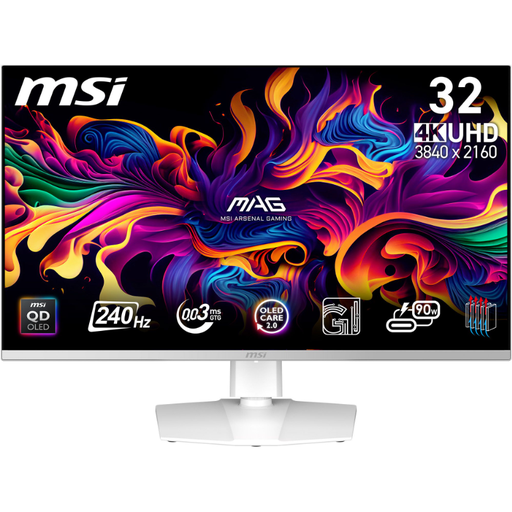
The stated 4K resolution could suit a workspace for detailed map-making; bear the OLED-specific usage guidance in mind when using static menus for long periods.
32 inches; 4K UHD (3840 × 2160); 240 Hz at 4K and 480 Hz at Full HD, according to the product title.
 No image available
The 4K resolution and 32-inch format suit a workspace for detailed map-making; take the OLED usage guidance into account when working with static editor screens for long periods.
32 inches; 4K UHD (3840 × 2160); 240 Hz; HDMI 2.1 and DP 2.1a, according to the product title.
 No image available
The 32-inch 4K format is an option for detail-focused map-making; if you work with static editor screens for long periods, follow the model’s OLED usage guidance.
32 inches; 4K UHD (3840 × 2160); 240 Hz; DisplayPort 2.1 and HDMI 2.1, according to the product title.
 No image available
The 32-inch 4K format could suit map-makers looking for a large display for detailed work. If you use static menus for long periods, consider the OLED-specific trade-offs.
32 inches; 3840 × 2160; adjustable stand with tilt, swivel, height adjustment and pivot, according to the product title.
 No image available
The 31.5-inch 4K format offers a large workspace for map-making; follow the OLED usage guidance if static editor screens remain visible for long periods.
31.5 inches; UHD 4K; 240 Hz, according to the product title.
No. The key question is whether you need more vertical detail or more space beside the map. ASUS ROG lists 3840 × 2160 pixels in a 16:9 format for the 32-inch XG32UQ; Dell Germany lists 3440 × 1440 pixels in a 21:9 format for the 34-inch AW3423DWF. Which one suits your work better depends on your editor layout and display settings.
Set your PC to the monitor’s native resolution and check the refresh rate available through the specific input you’re using. Dell Germany lists different figures for the AW3423DWF over DisplayPort and HDMI; the figures for the ASUS ROG Strix XG32UQ also vary by connection.
Follow the guidance and use the protection features provided for the specific model. ASUS explains that displaying static, high-contrast images for extended periods on OLED screens can contribute to image retention or burn-in, and recommends enabling the protection features on affected OLED models. This is a manufacturer recommendation, not a guarantee of risk-free use.
Your statutory rights against the seller and a voluntary manufacturer’s warranty are two different things. The Verbraucherzentrale says online orders generally come with a 14-day cancellation period from the date you receive the goods. Electronic displays also carry an EU energy label, which shows information including efficiency, screen size and resolution.