
Lieferung heute & morgen

Qualitätsgarantie

Willkommens-Angebote freischalten: KOSTENLOSE Lieferung | Bis zu 80 % RABATT | Kostenlose 30-Tage-JoyPlus-Testphase
App herunterladen
The search for the right gaming monitor can quickly become overwhelming. Manufacturers promote a flood of technical specs, but not every feature is worth the premium. Many gamers invest in functions they never use or that fail to deliver the promised advantage in practice. This guide will help you see through the marketing claims and make an informed decision tailored to your actual needs.
As your Joybuy Product Recommendation Officer, I have analysed the most common pitfalls to help you spend your money wisely.
To avoid a bad purchase, focus on the following three aspects that have the biggest impact on your experience.
Image sharpness depends on the relationship between resolution and screen size. A pixel density (PPI) that is too low will make the image appear blurry and pixelated. The following combinations have become established standards:
The panel technology is a key determinant of colour quality, contrast, and response speed.
These technologies synchronise the monitor's refresh rate with the frame rate output by the graphics card. The result is a smooth gaming experience without distracting "screen tearing" (torn images).
Here are three models that represent a sensible choice for different user profiles based on objective technical features.
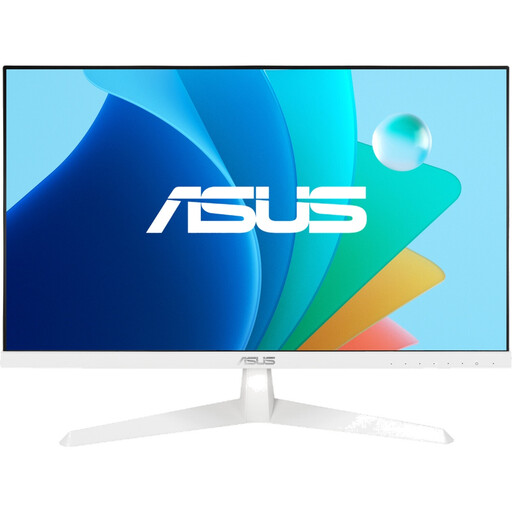
Why This Fits Their Persona: With 100Hz and an IPS panel, it provides a solid foundation for smooth Full HD gaming without breaking the bank. Ideal for casual gamers, console players, and those new to the world of PC gaming.
It avoids the trap of paying for excessively high refresh rates that entry-level graphics cards can't achieve anyway. It offers a balanced price-to-performance ratio with useful features like Adaptive-Sync.
An IPS panel for good colour reproduction and viewing angle stability, which is not a given in this price range. ASUS's Eye Care technology also reduces eye strain during extended use.
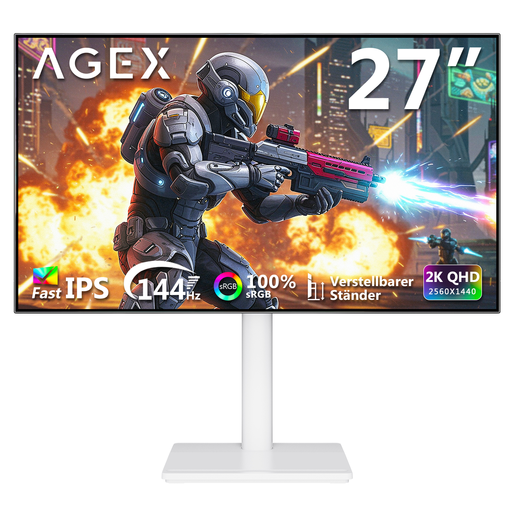
Why This Fits Their Persona: The combination of a 27-inch screen, WQHD (1440p) resolution, and 144Hz is the current standard for detailed yet smooth PC gaming. Perfect for gamers who enjoy both graphically demanding titles and fast-paced shooters.
With HDR10 and a fast IPS panel, it offers a noticeable improvement in image quality without sacrificing speed. The fully adjustable stand also avoids the ergonomic compromises often accepted with cheaper models.
A fast IPS panel with QHD resolution provides an excellent balance of sharpness and colour accuracy. The ergonomic stand (height, tilt, swivel, pivot) allows for optimal positioning at your work and gaming station.
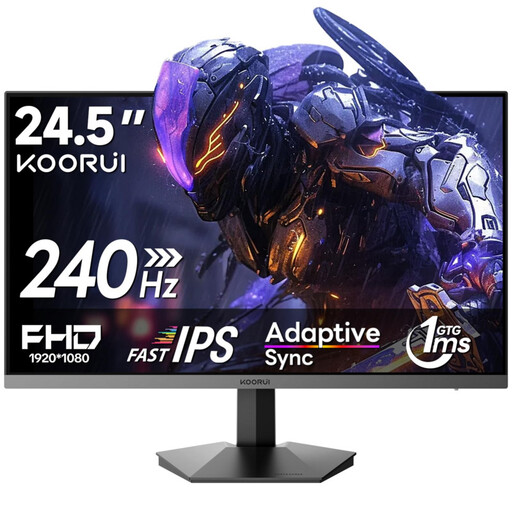
Why This Fits Their Persona: It focuses uncompromisingly on speed. 240Hz and a fast IPS panel at Full HD resolution are the exact specifications that ensure minimal latency and maximum image clarity in competitive titles like CS:GO or Valorant.
It ignores expensive "luxury features" like 4K or a deep curve, concentrating purely on performance (Hz and response time). This ensures the budget is spent specifically on what provides a competitive edge.
An extremely high 240Hz refresh rate for maximum motion clarity. The HDR400 certification also offers a solid entry into HDR display, which is a bonus for a monitor in this speed class.
We have compiled a complete, up-to-date list of products that fully meet these strict selection criteria and safety regulations.
1. Do I need DisplayPort or HDMI for high refresh rates? Yes, the connection is crucial. To use the full refresh rate (e.g., 144Hz at WQHD or 240Hz at Full HD), a DisplayPort 1.4 connection is typically required. Newer HDMI versions (2.0 or 2.1) can also support high rates, but DisplayPort is often the more reliable choice for PC monitor gaming. Always check the specifications of your monitor and your graphics card.
2. What is the difference between 1ms MPRT and 1ms GtG?GtG (Gray-to-Gray) measures how quickly a pixel can change colour. This is the more relevant value for assessing motion blur (ghosting). MPRT (Moving Picture Response Time) measures how long a pixel is visible and is often artificially shortened by rapidly turning the backlight on and off. A low GtG value is more important for a clear image without side effects.
3. Is a curved gaming monitor worth it? This is subjective. A curved gaming monitor can enhance immersion by filling the edges of your peripheral vision more effectively. This is especially noticeable on larger monitors (27-inch and up) and ultrawide formats (21:9). On smaller monitors under 27 inches, the effect is less pronounced. Whether the extra cost is worth it depends on personal preference.