Quest players who value dark scenes
If you spend hours exploring game worlds, image detail and dark scenes may matter more than the highest possible refresh rate. Dell and LG both offer QHD OLED models in their respective ranges.


For long open-world quests with headphones, a 16:9 QHD monitor is a versatile starting point, provided its resolution and audio output suit your PC or console. A 21:9 model is worth considering if your game and device support the wider format. OLED may be a good choice if dark scenes matter most, but you’ll need to consider long periods with static HUDs and check the warranty terms for the specific model. Also check which input you’re using: ASUS lists different maximum refresh rates for HDMI and DisplayPort on the VG27AQ3A, while PlayStation offers a test for 1440p output on the PS5.
If you spend hours exploring game worlds, image detail and dark scenes may matter more than the highest possible refresh rate. Dell and LG both offer QHD OLED models in their respective ranges.
If you want to know where to connect your headphones and microphone before you buy, check both signal paths separately. ASUS lists an earphone jack on the VG27AQ3A; this does not confirm that it has a microphone input.
If you want to play quests on a wider screen, check for 21:9 support, available desk space and how you’ll connect your headphones. Samsung’s Odyssey G5 G55T is a 34-inch option with a 21:9 aspect ratio.
Start with your gaming device and preferred aspect ratio. Then decide what matters most to you: dark scenes, a headphone connection on the monitor, the picture mode you can actually use or a wider format.
| Criterion | What to look for when buying | Who is it important to? |
|---|---|---|
| Image detail and dark scenes | Compare panel type, native resolution and screen finish. For OLED, check the care and warranty terms for the specific model. Dell lists QHD QD-OLED for the AW2725D, while LG lists QHD OLED for the 27GX704A-B. | If I play long quests, dark details matter more to me than the highest possible refresh rate; around 33% of consumers say this type of picture is their main priority. |
| Headphones and voice chat | Check the exact model for a headphone output, and confirm the microphone connection separately on your PC or gaming device. ASUS Germany lists an earphone jack on the VG27AQ3A; PlayStation explains how to select an audio output device on the PS5. | I want to know where game audio and voice chat will be routed before I buy; around 25% of consumers put the headphone and microphone connections first. |
| Usable picture mode | Check the input and game mode: ASUS lists a maximum of 180 Hz over DisplayPort and 144 Hz over HDMI for the VG27AQ3A. On PS5, also check the 1440p output test and the frame rate supported by the game you’re playing. | If I use a PC or PS5, I want to make full use of the resolution and refresh rate through the intended input; around 25% of consumers prioritise the picture mode they can actually use. |
| Ultrawide and desk space | Check that your game and output device support 21:9, and make sure you have enough room. Samsung lists a 34-inch screen, 3,440 × 1,440 pixels and up to 165 Hz for the LC34G55TWWPXEN. | I’ll choose 21:9 only if my games make good use of the format and the screen fits on my desk; around 17% of consumers put ultrawide and desk space at the top of their list. |
The ASUS VG27AQ3A has different maximum refresh rates listed for HDMI and DisplayPort. On PS5, 120 Hz output also depends on the game supporting it.
Before buying, check the input you plan to use, the cable, your output device and the picture mode in your game.
ASUS describes the VG27AQ3A’s socket as an earphone jack; this does not confirm that it has a microphone input.
Plan for game audio and voice chat as separate signal paths, and check the microphone connection on your PC or gaming device.
The Samsung Odyssey G5 G55T is a 34-inch 21:9 model. Whether the format works for your setup depends on game support, your output device and the space available.
Check the aspect ratio for the games you play most and measure your desk space; 16:9 remains a good alternative.
In a general manufacturer notice dated 19 September 2023, LG warns that images left unchanged for long periods can leave marks on OLED monitors.
Read the user manual and check the care and warranty terms for the specific model, especially if HUD elements stay in the same place for a long time.
The TUF Gaming VG27AQ3A is a 27-inch QHD IPS option for a 16:9 setup with a headphone output, as listed by ASUS Germany.
The Odyssey G5 G55T LC34G55TWWPXEN is a 34-inch 21:9 VA option for PC players considering a wider picture format.
Dell offers two distinct 27-inch options: the AW2725D with QHD QD-OLED, and the AW2725QF with 4K IPS.
The UltraGear 27GX704A-B is a 27-inch QHD OLED option with a glossy screen finish; LG lists a 240 Hz refresh rate for this model.
The G274QPF E2 is another 27-inch 16:9 QHD IPS option for players who aren’t looking for an ultrawide display.
This selection includes QHD and 4K gaming monitors for detailed quest scenes. If you want to connect your headphones directly to the monitor, check the socket specifications for the version you’re considering and confirm the microphone connection separately.
 No image available
This model is worth considering as a 4K option for detailed quest scenes; check which dual mode best suits your gaming device and desired refresh rate.
The product name specifies Mini-LED and Rapid IPS, with UHD at 160 Hz or FHD at 320 Hz.
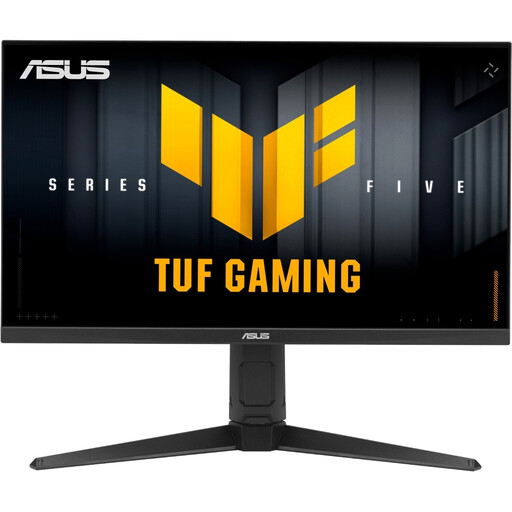 No image available
For a 16:9 QHD setup with headphones, the listed audio output is worth checking; confirm the microphone connection separately on your PC or gaming device.
The product name specifies WQHD, a Fast IPS panel and 210 Hz.
 No image available
If you’re looking for a 27-inch QHD screen for quests and want to connect your headphones to the monitor, check that the version you’re considering has the audio output you need.
The product name specifies an SS-IPS panel with 200 Hz, overclockable to 210 Hz.
 No image available
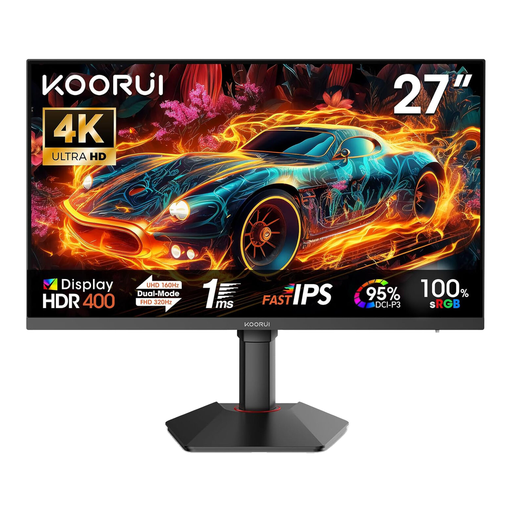
The 4K mode is worth considering for detailed game worlds; check which resolution and refresh rate your gaming device can actually output.
The product name specifies a Fast IPS panel, HDR 400, and 4K UHD at 160 Hz or FHD at 320 Hz.
 No image available
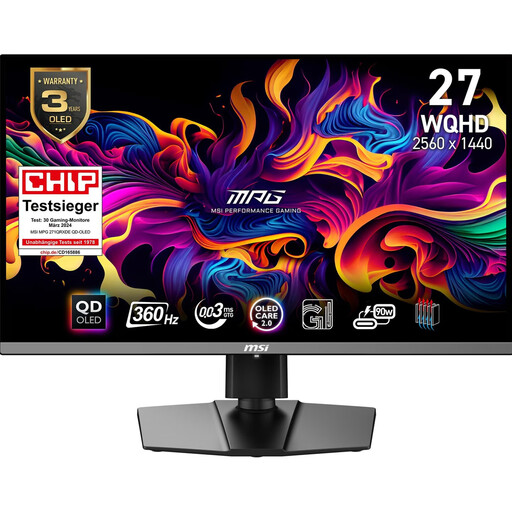
If dark quest scenes matter most to you, QD-OLED may be a good option. LG gives a general warning about marks that can appear when OLED images remain unchanged for long periods; check the care and warranty terms for the specific version.
The product name specifies WQHD and a 360 Hz refresh rate.
If you want to connect headphones to the monitor, check the audio output for the version you’re considering and plan for a separate microphone connection.
Not without checking first: ASUS describes the VG27AQ3A’s socket as an earphone jack, not a confirmed microphone input. Check the microphone connection on your PC or gaming device, and test game audio and chat separately.
Under Settings > Screen and Video > Video Output, the PS5 displays information about the connected HDMI device and offers a 1440p test for 60 Hz, 120 Hz and VRR. For 120 Hz output, you’ll also need a game that supports the relevant frame rate.
LG explains that OLED monitors can develop visible marks if static images remain on screen for long periods. Check the protective features and user manual for the specific model you choose, as well as its current warranty terms, especially if HUD elements stay in one place for a long time.
The Verbraucherzentrale explains that online contracts in Germany generally come with a 14-day cancellation period, and you must notify the retailer if you want to cancel. This is separate from your statutory rights if goods are faulty and from any voluntary manufacturer’s warranty.
Yes. The European Commission lists computer monitors among electronic displays that carry an energy label on a scale from A to G. Compare the product information sheet for the exact version on offer rather than trying to estimate its energy use from the panel technology alone.