Fans of dark game worlds
If you mainly play atmospheric mystery games, check the contrast of the specific model and look for clear HDR specifications. Don’t rely on a marketing term alone to tell you how the picture will look.


There’s no one-size-fits-all panel technology for mystery games and home working. If dark scenes are your priority, check the contrast of the specific VA model or the stated HDR rating of an OLED model. For daily text work, you should also consider the screen’s anti-glare finish, adjustability and connections. Samsung Electronics GmbH gives the Odyssey G5 LS27CG554EUXEN a static contrast ratio of 2,500:1, while Dell Deutschland lists QHD and DisplayHDR True Black 400 for the AW2725DF. With OLED, you should also weigh up the effect of displaying static office content for long periods.
If you mainly play atmospheric mystery games, check the contrast of the specific model and look for clear HDR specifications. Don’t rely on a marketing term alone to tell you how the picture will look.
If you read and write on the same screen during the day, consider reflections and the monitor’s adjustability as well as its resolution.
If you switch between a work and gaming device, check which connections you need and exactly what USB-C and KVM can do on the model you’re considering.
A good fit if: dark game scenes matter to you and you’re happy with the curve and stand of the specific model.
Consider: Samsung Electronics GmbH lists a static contrast ratio of 2,500:1 and a 1000R curve for the LS27CG554EUXEN. Its stand is not height-adjustable.
A good fit if: reading and writing at home are just as important as gaming. Compare the anti-glare finish, adjustability and connections on each model.
Consider: MSI Deutschland lists WQHD resolution, height adjustment and KVM for the MAG 274QRFDE QD E2. These specifications apply to this exact model variant.
A good fit if: dark game scenes are a particularly high priority and the screen won’t mainly display unchanged office content.
Consider: Dell Deutschland lists QHD and DisplayHDR True Black 400 for the AW2725DF. If you’ll be displaying static content for long periods, check the care and warranty terms for the specific model too.
These proportions relate to consumers choosing a monitor for mystery games and home working. Each person is grouped according to their top purchasing priority.
| Buying consideration | What to check | Who it matters most to |
|---|---|---|
| Dark scenes and HDR | Check the contrast and HDR rating of the exact model. Don’t assume that HDR signal support means the display has DisplayHDR certification. | If you want to see dark game scenes more clearly, the specific contrast and HDR credentials matter. Around 33% of consumers rank dark scenes as their top priority when buying. |
| Text work and positioning | Compare the native resolution, anti-glare finish and height adjustment or VESA mount. | If you read and write on your monitor every day, readability and a comfortable position at your desk are essential. Around 25% of consumers put these requirements first. |
| Connecting multiple devices | Check the video inputs and supported refresh rate for each input. Check USB-C video transmission, power delivery and KVM separately. | If you use the same screen for a work laptop and gaming PC, you’ll want to connect both devices and share your input peripherals as needed. Around 25% of consumers prioritise switching between devices. |
| Usable refresh rate | Compare the maximum refresh rate for each input with the output of your device. | If a smooth picture matters to you, the input and gaming PC must be able to output the refresh rate you want. Around 17% of consumers place the greatest importance on the usable refresh rate. |
Support for an HDR signal alone doesn’t tell you what level of HDR performance a display achieves. This distinction can make a difference when choosing a monitor for dark game scenes.
Check the specific DisplayHDR certification and picture tests for the model separately from its signal support.
For the VG27AQ3A, ASUS Deutschland lists a maximum of 180 Hz over DisplayPort and up to 144 Hz over HDMI.
Check the refresh rate at native resolution for the input and device you’ll actually use. You may need a suitable connection cable.
ASUS Deutschland and Samsung Electronics GmbH state that the supplied stands for the VG27AQ3A and LS27CG554EUXEN respectively are not height-adjustable.
Before choosing a model, check the height you need and whether it has a VESA mount. Depending on your preferred position, you may need a separate VESA mount.
With OLED, the risk of burn-in from displaying static office content for long periods is another factor to weigh up. Protective features and warranty terms vary by model.
Factor in how you typically work and play, along with the care guidance and terms for the specific model.
The TUF Gaming VG27AQ3A is a WQHD IPS option for work and gaming.
The MAG 274QRFDE QD E2 is a WQHD IPS option for a workstation with multiple devices.
The Odyssey G5 LS27CG554EUXEN is a VA option for buyers who want to take its stated static contrast ratio into account.
The AW2725DF is a QD-OLED option for buyers who place a particularly high priority on contrast.
The Joybuy models below include QHD options with IPS, VA and QD-OLED specifications. Depending on how you work and play, compare connections, adjustability and how to manage static office content.
 No image available
For gaming and text work with QHD resolution; the product description says the stand is adjustable.
2,560 × 1,440 pixels, 200 Hz, HFS (IPS), DisplayHDR 600, 1 ms GTG and AMD FreeSync Premium.
 No image available
A QHD option for gaming and work; the product specifications list a height-adjustable stand.
QHD, 275 Hz, 1 ms, IPS, 1,152 local dimming zones, HDR1000 and FreeSync. The product specifications also list HDMI and DisplayPort connections.
 No image available
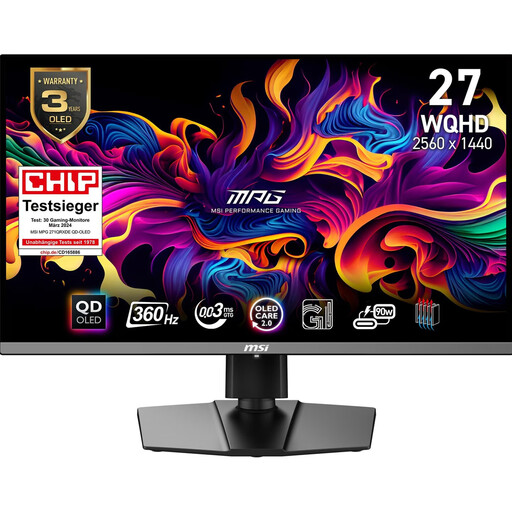
A QD-OLED option for games with dark scenes. If you’ll be displaying static office content for long periods, consider the risk of burn-in and the care guidance for this model.
WQHD, 360 Hz and DisplayHDR True Black 400. The product specifications list OLED Care 2.0 and a stand with height, tilt and swivel adjustment.
 No image available
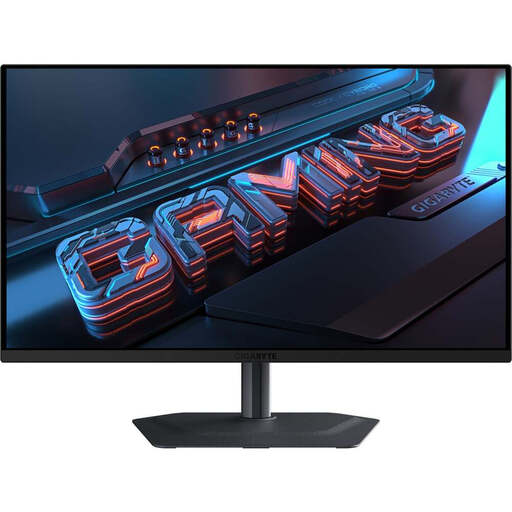
For QHD gaming and a workstation with multiple devices; KVM and adjustability are factors to consider for this specific model. With OLED, you should also bear in mind long periods of static office content.
2,560 × 1,440 pixels, 240 Hz, 0.03 ms, DisplayHDR True Black 400 and FreeSync Premium Pro. The product specifications list USB-C, KVM, a USB hub and height, pivot, tilt and swivel adjustment.
 No image available
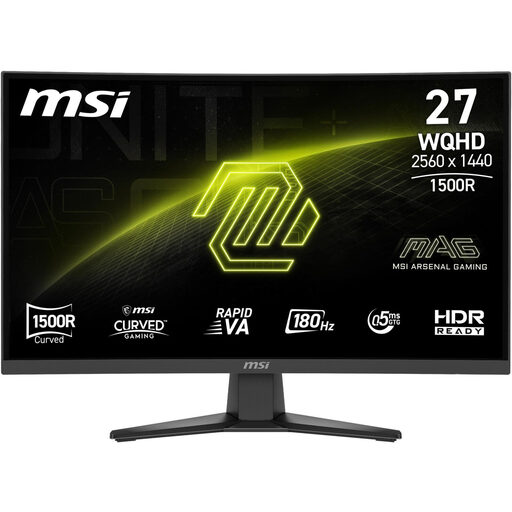
A QHD VA option for buyers who want to consider the stated static contrast ratio for mystery games. Check whether the curve suits your workspace.
2,560 × 1,440 pixels, 180 Hz, 1,500R curve and a static contrast ratio of 5,000:1. The product specifications list Adaptive Sync, HDR Ready and VESA compatibility.
No. The HDR10 label alone doesn’t prove a particular level of HDR picture quality. VESA defines different performance levels for DisplayHDR and DisplayHDR True Black, so check the certification for the specific model and model-specific picture tests separately from its signal support.
Before buying, check that the stand, desk space and, if necessary, a VESA mount will let you position the monitor as needed. The BAuA ASR A6 standard sets out requirements for workplace screen use within its scope; it isn’t a blanket technical minimum requirement for every gaming monitor used at home.
A monitor with a built-in KVM function is designed to let you control multiple devices using shared peripherals. MSI describes this feature for the MAG 274QRFDE QD E2. Check the specific devices and setup to find out which video and USB connections your laptop and gaming PC need.
For the exact model, check the EU energy label and product information sheet. The European Commission rates electronic displays on a scale from A to G. When you buy from a commercial seller, you generally have statutory rights covering faulty goods for at least two years. For a standard online distance purchase, you generally have a 14-day right to cancel from the date of delivery. Your Europe, the European Union’s information portal, explains these rights; an additional manufacturer’s warranty doesn’t replace them. Whether you have to pay return costs when cancelling depends on the legal requirements and the seller’s information.