FPS players in training
If fast movement is important for your training, check the frame rate your PC and the connection you’re using can actually deliver.


For training with fast-paced PC games, consider the frame rate you can actually achieve, the connection you’re using and how motion is displayed, rather than choosing solely by the highest refresh rate or lowest millisecond figure. In a shared bedroom, desk space, an adjustable screen position and suitable picture settings matter too. Manufacturer specifications don’t prove a personal training benefit or a shorter reaction time.
If fast movement is important for your training, check the frame rate your PC and the connection you’re using can actually deliver.
As well as gaming performance, I need a screen position and picture settings that work for shared use. Screen features alone can’t solve every disturbance in the room.
When space is tight, I compare the dimensions of the screen and stand to make sure there’s still room for my gaming peripherals.
A good fit if: you’re looking for a compact monitor for fast-paced games and other tasks. AOC lists the 24G4X as a 23.8-inch, 180 Hz model.
Trade-off: Other models mentioned here have a higher stated refresh rate, but that alone doesn’t mean a measured training benefit.
A good fit if: your PC can deliver enough frames and you’re looking for a higher rate than 180 Hz. ASUS lists the TUF Gaming VG249QML5A as a 23.8-inch, 240 Hz monitor with height adjustment.
Trade-off: ASUS’s stated minimum pixel response time isn’t a measurement of total input lag.
A good fit if: you mainly play competitive FPS games and prioritise motion clarity. ZOWIE positions the 24.1-inch XL2566X+ for this use, with 400 Hz and DyAc 2.
Trade-off: Claims about motion clarity come from ZOWIE. They aren’t an independent comparison or proof of shorter human reaction times.
A good fit if: you want to choose between IPS models with a high refresh rate. MSI lists the MAG 255XF at 300 Hz, while Dell lists the Alienware AW2525HM at 320 Hz.
Trade-off: MSI states that the MAG 255XF supports up to 300 Hz at Full HD via DisplayPort, but up to 240 Hz via HDMI.
| Consideration | What to check when buying | Who is it important to? |
|---|---|---|
| Motion display for training | Check the refresh rate, panel, input in use and the frame rate your system can achieve separately. | If I prioritise fast-moving images for reaction training, I check whether the game, PC and connection can deliver the rate I want. Around 36% of consumers prioritise smooth motion. |
| Use in a shared bedroom | Check the adjustment options and on-screen menu; set the brightness to suit how you use the monitor. | If I share the screen with someone else in the evening, I look for a suitable position and adjustable picture settings. Around 29% of consumers focus on practical evening use. |
| Desk space and setup | Compare the monitor’s width and stand depth with your available desk space; check compatibility if you plan to use a mount. | If I need to fit a mouse and keyboard on a small desk too, I compare the actual space required rather than relying on the screen size alone. Around 21% of consumers prioritise limited desk space. |
| Connection and ongoing buying considerations | Check the refresh rate supported by the input you’ll use and compare the energy label for the specific model. | If I can only use a particular connection, I check the frame rate it supports and what information is available about ongoing power consumption. Around 14% of consumers focus on connectivity and running costs. |
The maximum Full HD refresh rates listed for the MSI MAG 255XF vary by connection: MSI states up to 300 Hz via DisplayPort and up to 240 Hz via HDMI.
Before buying, check the specifications for the exact input you plan to use.
A manufacturer’s stated minimum GtG pixel response time doesn’t measure your personal reaction time.
Check how and under what conditions the figure was measured, and don’t assume it proves a personal training benefit.
MSI’s specifications give the monitor’s dimensions both with and without the stand, so the diagonal alone doesn’t tell you how much desk space it will take up.
Compare the dimensions with the stand included against the space you need for your mouse and keyboard.
The 24G4X is a compact 180 Hz IPS option for fast-paced games and everyday use.
According to ASUS Germany, the TUF Gaming VG249QML5A combines a 23.8-inch Fast IPS panel and 240 Hz with height adjustment.
ZOWIE positions the XL2566X+ as a 24.1-inch Fast TN model with 400 Hz and DyAc 2 for competitive FPS gaming.
MSI describes the MAG 255XF as a 24.5-inch Full HD Rapid IPS model.
Dell lists the AW2525HM as a Full HD Fast IPS model with 320 Hz.
This Joybuy selection includes gaming monitors with high refresh rates and a range of screen sizes, resolutions and adjustment options. Check the frame rate your system can actually achieve through the connection you plan to use.
 No image available
An option if you’re looking for a large OLED screen for fast-paced games.
4K UHD, 3840 × 2160; 240 Hz at 4K and 480 Hz at FHD; anti-glare display.
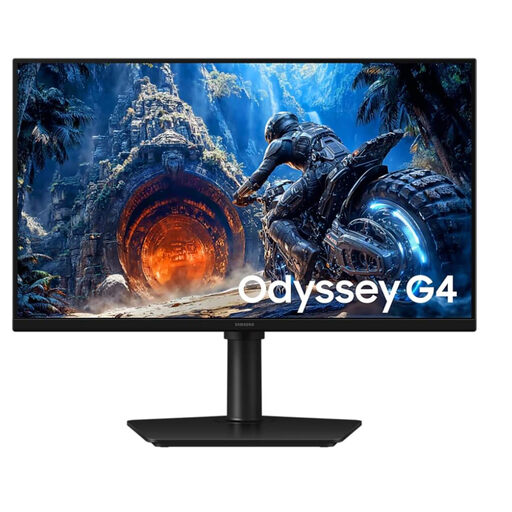 No image available
A Full HD IPS model with an adjustable stand, if you’d like to change the screen position.
300 Hz; according to the product description, up to 300 Hz via DisplayPort and up to 240 Hz via HDMI.
 No image available
An option if you’re looking for an adjustable stand and a high refresh rate.
QHD 2K, 275 Hz, Mini LED and height-adjustable stand.
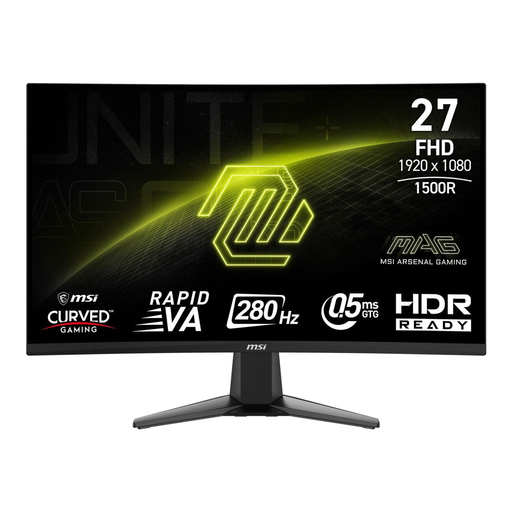 No image available
A curved Full HD model with brightness and contrast settings available in the on-screen menu.
Rapid VA, 280 Hz, HDMI and DisplayPort.
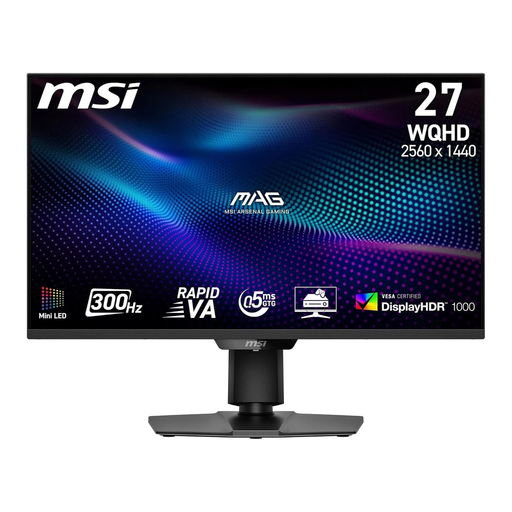 No image available
An option if you want to combine WQHD resolution, a high refresh rate and a height-adjustable stand.
WQHD 2560 × 1440, Rapid VA Mini LED, 300 Hz, HDMI 2.1 and DisplayPort 1.4a.
No. The refresh rate alone doesn’t prove that your personal reaction time will be shorter. Check the frame rate your game, PC and connection can actually deliver; ZOWIE’s claims about motion display on the XL2566X+ are manufacturer specifications.
Check the specifications for the input you’re using, then select a supported rate in your display settings. For the MAG 255XF at Full HD, MSI lists up to 300 Hz via DisplayPort, but up to 240 Hz via HDMI.
Measure the space it takes up, including the stand, and check whether you can adjust the screen position and picture settings to suit your needs. ASUS lists height adjustment for the VG249QML5A; this doesn’t prove that it’s silent or has any effect on sleep.
Compare the energy label for the specific model. According to Germany’s Verbraucherzentrale, consumers can generally exercise their statutory rights if newly purchased goods are faulty within two years of receiving them. This is separate from any additional manufacturer’s warranty.
For online orders, consumers generally have 14 days from receiving the goods to cancel. You must notify the seller that you’re cancelling; simply returning the goods isn’t enough.