Gamers short on desk space
If you share a small desk or sit close to your bed, make sure the screen and stand will fit in the space available.


First, measure the available space, including room for the stand, then consider whether you mostly play in low light or with the room brightly lit. A compact Full HD monitor takes up less desk space, while a 27-inch QHD model gives you more screen area for maps and menus. For dark scenes, VA or OLED could be worth considering: RTINGS notes that VA panels can show smearing in dark motion, while with OLED, long periods of static on-screen game elements are a factor to weigh up.
If you share a small desk or sit close to your bed, make sure the screen and stand will fit in the space available.
If you often play in low light, how dark scenes look may matter more to you than maximum brightness in daylight.
If someone else shares the room, think about screen positioning, reflections and a suitable headphone connection.
First, measure the desk space you have, including the stand. Then check that the resolution, connections and picture quality suit your device and the conditions you share the room in.
| What matters | What to check | Who will value it most |
|---|---|---|
| Dark game scenes | Check the panel type and how it handles reflections in your lighting conditions; if you choose OLED, read the care guidance too. | If dark RPG worlds matter to me, I pay particular attention to how they look. Around 29% of consumers put dark game scenes first. |
| Space for the screen and stand | Compare the actual dimensions of the screen and stand with the free space on your desk. | If I share a small desk, I want to know before buying whether the monitor and stand will really fit. Around 24% of consumers put available space first. |
| Maps and menus | Consider screen size and native resolution together with your viewing distance and the performance of your connected device. | If I want a clear view of maps, dialogue and menus, usable screen area is key. Around 18% of consumers prioritise this. |
| Being considerate in the evening | Check for a headphone output and the audio output options on your device; also consider monitor positioning and adjustable brightness. | If I play while someone else is in the room, I want to use headphones and minimise distracting reflections. Around 17% of consumers prioritise sharing their space considerately. |
| Connection compatibility | Match the resolution and refresh rate supported by the specific input you plan to use with your device’s output. | I want to connect the monitor to my PC or console without any surprises. Around 12% of consumers put the right connection first. |
The refresh rate you can achieve may depend on which input you use. For the Dell G2725D, Dell lists up to 180 Hz at QHD over DisplayPort and up to 144 Hz over HDMI.
Check the resolution and refresh rate supported by the connection you actually plan to use.
One feature alone doesn’t tell you how a particular screen will look in your room. Contrast and reflections are also part of the decision.
Compare panel types and reflections in similar lighting conditions, and check the specific information available for the model.
High-contrast elements that stay on screen for long periods can carry a risk of permanent image retention on OLED displays.
Read the care guidance for the specific model and weigh it against your gaming habits.
The care guidance and warranty terms for the model may require extra attention.
The TUF Gaming VG249QL3A is an example of a compact 23.8-inch Full HD IPS monitor.
The G2725D is a 27-inch QHD IPS example, while the S2722DGM illustrates a VA alternative.
The Odyssey OLED G61SH is an example from the manufacturer of a 27-inch QHD QD-OLED monitor.
The UltraGear 27GS85QX-B is an example of a 27-inch QHD Nano IPS monitor.
The MO27Q28G is an example of a 27-inch QHD WOLED monitor.
This selection includes compact Full HD models as well as larger QHD monitors with a range of LCD and OLED panel types.
 No image available
The listed QHD resolution and curved design are worth considering if you want a larger gaming area; check the dimensions to make sure it will fit your desk.
27 inches, QHD, 180 Hz, 1 ms, AMD FreeSync, HDR and 122% sRGB.
 No image available
The 27-inch QHD specification gives you a larger screen area for maps and menus; make sure the resolution is compatible with your connected device.
27 inches, Mini LED, QHD 2K, 275 Hz, IPS, HDMI and DisplayPort.
 No image available
Its stated screen size and Full HD resolution make this a compact option if desk space is limited.
23.8 inches, Full HD, Rapid IPS, 200 Hz, 16:9, DisplayPort and HDMI.
 No image available
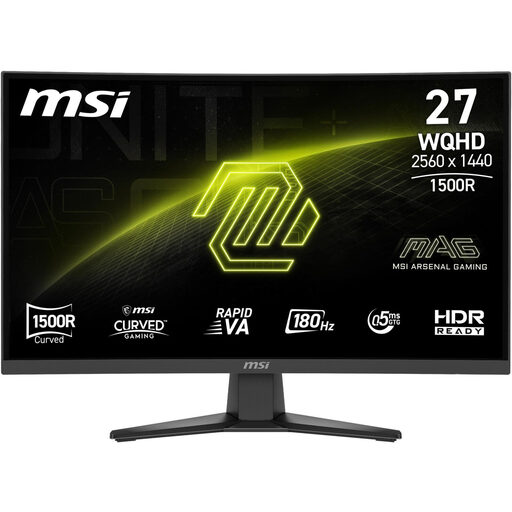
QHD and a 27-inch screen give you more viewing area. If dark motion is important to you, also bear in mind that VA panels can show smearing.
68.6 cm (27 inches), 2560 × 1440, Rapid VA, 16:9, 0.5 ms, DisplayPort, HDMI and energy efficiency class F (A–G).
 No image available
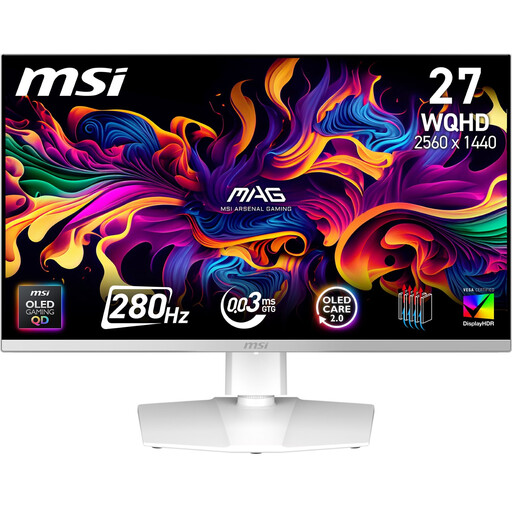
QD-OLED may appeal to consumers who prioritise dark RPG worlds; if game elements remain static for long periods, OLED care is still a factor to weigh up.
67.3 cm (27 inches), QD-OLED.
If space is tight, first check the monitor’s dimensions, including the stand. If a 27-inch screen fits and your device supports the QHD resolution you want, a 27-inch QHD model gives you more screen area and pixels for maps and menus than the 23.8-inch Full HD model mentioned here.
Position the screen so that light sources aren’t directly opposite it, and adjust the brightness to suit the room. Also check that your device’s audio output works with the headphone output on the specific monitor.
Bear in mind the risk of static elements remaining visible, and read the care guidance and warranty terms for the specific model. It’s a factor to consider based on how you use the screen, not a guarantee that damage will occur every time you play an RPG.
Compare the energy information for the specific models using the EU energy label for electronic displays. When buying online in Germany, you generally have a 14-day right to cancel, subject to statutory exceptions; the Verbraucherzentrale explains how it works. The Verbraucherzentrale also describes the general two-year statutory warranty for new goods, which applies against the seller. This is separate from a voluntary manufacturer’s guarantee.