Start by measuring the available desk space, then decide whether a compact 16:9 setup or a wider cockpit view matters more to you. A 21:9 monitor is a good fit if the game supports the format, your desk is wide enough and your PC can handle 3440 × 1440. GameStar notes that supported widescreen formats show more of the game world, but also place greater demands on your hardware. OLED is worth considering for dark scenes, but you’ll need to take care with static images displayed for long periods: LG explained in 2023 that protective features can’t rule out burn-in.
Which type of monitor is right for you?
Gamers with limited desk space
If you share a room, start by checking the space available, how the monitor can be positioned and its audio output. A 27-inch 16:9 model is a useful compact benchmark, but it won’t necessarily be the right choice for you.
Cockpit fans with room for an ultrawide
A supported 21:9 game can show more of the world to either side, as GameStar explains. Measure your available space and check that your game supports the format before choosing a widescreen display.
Fans of dark space scenes
If dark areas of the picture matter most to you, compare OLED models. Bear in mind how often fixed cockpit displays or desktop content will stay on screen without changing.
What should you look for when buying?
Compact 16:9 monitor
A good fit if: space is limited and you want a standard working area.
The trade-off: The picture isn’t as wide as on a 21:9 monitor; stands and inputs vary by model.
21:9 ultrawide LCD
A good fit if: your game makes good use of 21:9 and you have enough desk space.
The trade-off: The wider format takes up more space and may demand more graphics power at its native resolution.
OLED for dark gaming scenes
A good fit if: you value the look of dark scenes more than a low-maintenance display for static content.
The trade-off: Static images displayed for long periods can leave marks; protective features can’t eliminate the risk.
| What matters when buying |
What to check |
Who is it important for? |
| Desk space and a shared room |
Overall dimensions and stand; audio output suited to using the monitor in a shared room. |
If I share my desk, I want to leave enough room for both work areas. Around 28% of consumers prioritise desk space. |
| Wide cockpit view |
Whether the game supports 21:9, desk width and PC performance at the resolution you want. |
If a wider view of the game matters to me, I check the game and available space first. Around 28% of consumers put cockpit width first. |
| Dark scenes and OLED care |
Care guidance and warranty terms for the specific model; bear in mind the effect of static images displayed for long periods. |
If I often play games with dark scenes, I want to weigh OLED care against my use of fixed displays. Around 22% of consumers prioritise the look of dark scenes. |
| Motion handling and connection |
Resolution and refresh rate on the input you plan to use; for consoles, also check the supported output. |
If smooth motion matters to me, I focus on the combination of device and input I can actually use. Around 22% of consumers prioritise motion handling and signal connection. |
Buying decisions to check first
-
Focusing only on the maximum refresh rate
The refresh rate you can achieve may depend on the input. Dell lists up to 180 Hz over DisplayPort and up to 144 Hz over HDMI for the G2725D at QHD.
Compare the resolution and refresh rate for the connection you actually plan to use.
-
Choosing an ultrawide without checking the game and desk
A wider picture depends on the game supporting the format. A 34-inch model also needs enough desk space; 3440 × 1440 can place greater demands on your PC than 2560 × 1440.
Check game support, overall dimensions and how your PC performs at the resolution you want.
-
Assuming OLED protection means no burn-in
LG explained in 2023 that protective measures can’t completely rule out burn-in, even with proper use.
Consider fixed displays and desktop use when choosing, and read the care guidance and warranty terms for the specific model.
Key brands at a glance
ViewSonic
The VX3418C-2K is a useful reference point for a 34-inch 21:9 cockpit display.
- ViewSonic specifies a resolution of 3440 × 1440 pixels, 180 Hz, FreeSync Premium and a 1500R curve.
- The quoted 1 ms response time is MPRT, not an independent measurement covering every pixel transition. How suitable and useful it is also depends on game support and available space.
Dell
The models compared cover a compact 27-inch QHD IPS option and a 34-inch ultrawide LCD.
- For the G2725D at QHD, Dell specifies up to 180 Hz over DisplayPort and up to 144 Hz over HDMI.
- Dell says the SE3426DW’s stand isn’t height-adjustable, so check the setup height before you buy.
LG
The 27GS95QX-B is a 27-inch QHD OLED monitor with a 240 Hz refresh rate, rather than a wide 21:9 picture.
- LG specifies an OLED display with QHD resolution and a 240 Hz refresh rate for this model.
- LG explained in 2023 that protective measures can’t rule out burn-in. Check the current warranty terms for the specific model.
MSI
The MPG 322URXDE QD-OLED is a useful reference point for a 31.5-inch 4K OLED monitor with a high refresh rate.
- MSI specifies a resolution of 3840 × 2160 pixels and a refresh rate of 240 Hz. For consoles, MSI lists HDMI with 4K support at 120 Hz.
- These are manufacturer specifications, not independent confirmation of picture quality. Whether you can use high refresh rates also depends on the connected device.
Joybuy monitors for compact spaces and 21:9
This selection includes compact 16:9 monitors and 21:9 models for a wider cockpit view. Before choosing, check that the size, resolution and connections suit your desk and gaming device.
 No image available
Z-Edge AGEX, 27 inches
A compact 16:9 option for QHD gaming if you don’t want to move up to a 34-inch ultrawide.
QHD, 144 Hz, Fast IPS and FreeSync. The product title also mentions a height-adjustable stand.
View at Joybuy
 No image available
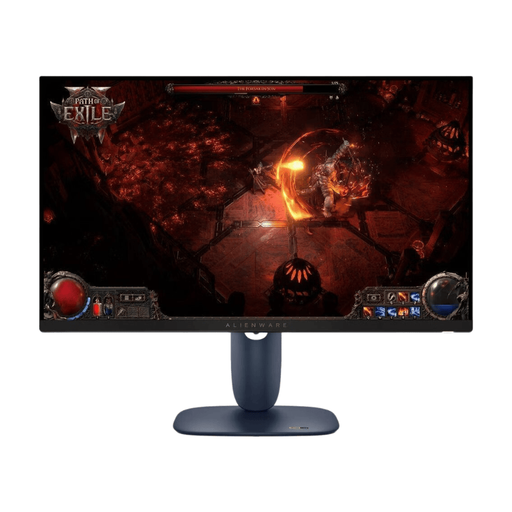
Dell Alienware AW2725DM, 27 inches
A 16:9 option for a more compact desk setup, with QHD resolution.
WQHD, IPS, 180 Hz and Adaptive Sync. The stand can be adjusted for height, tilt, swivel and pivot.
View at Joybuy
 No image available
TCL 25G54, 25 inches
The smaller 16:9 format may be worth considering if there’s limited room on your desk for a larger screen.
Full HD, 144 Hz, IPS and Mini-LED with local dimming zones.
View at Joybuy
 No image available
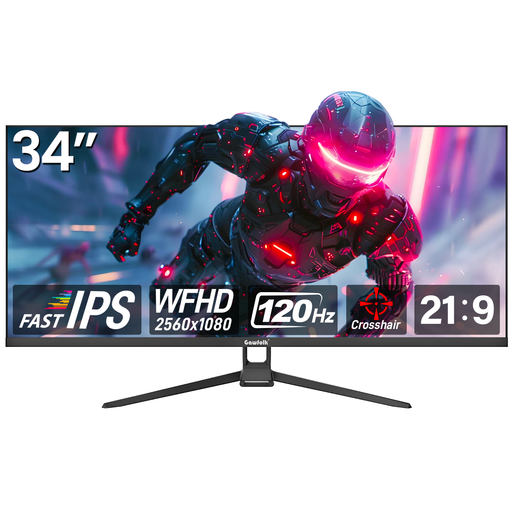
Gawfolk GF340H-H, 34 inches
For a wider cockpit view, if your game supports 21:9 and your desk has enough width.
21:9, 2560 × 1080 pixels, 120 Hz, Fast IPS and FreeSync. The effect of the format depends on the game.
View at Joybuy
 No image available
CRUA CR340QA-H, 34 inches
A 21:9 option for a wider view of the game, provided the specific game supports the format and your PC can handle the resolution.
3440 × 1440 pixels, 165 Hz, 1500R curve and 1 ms MPRT. VESA mount: 75 × 75 mm.
View at Joybuy
Frequently asked questions
Is 180 Hz enough for my console or PC?
Not necessarily: what matters is the resolution and refresh rate supported by the specific input. For the G2725D at QHD, Dell specifies up to 180 Hz over DisplayPort and up to 144 Hz over HDMI. With a PS5, you can test 1440p output, including 60 Hz, 120 Hz and VRR, on the connected display.
What should I check when setting up a monitor in a shared bedroom?
Compare the monitor’s overall dimensions and adjustment options with the space available on your desk, and check the audio output on the specific model. Dell lists a tilt-adjustable but non-height-adjustable stand for the SE3426DW.
How should I manage fixed cockpit displays on an OLED?
Follow the care guidance for the specific model and leave its recommended protective features switched on. LG explained in 2023 that images left unchanged for long periods can leave marks despite protective measures; MSI describes an automatic refresh cycle for its OLED monitor.
What should I look out for with energy use and faults?
The European Commission includes computer monitors in its energy labelling scheme for electronic displays. Compare the energy label for the specific model and its figures for SDR and HDR. If a product is faulty, distinguish your statutory rights against the seller from a voluntary manufacturer’s warranty. The Verbraucherzentrale identifies the seller as your point of contact for statutory rights.


