Gamers short on desk space
If your monitor, stand, keyboard and mouse all need to fit in a tight space, check the dimensions with the stand rather than just the screen size. LG, Dell and BenQ list different stand depths for their respective models.


If desk space is limited, a 23.8- to 24-inch Full HD monitor is a sensible place to start. Still, check the stand depth for the specific model. A 27-inch QHD monitor could be a good option if your desk, viewing distance and PC or console are up to the task. For fantasy adventures, check how the monitor handles dark scenes and whether its refresh rate suits your connection and source device, rather than relying on advertised hertz or HDR figures alone.
If your monitor, stand, keyboard and mouse all need to fit in a tight space, check the dimensions with the stand rather than just the screen size. LG, Dell and BenQ list different stand depths for their respective models.
If you want more screen space or a higher resolution for game worlds and interfaces, consider a 27-inch QHD monitor. The key is whether it fits on your desk and your source device can output the resolution you want.
If you pay particular attention to darker sections of games, don’t assume that HDR marketing claims prove HDR picture quality. Model-specific specifications or tests can help you assess the picture more accurately.
| Consideration | What should you check before buying? | Who is it particularly relevant to? |
|---|---|---|
| Desk space and positioning | Check the available width and depth, including the stand. Consider height adjustment and, where relevant, VESA mounting on the specific model. | If your desk also needs to accommodate a keyboard, mouse and other items, the actual footprint matters. Around 36% of consumers put available space at the top of their list. |
| Screen space and detail | Compare 23.8- to 24-inch Full HD and 27-inch QHD monitors in terms of viewing distance and available space. Check which resolution your source device can output through the connection you plan to use. | If you want to see fantasy landscapes and game interfaces on a larger screen or with more pixels, make sure the resolution is compatible with your PC or console. Around 29% of consumers prioritise screen space and detail. |
| Dark scenes | Look for model-specific specifications or picture tests; HDR10 alone doesn’t prove that HDR performance is impressive. | If darker sections of games are a deciding factor for you, take a closer look at the picture quality of the specific model. Around 21% of consumers make this a priority. |
| Refresh rate and connections | Check HDMI and DisplayPort, the refresh rate at your preferred resolution and whether there’s an overclocking mode. | If smooth motion and the right connection for your PC or console are priorities, check that the monitor and source device work well together. Around 14% of consumers put refresh rate and connectivity first. |
A smaller screen doesn’t guarantee a shallow stand. Dimensions and adjustment options can vary even between monitors in the 24-inch category.
Compare the width and depth, including the stand, with the space you have available. If you’re considering a VESA mount, check that it’s suitable and can be installed.
If the supplied stand doesn’t work for your setup, you may need a suitable mount. Allow extra space for it and factor in installation separately.
In its review of a specific monitor, PRAD found HDR10 support of limited benefit due to low brightness and a lack of dimming zones. This assessment doesn’t automatically apply to other models, but it shows that an HDR10 logo alone is no guarantee of quality.
For dark fantasy scenes, look at picture tests for the specific model and don’t judge HDR by the logo alone.
The quoted refresh rate can vary depending on the input. LG lists 120 Hz native and 144 Hz in overclocking mode for the 24G411A-B; the Dell G2724D has different QHD figures for DisplayPort and HDMI.
Compare refresh rate, resolution, connection and any overclocking mode with the capabilities of your source device.
The TUF Gaming VG249Q3A is an example of a 24-inch Full HD monitor with a Fast IPS panel.
The UltraGear 24G411A-B is a 24-inch Full HD model.
The G2724D is a flat 27-inch QHD monitor with an adjustable stand.
The Odyssey G5 G55C LS27CG554EUXEN is a 27-inch QHD example with 1000R curvature.
The MOBIUZ EX240 is a 23.8-inch Full HD example.
The models below focus on compact Full HD monitors. Compare each model’s stand, connections and refresh rate with your desk and source device.
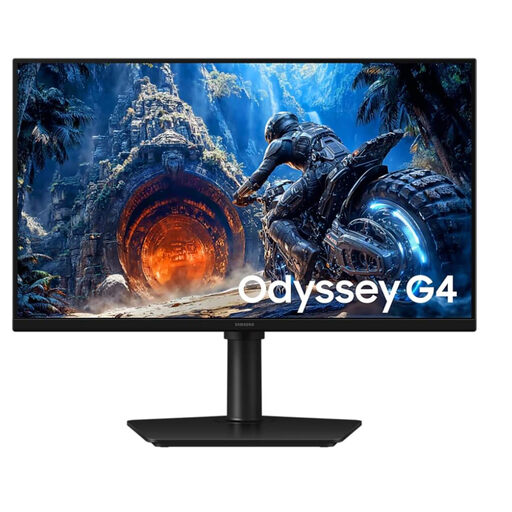 No image available
A 25-inch Full HD option for anyone looking for a compact screen rather than a larger QHD model.
Specifications listed in the product name: 300 Hz and IPS.
 No image available
A 24-inch Full HD option for a compact gaming setup.
Specifications listed in the product name: IPS, 120 Hz and 5 ms.
 No image available
A 24-inch Full HD option for a compact gaming setup.
Specifications listed in the product name: IPS and 144 Hz.
 No image available
A 24-inch Full HD option if a compact screen is your main priority.
Specifications listed in the product name: 100 Hz, 1 ms MPRT and IPS.
 No image available
A 23.8-inch Full HD option for a compact gaming setup.
Specifications listed in the product name: Rapid IPS and 200 Hz.
Measure the available desk width and depth where you plan to place the monitor, then compare them with the manufacturer’s dimensions, including the stand. BenQ lists a depth of 252 mm with the stand for the 23.8-inch EX240; Dell lists 20.02 cm for the 27-inch G2724D.
No. The refresh rate you can achieve also depends on the model, connection and source device. For the G2724D, Dell lists 165 Hz at QHD via DisplayPort and 144 Hz via HDMI; LG lists 120 Hz native and 144 Hz in overclocking mode for the 24G411A-B.
The European Commission’s energy label rates electronic displays on a scale from A to G. Compare the figures for the specific models on the same basis. Your personal electricity costs will also depend on how long you use the monitor and your electricity tariff.
Under the EU consumer rules outlined by Your Europe, online purchases from a trader generally come with a 14-day cancellation period, although exceptions and the circumstances of the contract need to be taken into account. Faulty goods bought from a trader are covered by a legal guarantee of at least two years; this is separate from any voluntary manufacturer’s warranty. Purchases from private individuals need to be considered separately.
No. The Federal Institute for Occupational Safety and Health lists computer workstations and teleworking as areas covered by ASR A6, and excludes use outside workplaces or teleworking environments. It therefore doesn’t set a blanket size limit for a home gaming desk.