Gamers short on desk space
If you play story-driven puzzle games at a small desk, first check that the screen and stand will fit. RTINGS.com notes that the smaller footprint of compact monitors can be a reason to choose a 24-inch model.


When desk space and viewing distance are limited, a 23.8- to 24-inch Full HD monitor is a sensible starting point. Still, check the actual width of the monitor and the depth of its stand. A 27-inch QHD model gives you more screen space for text and detail, if it fits on your desk. OLED can be appealing for dark gaming scenes, but displaying static content for long periods carries a risk of burn-in. A high refresh rate alone shouldn’t determine your choice. RTINGS.com covers the differences between 24- and 27-inch monitors, as well as the risk of OLED burn-in with static elements.
If you play story-driven puzzle games at a small desk, first check that the screen and stand will fit. RTINGS.com notes that the smaller footprint of compact monitors can be a reason to choose a 24-inch model.
If you want dialogue, clues and multiple on-screen elements to be easy to make out, weigh the benefit of a larger screen against the space you have available. RTINGS.com compares 24- and 27-inch monitors, among other sizes.
If dark scenes matter to you, consider not only the picture but also the monitor’s footprint and how you use it with static content. RTINGS.com highlights the risk of burn-in on OLED screens when the same elements are displayed for long periods.
First measure the space available on your desk. Then consider which screen size and picture quality will make puzzle text easy to read from your usual seating position.
| Buying criterion | What to check | Who should pay particular attention? |
|---|---|---|
| Desk space and viewing distance | Compare the width and depth of your desk with the dimensions of the specific monitor and stand, and take your viewing distance into account. | If my desk is short on space, I want to know whether the monitor and stand will really fit, rather than relying on screen size alone. Around 36% of consumers put space requirements first. |
| Text readability | For a 27-inch monitor, check the QHD resolution and how text looks. With a 24-inch monitor, assess Full HD text from your usual seating position. LG lists the resolution of the 27GS75QX-B as 2560 × 1440 pixels. | If I want to read dialogue and small clues clearly, I need to weigh the larger screen against the extra space it takes up. Around 29% of consumers prioritise readable text and detail. |
| Contrast in dark scenes | Consider the brightness of your room, how often you use static menus and the warranty terms for the specific OLED model. An HDR claim alone doesn’t guarantee a particular picture quality. | If dark game worlds matter most to me, I compare the picture I want with how I’ll use the monitor day to day. Around 21% of consumers prioritise contrast in dark scenes. |
| Connections and features | Check that the video outputs on your gaming device match the inputs on the specific monitor, and consider whether you’ll need a separate audio solution. | If I want to connect my existing gaming device, I want to know in advance whether the connections and audio output will suit my setup. Around 14% of consumers prioritise connectivity and suitability for their needs. |
Even a compact monitor can have a stand that’s too deep for your desk.
Measure the available desk space and compare it with the dimensions of the specific monitor, including its stand.
If the stand doesn’t fit, you may need a different stand or a monitor arm.
Manufacturer claims about picture formats and refresh rates don’t, on their own, tell you how good the contrast or readability will be in your room.
Start by checking the size, resolution, panel characteristics and how you’ll use the monitor. Assess advertised features separately from these factors.
OLED screens carry a risk of burn-in if menus or other static content stay on screen for long periods. RTINGS.com explains this risk for OLED displays.
Compare how you typically use your monitor with the warranty terms for the exact model.
LG lists HDMI and DisplayPort for the LG 27GS75QX-B, but no built-in speakers.
Check that the connections match your gaming device, and decide in advance how you’ll play audio.
The AOC 24G4X is an example of a compact 23.8-inch Full HD IPS monitor.
The LG UltraGear 27GS75QX-B is an example of a larger 27-inch QHD IPS monitor.
The MSI G244F E2 is another manufacturer example of a 23.8-inch Full HD IPS monitor.
The Alienware AW2725Q is an example of a 27-inch 4K QD-OLED monitor.
The following Joybuy options are compact 24-inch monitors, offering Full HD-focused choices when desk space is limited. Before buying, check the dimensions, connections and features of the specific version.
 No image available
Its 24-inch screen and Full HD resolution make this a compact monitor option for a small desk.
The product title lists 1920 × 1080 pixels, IPS, 120 Hz, a 5 ms response time, HDMI, VGA, VESA 100 × 100 mm and tilt adjustment.
 No image available
This 24-inch Full HD IPS model is a compact option if you’re looking to keep the space it takes up to a minimum.
The product title lists 144 Hz, 1920 × 1080 pixels, Adaptive Sync, HDMI and DisplayPort. It also specifies tilt adjustment.
 No image available
The 24-inch screen and Full HD resolution suit a compact setup. Check that the display is easy for you to read from your usual seating position.
The product title lists 1920 × 1080 pixels, IPS, 100 Hz, AdaptiveSync, HDMI, VESA 100 × 100 mm and a 1 ms MPRT response time. The colour is white.
 No image available
Its listed 24-inch screen size makes this a monitor option for a compact setup.
The product title doesn’t list any further technical specifications, so check the details of the specific version against your needs before buying.
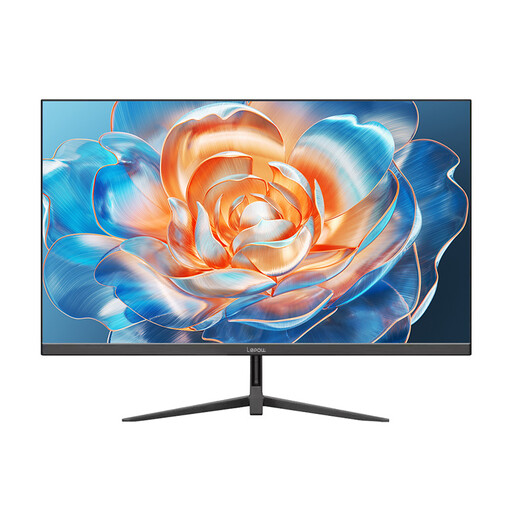 No image available
The 24-inch format is a compact option if you want to keep the amount of desk space it takes up to a minimum.
The product title lists 100 Hz and HDMI.
Check how the text looks from your usual seating position and, if needed, adjust the scaling in the game or system interface. Before setting up your monitor, also check its dimensions, including the stand. Screen size alone doesn’t tell you how much desk space it needs.
No, a 180 Hz refresh rate isn’t essential for story-driven puzzle games. Space, readability and the picture quality you want should come first. Also check which video output your gaming device supports through the connection you plan to use.
EU energy-labelling rules also cover monitors. For the specific model, compare the EU energy label with the product information. For products covered by the rules, the label must also be displayed when sold online. The European Commission and Your Europe explain these labelling requirements; they don’t prescribe a particular efficiency class for your choice.