Gamers with a small desk
When your monitor, keyboard and mouse have to fit into a limited space, width and stand depth matter just as much as screen size. MSI lists the G244F E2’s dimensions with the stand as 541.9 × 231.9 × 424.3 mm.


If desk space and viewing distance are limited, a 23.8- or 24-inch monitor is a sensible place to start – but the actual dimensions, including the stand, are what matter. If a 27-inch model fits comfortably, consider QHD for maps and on-screen displays, or OLED for dark scenes. With OLED, you should also take static image elements, care guidance and the warranty for the specific model into account.
When your monitor, keyboard and mouse have to fit into a limited space, width and stand depth matter just as much as screen size. MSI lists the G244F E2’s dimensions with the stand as 541.9 × 231.9 × 424.3 mm.
If dark areas of the picture are especially important to you, OLED is worth considering. Weigh up the space it takes up, static displays, care guidance and the warranty for the model in question.
If you often read maps, menus and displays, compare 27-inch QHD with 23.8-inch Full HD. The screen size and resolution need to suit both your desk and your viewing distance.
A good fit if: your monitor and peripherals need to share limited desk space, or a larger display would be too close to you.
The trade-off: Full HD has fewer pixels than QHD for fine map details and displays; the actual dimensions, including the stand, are still key.
A good fit if: you have enough room for the width and stand, your viewing distance is suitable, and your PC or console can output QHD in the games you want to play.
The trade-off: the display takes up more desk space. ASUS lists a maximum of 180 Hz via DisplayPort or USB-C and 144 Hz via HDMI for the ASUS ROG Strix XG27ACS; these figures don’t guarantee the same frame rate in games.
A good fit if: dark scenes are a priority, you have room for a 27-inch display, and the care guidance and warranty terms for the specific model work for you.
The trade-off: cockpit displays that stay on screen for a long time make OLED care especially relevant. Protective features don’t eliminate the risk of burn-in.
| Priority | What to check before buying | Who is this important to? |
|---|---|---|
| Space required | Width and depth with the stand, as well as viewing distance; if using a mount, check that the VESA pattern and desk construction are compatible. | If my monitor and peripherals have to share a cramped desk, I’d measure the footprint first. Space is the main priority for roughly 36% of consumers. |
| Dark scenes in space | For OLED, read the care guidance and warranty terms for the specific model; don’t assume that protective features eliminate the risk. | If dark space scenes are my priority, I’d weigh OLED against the care involved and the use of static displays. Dark-scene performance is the main priority for roughly 29% of consumers. |
| Maps and cockpit displays | Compare Full HD and QHD on the specific model and check whether your PC or console can output the resolution you want. | If I want to read maps, menus and cockpit displays clearly, I’d consider resolution and screen size together. Readability is the main priority for roughly 21% of consumers. |
| Motion and connections | Check the maximum refresh rate for each input and compare it with your source device, cable and achievable in-game frame rate. | If smooth motion matters more to me than the other factors, I’d check that my monitor’s connection specifications match my source device. Motion performance is the main priority for roughly 14% of consumers. |
Even a monitor with the right screen size may have a stand that’s too deep or take up space you need for your keyboard and mouse.
Check the width and depth with the stand. Only plan to use a mount if its VESA pattern and your desk construction are compatible.
You may also need a suitable monitor mount; check that it’s compatible with both the monitor and the desk before buying.
The maximum refresh rates listed for the ASUS ROG Strix XG27ACS vary by connection: up to 144 Hz via HDMI and up to 180 Hz via DisplayPort or USB-C.
Check the resolution and refresh rate supported by the exact input and source device you plan to use.
MSI describes OLED Care 2.0 as reducing risk. The panel warranty mentioned applies to specific OLED models and shouldn’t be assumed to cover other monitors.
If cockpit displays are often on screen, read the care guidance and warranty terms for the specific model; you could also consider IPS.
The G244F E2 offers 23.8 inches and Full HD, while the MPG 271QRXDE QD-OLED takes a larger QHD OLED approach.
The ROG Strix XG27ACS is an example of a 27-inch QHD monitor with a Fast IPS panel.
The UltraGear 27GS95QX-B is a 27-inch QHD OLED model.
The 24G4XE is a 23.8-inch Full HD IPS option.
The Odyssey G5 G55C is a curved 27-inch QHD option.
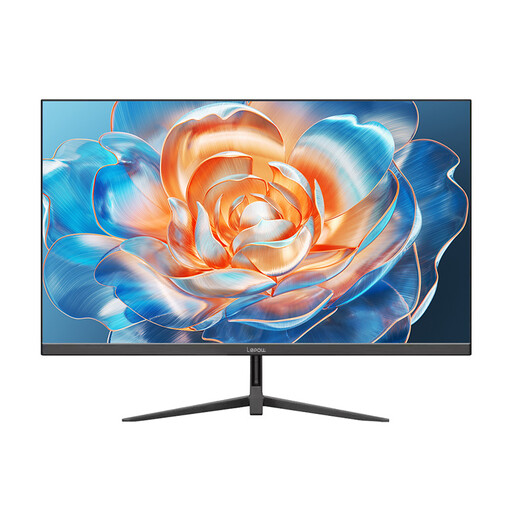
This selection includes compact 23.8- and 24-inch monitors for a small desk, including Full HD models.
 No image available
A compact screen size for when desk space is limited.
The product title lists Full HD, IPS, 144 Hz and Adaptive Sync. Full HD has fewer pixels than QHD for fine map details and cockpit displays.
 No image available
The 24-inch class is worth considering if a larger display would take up too much of your limited desk space.
The product title lists Full HD, IPS, 100 Hz, AdaptiveSync, HDMI and VESA 100 × 100 mm.
 No image available
A 24-inch option if you’re looking for this size of monitor for a small desk.
The product title gives the screen size but no further technical specifications. Before buying, compare the details you need for your connection and games.
 No image available
A 24-inch monitor could suit a cramped desk; check the actual dimensions of the specific model.
The product title lists 100 Hz. Also check the resolution and connections required by your games and source device.
 No image available
At 23.8 inches, this model is in the compact size range for a small desk.
The product title lists Full HD, Rapid IPS, 200 Hz, DisplayPort and HDMI. The stated refresh rate doesn’t guarantee the frame rate a game will achieve.
Screen size alone won’t give you the answer. Measure the available space and pay particular attention to the stand depth; MSI lists the MSI G244F E2’s depth, including the stand, as 231.9 mm.
Check the specifications for the exact model and the input you plan to use. ASUS lists a maximum of 180 Hz via DisplayPort and USB-C for the ASUS ROG Strix XG27ACS, but a maximum of 144 Hz via HDMI. Your source device and cable must also support the combination you want.
Take the care guidance and warranty terms for the specific model into account. MSI describes OLED Care 2.0 as reducing risk and lists OLED panel cover, including burn-in, for the MPG 271QRX; this doesn’t mean other models have the same warranty.
Compare the figures on the EU energy label on a like-for-like basis, especially consumption per 1,000 hours and, where applicable, SDR and HDR figures. To work out your own estimate, multiply the kWh per 1,000 hours by your usage time divided by 1,000, then multiply by your actual electricity price per kWh. The European Commission describes the energy label for electronic displays as an efficiency scale from A to G.
For a typical online purchase by a consumer in Germany, there is generally a 14-day right of withdrawal from the day the goods are received. You must notify the seller that you’re withdrawing from the contract; simply sending the item back isn’t enough. Check your specific contract for any applicable exceptions and return conditions. The Verbraucherzentrale explains these principles for online purchases.