Players with limited desk space
When space is tight, the stand’s depth and the room left for your mouse and keyboard matter just as much as the screen’s width. So compare the dimensions of the whole monitor, not just its diagonal measurement.


For a small desk, a monitor around 24 inches is a sensible starting point, but the screen size won’t tell you how much room the stand takes up. Display Ninja lists a small footprint as a typical advantage of this size class; even so, measure the available space and compare the full dimensions of each model. Then choose based on the balance you want between visibility, resolution and smooth motion – and check which image output your gaming device actually supports through each connection.
When space is tight, the stand’s depth and the room left for your mouse and keyboard matter just as much as the screen’s width. So compare the dimensions of the whole monitor, not just its diagonal measurement.
If you want to keep an eye on both the action and on-screen indicators while practising, consider screen size and resolution together. The best way to judge whether small details are easy to read is to try them in your own game at your usual viewing distance.
If you’re comparing refresh rates and adaptive sync, also check what your gaming device, connection and game settings can output.
First, measure the space on your desk. Then decide how important visibility, smooth motion and an adjustable setup are to you.
| Priority | What to look for | Who it matters most to |
|---|---|---|
| Desk space | Measure your desk and compare its available space with the width and depth of the specific monitor, including its stand. | If my desk is tight on space, I measure the room needed for the monitor, mouse and keyboard together. Around 33% of consumers put available desk space first. |
| Visibility and readability | Check screen size and native resolution together; try different display sizes and scaling in your own game. | If I want to follow the action and read small indicators clearly, I check them from my usual sitting position. Around 27% of consumers prioritise a clear display. |
| Smooth motion | Check the refresh rate supported by the input you’ll use, as well as the output from your gaming device and game. | If smooth motion is especially important to me, I look at the refresh rate and compatible synchronisation. Around 20% of consumers put this first. |
| Setup and adjustability | Check the inputs, height adjustment and, where relevant, the VESA size of the exact model variant. | If I want to set up and position my monitor easily, I check the stand and connections in advance. Around 20% of consumers prioritise setup and adjustability. |
The diagonal measurement doesn’t show how much room the casing and stand need on your desk. For the now-discontinued 24GS65F-B, LG Germany lists a depth of 291,2 mm including the stand – a model-specific example of why screen size alone doesn’t tell you how much space a monitor needs.
First measure the clear space on your desk, then check the width, height and depth of the complete model variant.
If the stand doesn’t fit your available space, you may need a separate monitor mount that does. Also check that your desk is suitable for mounting.
The stated maximum refresh rate shows what the monitor supports, not what an unspecified gaming device or game can output.
Check the resolution, input, cable and adjustable refresh rate together, then set your preferred value on your gaming device.
If a product is faulty, your statutory rights are against the seller. A warranty is a voluntary promise with its own terms and conditions; the Verbraucherzentrale (German Consumer Advice Centre) clearly distinguishes between the two.
Check who the seller is, and read the warranty terms separately from your statutory rights.
The G244F E2 is a Full HD model in the 23,8-inch class, with dimensions and connections you can compare in detail.
The XL2546K is an esports-focused monitor with an adjustable stand.
The TUF Gaming VG249QM5A is a Full HD model in the 23,8-inch class with a high maximum refresh rate.
The 24M1N3200ZA/00 is a Full HD option in the 23,8-inch class.
The C24G2AE/BK and 24G2SPAE/BK show how panel types can vary in the 24-inch size class.
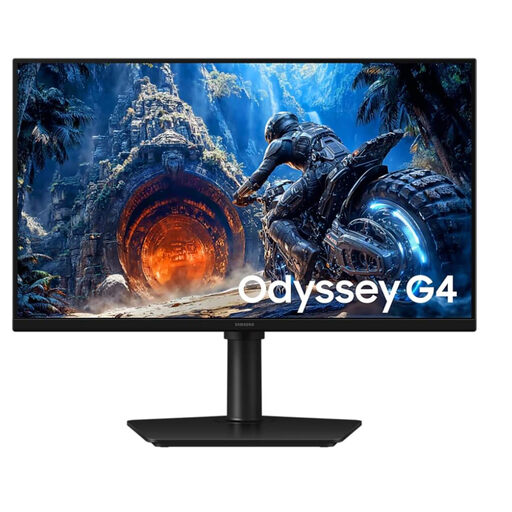
The Joybuy picks below are Full HD monitors in the 24- and 25-inch classes. Before you decide, pay particular attention to the stand dimensions and check whether your gaming device can output your desired refresh rate through the relevant connection.
 No image available
An option to consider if you want a high refresh rate and an adjustable stand for Full HD gaming.
25 inches; 1.920 × 1.080 pixels; IPS; up to 300 Hz via DisplayPort and 240 Hz via HDMI; Adaptive-Sync. Dimensions including stand: 55,8 × 48,3 × 25 cm.
 No image available
An option to compare if you’re looking for a 24-inch Full HD monitor with a tilting stand and Adaptive Sync.
IPS; 1.920 × 1.080 pixels; 120 Hz; HDMI and VGA; VESA 100 × 100 mm; tilting stand. Listed dimensions: 541,9 × 185,1 × 424,7 mm.
 No image available
An option to compare if you’re looking for Full HD, adaptive sync and a tilting stand in the 24-inch class.
IPS; 1.920 × 1.080 pixels; 144 Hz; Adaptive Sync; HDMI and DisplayPort; tilting stand; VESA 100 × 100 mm.
 No image available
An option to consider if you want a Full HD monitor with adjustable tilt and Adaptive-Sync.
IPS; 1.920 × 1.080 pixels; 100 Hz; Adaptive-Sync; HDMI 1.4; VESA 100 × 100 mm; tilt from 5° to 22°.
 No image available
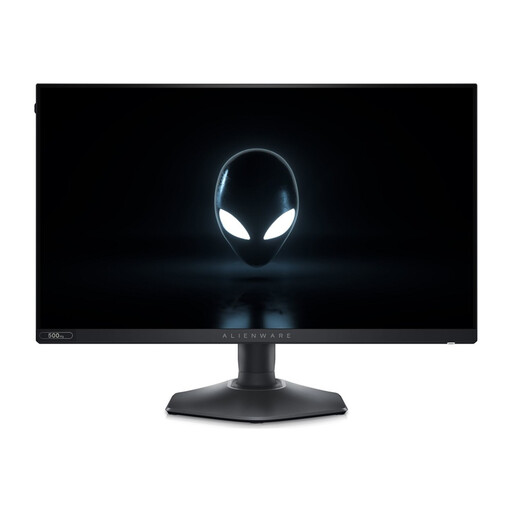
An option to consider if you want to check out an exceptionally high maximum refresh rate and a highly adjustable stand.
1.920 × 1.080 pixels; up to 480 Hz via DisplayPort and 255 Hz via HDMI; Adaptive-Sync; height, pivot, swivel and tilt adjustment. Listed dimensions including stand: 55,514 × 24,371 × 39,051 cm.
The 24-inch class is a sensible starting point for a small desk, but it isn’t a required size. Check whether on-screen indicators are readable in your own game at your usual viewing distance, and compare the full casing and stand dimensions of the specific monitor.
Connect the monitor using an input that supports your desired resolution and refresh rate, then select the value in your gaming device’s display settings. For the G244F E2 at Full HD, MSI lists up to 180 Hz over both HDMI and DisplayPort; check other monitors and gaming devices separately.
For a monitor that carries an energy label, compare the label and the consumption figure in kWh per 1.000 hours. In Germany, new faulty goods are generally covered by statutory rights against the seller; the Verbraucherzentrale points out that these are separate from a voluntary warranty.
EU rules on energy labelling and ecodesign apply to electronic displays, including computer monitors. CE marking applies to products under the relevant EU regulations and is not an independent quality rating. The German Environment Agency advises against putting old electrical equipment in household waste; instead, use an appropriate free collection or return scheme.
For online orders in Germany, consumers generally have 14 days from receiving the goods to notify the seller that they wish to cancel, as explained by the Verbraucherzentrale. Check the returns information provided by the specific seller; the right to cancel is separate from your statutory rights if a product is faulty.