PC gamers who keep team chat open
If you want to keep an eye on both the game and your communications window while practising, the window layout and a separately set-up microphone are important things to consider – not just screen size.


For gaming and team chat at a single PC, a 34-inch ultrawide could be a good fit. If several people need to see the same full-screen image, or a 16:9 setup is important, consider a large 16:9 monitor. What matters is your preferred window layout, the supported connections and refresh rates, and having a microphone set up separately – not just the screen size. Microsoft explains how to snap windows in Windows; check directly in your game whether your preferred layout works with it.
If you want to keep an eye on both the game and your communications window while practising, the window layout and a separately set-up microphone are important things to consider – not just screen size.
If you watch a game together, the aspect ratio, setup and visible screen area should suit where everyone is sitting. The available model specifications cover different formats, but do not show that any of them improve team communication.
If you want to use the same large screen with different devices, check their video output as well as the inputs and refresh rates supported by the specific monitor.
| What you need | What to check | Who is it important to? |
|---|---|---|
| See the game and team chat at the same time | Aspect ratio and resolution; check whether the game runs in your preferred windowed mode. | If I want to see the game and chat while practising, I need space for both windows and a suitable game mode. Around 36% of consumers consider seeing the game and chat a priority. |
| Watch the game together | Format and setup in the intended space; consider the stand depth and where everyone will be sitting. | If several of us are looking at the same image, it matters to me that the format suits where we're sitting. Around 29% of consumers prioritise watching the game together. |
| Display movement smoothly | Check the refresh rate at your chosen resolution for the input you plan to use; consider MPRT and GtG figures separately. | For fast-paced scenes, I'd first check the refresh rate my device can actually output through the chosen input. Smooth visuals are a priority for around 21% of consumers. |
| Connect a PC or console | Check that your device's video output matches the monitor's input, cable and preferred format. | If I want to connect a PC and console, the picture format I want needs to work with both devices. Around 14% of consumers prioritise device compatibility. |
16:9 and 21:9 divide up the screen differently. Even on a large display, the layout you can use depends on how the game is shown.
Sketch out the game and chat windows at your intended setup, and check before buying whether the game supports your preferred windowed mode.
A wider format needs more desk space; splitting the screen also leaves less room for the game.
The refresh rate you can achieve may vary depending on the input. MPRT and GtG also refer to different measurement methods.
Compare the resolution and refresh rate available through the specific input, and keep MPRT and GtG figures separate.
A different input may limit the refresh rate available on the specific model.
Speakers play sound, but they cannot replace a microphone for picking up your voice. Discord recommends setting up the correct input and output devices.
Plan your microphone and audio output separately, and test the microphone before practising.
You may need a separate microphone or headset to speak.
The G34WQC2 is a documented 34-inch ultrawide model with multiple inputs and height adjustment.
The MAG 345CQR is an example of a 34-inch 21:9 VA model for a single PC setup.
The G3223Q is a 32-inch 16:9 example for a large gaming display that isn't ultrawide.
The G34WQi is a documented 34-inch 21:9 model. The G34WQi 2026 is a separate version.
The 34GP63AP-B is a documented 34-inch 21:9 example with built-in speakers.
This selection includes large gaming monitors for game-and-chat layouts, as well as for a large 16:9 gaming display.
 No image available
The 32:9 format could work well for a side-by-side game and chat layout; check that your game supports the windowed mode you want.
49 inches; 5120 × 1440; 165 Hz; HDMI 2.1 and DisplayPort 1.4.
The 49-inch format needs plenty of desk space.
 No image available
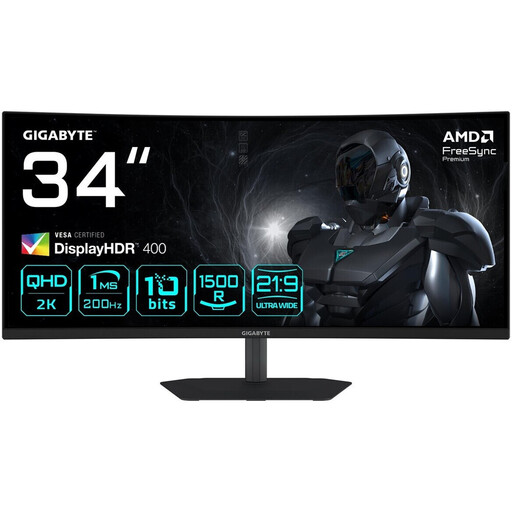
The 21:9 format could suit a PC setup where you want to position the game and chat side by side.
3440 × 1440; 200 Hz; 21:9; 1500R; PIP and PBP.
 No image available
The ultrawide format could be a good fit if you want to keep the game and communications window side by side at a single PC setup.
3440 × 1440; 200 Hz; 1500R; HDMI 2.0 and DisplayPort 1.4.
Gigabyte lists two HDMI 2.0 and two DisplayPort 1.4 inputs, along with 130 mm of height adjustment, for this model.
 No image available
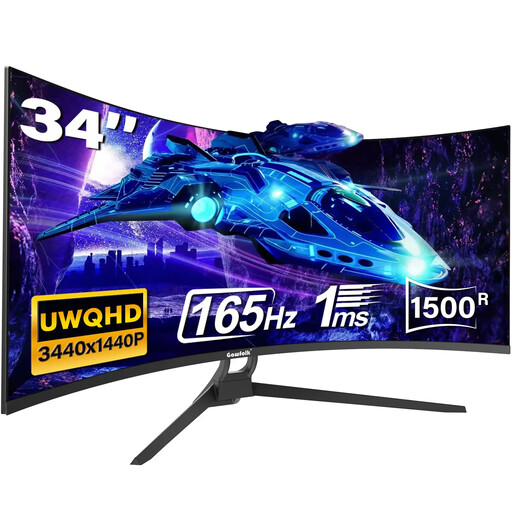
The 21:9 format could work for a game-and-chat layout on a PC; check whether your game supports the window layout you want.
3440 × 1440; 165 Hz; 21:9; HDMI 2.1 and DisplayPort 1.4.
 No image available
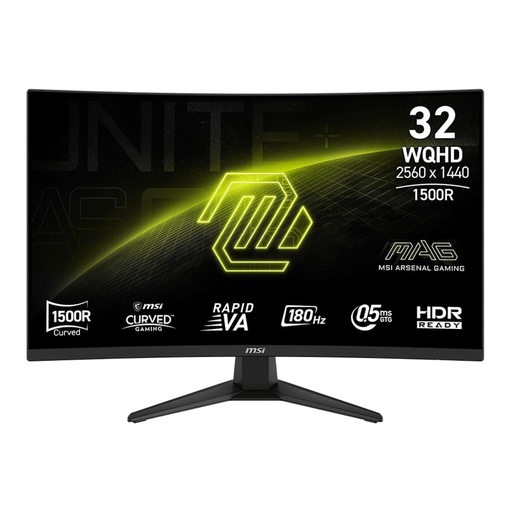
The 16:9 format could suit you if a large gaming display matters more than keeping a chat window permanently visible alongside it.
WQHD; 180 Hz; 16:9.
Opening a chat window alongside the game will make the game image smaller.
No, a monitor with a built-in microphone isn't essential. Discord recommends connecting a microphone or headset and selecting the correct input and output devices. Set these up separately from your monitor.
In Windows, you can drag windows to the edges of the screen or use Snap layouts. Then check in the game you're using whether its windowed mode and the remaining space for gameplay suit your practice session.
First, check the input, resolution setting and source device. For the MSI MAG 345CQR, MSI lists up to 180 Hz at 3440 × 1440 via DisplayPort, but up to 100 Hz via HDMI. This applies to that model and isn't a general limit for HDMI.
Check the monitor's EU energy label, which uses a scale from A to G, and its stated energy consumption. Your Europe explains that purchases from traders in the EU come with a minimum two-year legal guarantee from the date you receive the goods; this is separate from any voluntary manufacturer's warranty.
For a standard online purchase from a trader, you generally have a 14-day right to cancel from the date of delivery. This is separate from your legal rights if the goods are faulty. For old monitors, Verbraucherzentrale lists local collection points; retailers only have to take back larger old devices in certain circumstances.