Gamers with a tight cockpit
If space is limited for your screen, stand or arm and input devices, the actual dimensions matter more than the screen size alone.


First, measure the available width and depth, including space for the stand or monitor arm. A 24-inch LCD keeps your setup compact, while a 27-inch screen gives you more room for the game world and on-screen displays, provided you have enough space and the right viewing distance. QHD offers more detail than Full HD, but requires more processing power to render. Curved VA and OLED panels have different strengths in dark scenes; check the specific model’s motion handling and any OLED risks too.
If space is limited for your screen, stand or arm and input devices, the actual dimensions matter more than the screen size alone.
If you want to see instruments and details on a larger, sharper screen, you’ll need enough space and a system powerful enough for QHD.
If dark scenes are especially important to you, compare VA and OLED panels while bearing in mind the limitations of each.
A good fit if: you have limited desk space and want to see the whole screen at a glance.
The trade-off: A smaller Full HD screen gives you less screen space and fewer pixels than a 27-inch QHD model.
A good fit if: a 27-inch screen fits your cockpit and you want instruments and distant details to appear larger.
The trade-off: As well as needing more space, QHD requires more processing power than Full HD.
A good fit if: you prefer a curved screen and dark scenes, and your seating position suits the curve.
The trade-off: A curved screen doesn’t automatically save space; check the motion handling of the specific model.
A good fit if: dark areas of the image and fast pixel transitions matter to you, and the size and system performance suit your setup.
The trade-off: Static image elements can contribute to burn-in on OLED screens; fluctuating frame rates can make VRR flicker visible.
| Buying priority | What to check | Who is this especially important to? |
|---|---|---|
| Desk space and visibility | Compare the width and depth, including the stand, cable clearance and seating position; if you’re using an arm, check the mount and weight capacity too. | If I need to fit the screen, stand and input devices into a tight cockpit, space comes before screen size. Around 33% of consumers put desk space first. |
| Instruments and detail | Match the native resolution and game scaling to your PC’s performance; QHD has more pixels to render than Full HD. | If I want to see instruments and distant details clearly and have space for a larger screen, resolution matters most. Around 27% of consumers prioritise image detail. |
| Dark scenes | View the specific VA or OLED model in your own lighting conditions; with OLED, consider care requirements and the use of static displays. | If dark space scenes are especially important to me, I want to weigh up the panel type and its potential limitations together. Around 20% of consumers put this first. |
| Fast motion | Check the connection, output format and achievable in-game frame rate; don’t confuse monitor refresh rate, fps and pixel response time. | If I want to follow fast-paced fights as clearly as possible, I check my system’s output rather than looking at the refresh rate alone. Around 20% of consumers prioritise motion handling. |
In a tight cockpit, the stand and cables can take up more usable space than you expect.
Measure your setup, including the stand or intended mount, and compare it with the dimensions of the specific model.
If the stand takes up too much room, a suitable monitor arm could be an additional purchase to consider.
A monitor’s refresh rate, the fps rendered by your system and pixel response time all describe different things.
Check the resolution and achievable frame rate on your system. Model-specific tests give you a better idea of motion handling than a single specification.
Image elements that stay in the same place for long periods can contribute to burn-in on OLED screens; fluctuating frame rates can also make VRR flicker visible.
Compare the care features and warranty terms of the specific model with LCD alternatives instead of assuming one panel type is always better.
The models mentioned here demonstrate both a compact Full HD IPS option and a larger Alienware QD-OLED range.
The Q27G4XF and CQ27G4X illustrate flat Fast IPS and curved VA options in the 27-inch QHD category.
The ROG Swift OLED PG27UCDM is a 4K QD-OLED option in the 27-inch category.
The UltraGear 27GS95QE-B is an example of a 27-inch QHD OLED monitor.
This selection includes compact Full HD gaming monitors, as well as a 27-inch QHD monitor that gives you more room for instruments and image detail.
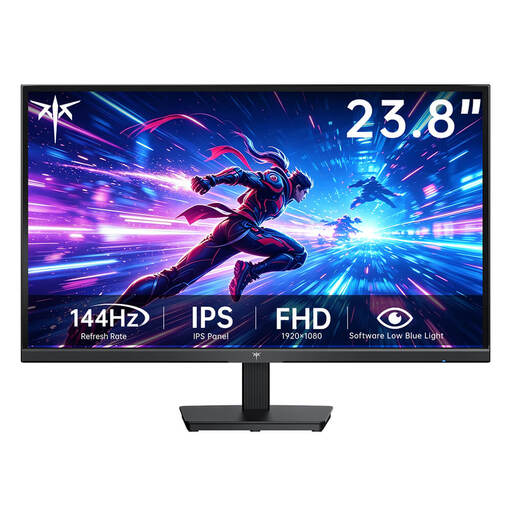 No image available
The 23.8-inch screen suits a compact monitor setup when space in your cockpit is tight.
Joybuy lists this model with Fast IPS, 1920 × 1080 pixels and 144 Hz.
 No image available
The 24-inch format is a compact option if you’re looking for a smaller screen for your cockpit.
Joybuy lists this model with an IPS panel, 1080p Full HD and 144 Hz; HDMI and DisplayPort are listed in the product title.
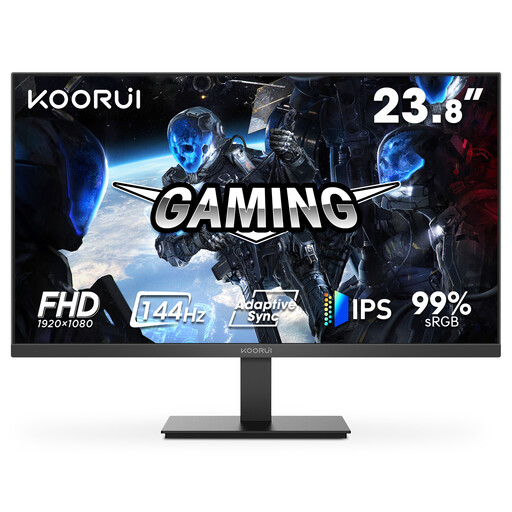 No image available
The 23.8-inch screen and Full HD resolution make this a good fit for a compact setup.
Joybuy lists this model with IPS and 144 Hz; VGA and HDMI 1.4 are listed in the product title.
 No image available
The 24.5-inch Full HD format is designed for a compact setup; check the stand’s footprint before you buy.
Joybuy lists this model with 320 Hz and a stand that tilts and swivels. The refresh rate alone doesn’t tell you how many fps your system can achieve in a game.
 No image available
This 27-inch QHD option could suit you if your cockpit has more room for displays and detail.
Joybuy lists this model with Mini-LED, IPS and 275 Hz. The stated stand footprint is 614,2 × 195,5 mm; check that it fits your setup.
Before buying, measure the screen width, stand depth, cable clearance and seating position. If you want to use an arm, check that its mount and weight capacity match the specifications of the specific monitor; ASUS, for example, lists VESA 100 × 100 mm for the PG27UCDM.
No. Hertz describes how often the monitor refreshes, while fps describes the frames delivered by your gaming system. Check your gaming performance, connection and selected output format together.
Image elements that stay on screen for long periods can contribute to burn-in; fluctuating frame rates can make flicker visible when using variable refresh rate. Check the care features and warranty terms for the specific model.
For consumer contracts made online, you generally have a 14-day right to cancel, which you must notify the retailer about, as the Verbraucherzentrale points out. The statutory legal guarantee for new goods is separate from any additional manufacturer’s warranty.
The EU energy label also covers computer monitors, so compare the label for the specific model. In Germany, old monitors must not go in household waste: the Umweltbundesamt lists options including recycling centres and suitable take-back schemes at retailers.