What should you look for when choosing?
Start with readability in the game you play and the audio and graphics setup you already have. Then decide whether a wider display will actually work for your cockpit.
| Priority |
What to check before buying |
Who is this most important for? |
| Readability of virtual displays |
Check the native resolution, screen size and how the game interface is displayed. |
If I want to make menus and instruments easy to see while learning, I look for a suitable resolution and scaling. Around 36% of consumers prioritise readable virtual displays. |
| Wider view of the cockpit |
Check the game’s 21:9 support and the space available on your desk. |
If a wider view matters to me, I check whether the game arranges the cockpit and menus sensibly in a widescreen format. Around 29% of consumers put a wider view first. |
| Using your existing headphones |
Check your headphone connections and the audio outputs on your PC or console. |
If I want to connect my existing headphones, I plan to route the audio through my gaming system rather than assume the monitor has a suitable socket. Around 21% of consumers prioritise headphone compatibility. |
| Motion clarity while steering |
Check the refresh rate, synchronisation and compatible video output together. |
If smooth motion while steering matters to me, my gaming system also needs to deliver a suitable frame rate. Around 14% of consumers focus primarily on motion clarity. |
Joybuy products for virtual cockpits
The Joybuy products below include 16:9 QHD monitors, as well as 21:9 ultrawide and OLED options. Before buying, check that your game supports the format you’ve chosen and that your system can output the resolution you want.
 Image unavailable
GIGABYTE G27Q26
Its 16:9 QHD specifications make this a suitable option if you want to read virtual displays on a 27-inch screen.
27 inches; 2560 × 1440 pixels; SuperSpeed IPS; 260 Hz, up to 275 Hz in OC mode; 1 ms GTG; G-SYNC compatible and FreeSync Premium.
Joybuy
 Image unavailable
KTC H27D9
The 27-inch QHD IPS format is worth considering if you want to keep menus and displays in view while learning the controls.
2560 × 1440 pixels; IPS panel; 120 Hz; Adaptive Sync; HDMI and DisplayPort connections.
Joybuy
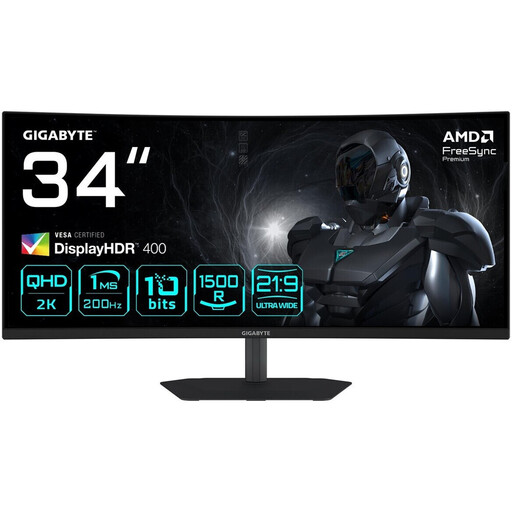 Image unavailable
GIGABYTE G34WQC2
This 34-inch ultrawide option is worth considering if your game makes good use of 21:9 and you have enough desk space.
3440 × 1440 pixels; 1500R; 200 Hz; FreeSync Premium; headphone output.
You can only make use of the extra width if the game displays it properly. Also consider the space required and the graphics output of your system.
Joybuy
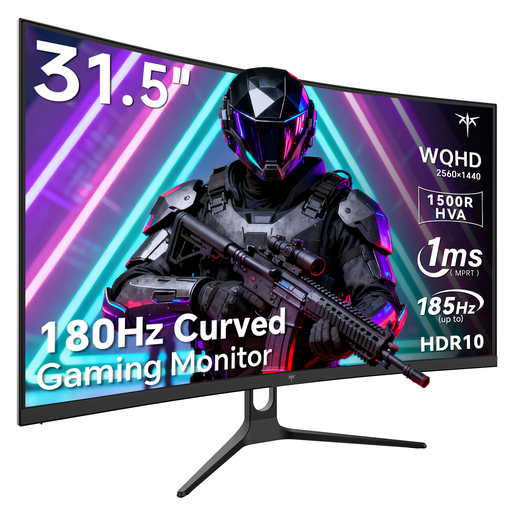 Image unavailable
KTC H32S5
The 32-inch QHD format is another option if you’re looking for a larger display to read virtual controls.
Curved display; QHD with 1440p; 180 Hz, up to 185 Hz in OC mode; Adaptive Sync.
Joybuy
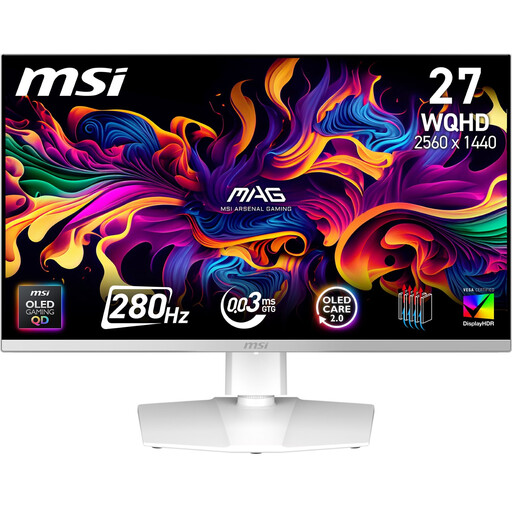 Image unavailable
MSI MAG 272QPWDE QD-OLED X28
This QHD OLED option could suit you if OLED picture quality matters to you and you’re prepared to take care with fixed cockpit displays.
26.5 inches; 2560 × 1440 pixels; 16:9; 280 Hz; Adaptive Sync; headphone output.
Static cockpit displays left on screen for long periods can contribute to burn-in. MSI describes OLED Care 2.0 as reducing the risk, not eliminating it.
Joybuy
Frequently asked questions
Do I need speakers or a headphone socket on the monitor?
No, as long as you can connect your headphones to your gaming system. On a Windows PC with several audio devices, select the one you’re actually using as the audio output. If you want to connect your headphones to the monitor instead, check the output on the exact model.
How do I set up the picture and sound after connecting everything?
Set the display output to the monitor’s native resolution and a refresh rate supported by your system. If there’s no sound from a Windows PC, check the selected audio output device and make sure it isn’t muted.
What should I bear in mind when using an OLED for fixed cockpit displays?
Images left unchanged on screen for long periods can pose a burn-in risk. MSI describes protective features and adjusted brightness as measures for compatible OLED monitors, not as a guarantee that burn-in won’t happen.
How can I compare power consumption, and what rights apply to online purchases in Germany?
For monitors covered by EU rules, the energy label shows an efficiency class from A to G. The European Commission refers consumers to EPREL for additional model information. When you buy consumer goods, the seller is generally responsible for a minimum two-year statutory guarantee of conformity. In Germany, online orders generally come with a 14-day right to cancel, starting from the day you receive the goods; the consumer advice centre explains how this works. A voluntary manufacturer’s warranty doesn’t replace your statutory rights.


