If you want a monitor for office work by day and sci-fi RPGs by night, start by choosing the right text clarity, size and resolution for your workspace and computer. QD-OLED is worth considering if dark gaming scenes are a priority; if you often work with static screens, factor in the risk of burn-in and the warranty terms. IPS and Mini-LED are alternatives, but an HDR logo alone won’t tell you how well a particular monitor performs with HDR content.
Who is a gaming monitor for work and sci-fi RPGs right for?
RPG players who love immersive worlds
If you want to get fully immersed in dark worlds and space scenes, remember to consider how often you’ll be looking at static office screens when choosing an OLED monitor. RTINGS.com covers both text clarity and the limitations of accelerated burn-in tests; the specific OLED figures come from GIGABYTE.
Home workers who spend a lot of time reading and writing
If you read long stretches of text or work with fixed windows every day, text clarity and a comfortable set-up matter. RTINGS.com highlights factors such as pixel density and screen coating; the Federal Institute for Occupational Safety and Health covers screen work within its area of application, while LG lists the 27GS75QN-B as an IPS QHD monitor.
Detail-focused gamers with a desk-based job
If you want a high resolution for gaming and plenty of workspace, your monitor size, connections and computer all need to work together. RTINGS.com covers variable refresh rates for gaming; Dell describes the AW2725Q’s 4K specification, while Samsung does the same for the Odyssey Neo G7.
What should you look for when choosing one?
QHD IPS for office work and regular gaming
A good fit if: You often work with text and fixed programme windows, and have room for a 27-inch monitor on your desk.
Keep in mind: HDR10 alone doesn’t prove a particular level of HDR picture quality. LG’s German product page lists the 27GS75QN-B as no longer available.
QD-OLED for high-contrast visuals
A good fit if: Dark gaming scenes matter to you and you mostly use the monitor for changing content. GIGABYTE lists the MO27Q2A ICE as QHD with a maximum refresh rate of 280 Hz; Dell lists the AW2725Q as 4K at 240 Hz on a 26.7-inch screen.
Keep in mind: The risk of OLED burn-in remains relevant if you often have static office content on screen. RTINGS.com notes that earlier accelerated monitor tests didn’t adequately reflect typical daily use.
4K Mini-LED for a larger screen
A good fit if: You have room for a 32-inch monitor and are considering 4K with local dimming. Samsung lists the Odyssey Neo G7 as having a 165 Hz refresh rate and 1000R curvature.
Keep in mind: Make sure the curve suits your workspace. Samsung’s claims about HDR picture quality are manufacturer specifications, not a comparison between models.
| What matters when buying |
What to look for |
Who is it particularly important to? |
| Contrast in dark scenes |
Compare independent measurements of the exact model and check the conditions attached to its HDR claims. An HDR logo isn’t enough to make a comparison. |
If I mainly want to immerse myself in atmospheric, dark gaming worlds, picture quality comes first. Around 29% of consumers prioritise contrast in dark RPG scenes. |
| Text and long working sessions |
Check how text looks at your chosen scaling, as well as the screen coating and set-up. With OLED, static content and warranty terms should also inform your decision. |
If I read long stretches of text or use fixed windows every day, I want a screen that’s comfortable for work too. Around 29% of consumers put text readability and use as a work monitor first. |
| Resolution and desk space |
Check the visible screen size, stand dimensions and resolution against your desk. Also make sure your computer supports the resolution you want. |
If I want to see plenty of detail, the screen size needs to suit both my space and my computer. Around 21% of consumers prioritise resolution and desk space. |
| Motion and connections |
Check the refresh rate and VRR support of the exact model, along with your computer’s ports and cables. For USB-C, also compare the stated power output with your laptop’s requirements. |
If smooth motion matters to me, I want to be sure my computer and connection support the refresh rate I’m after. Around 21% of consumers prioritise smooth motion and suitable connections. |
Which common buying mistakes should you avoid?
-
Assuming HDR support guarantees proven HDR picture quality
An HDR specification or manufacturer description alone doesn’t show how dark RPG scenes will look on a particular monitor.
Compare independent measurements of the exact model and take the test conditions into account.
-
Choosing OLED without considering how long office screens stay on display
With OLED, frequently displayed static content can affect whether it’s the right choice for you. Accelerated tests can’t automatically be taken as representative of a typical working day.
Think about your actual working routine, check how the OLED protection features work and read the warranty terms on burn-in.
-
Assuming the maximum refresh rate or USB-C will work with your set-up
The refresh rate you can use also depends on your computer, connection and game. GIGABYTE lists up to 18 W USB-C Power Delivery for the MO27Q2A ICE; ASUS lists 15 W for the XG27ACDMS.
Before deciding, check your outputs, cables, desired resolution and refresh rate, as well as your laptop’s charging requirements.
Key brands at a glance
LG
The 27GS75QN-B is an example of a 27-inch QHD IPS monitor.
- LG lists a nominal refresh rate of 180 Hz for the 27GS75QN-B.
- LG’s German product page lists the model as no longer available. HDR10 alone doesn’t give a definitive picture of HDR performance.
GIGABYTE
The MO27Q2A ICE is a 27-inch QHD QD-OLED option.
- GIGABYTE lists a maximum refresh rate of 280 Hz, HDMI 2.1 and USB-C Power Delivery of up to 18 W.
- OLED care and warranty information comes from the manufacturer. Check the warranty terms and regional coverage separately.
Dell Alienware
According to Dell, the AW2725Q combines 4K QD-OLED with a 26.7-inch visible screen size.
- Dell lists a refresh rate of 240 Hz for this model.
- Check that your computer supports the resolution and refresh rate you want, and that OLED suits the amount of static office work you do.
Samsung
The Odyssey Neo G7 LS32BG750NPXEN is a 32-inch 4K Mini-LED option with 1000R curvature.
- Samsung lists a 165 Hz refresh rate and local dimming for this model.
- Check that the size and curve suit your desk. Claims about HDR picture quality come from the manufacturer.
ASUS ROG
The ROG Strix OLED XG27ACDMS is a 27-inch QHD QD-OLED option.
- ASUS lists a 280 Hz refresh rate, HDMI 2.1, USB-C Power Delivery at 15 W and a proximity sensor that switches to a black screen when you’re away.
- ASUS describes its OLED care features as reducing risk, not as a guarantee against burn-in. Check that the USB-C power output meets your laptop’s requirements.
Joybuy models for gaming and working from home
The Joybuy models below include 27-inch monitors with 4K or QHD resolution, including Mini-LED, IPS and QD-OLED options, as well as a 34-inch ultrawide model.
 No image available
MSI MAG 274UPDFDE E16M
A 27-inch Mini-LED option if you want to switch between detailed 4K visuals and a higher refresh rate at FHD.
4K at 160 Hz or FHD at 320 Hz; the product description lists 1,152 local dimming zones, Rapid IPS, Adaptive Sync, HDMI 2.1, DisplayPort and USB-C. The stand is height-adjustable.
View at Joybuy
 No image available
INNOCN 2751S PLUS
A 27-inch QHD Mini-LED option if you want an adjustable stand for switching between office work and gaming.
IPS panel, up to 275 Hz and, according to the product description, 1,152 local dimming zones. The stand can be adjusted for height, tilt and swivel, and rotated into portrait mode.
View at Joybuy
 No image available
KTC H27D9
A 27-inch QHD IPS option for a workspace where the same screen is used for office tasks and gaming.
2560 × 1440 pixels, 120 Hz and Adaptive Sync. The product description lists HDMI and DisplayPort connections.
View at Joybuy
 No image available
Xiaomi G34WQi
The 34-inch ultrawide format is worth considering if you want a wider screen for sci-fi games and work windows.
UWQHD resolution, VA panel, 180 Hz and FreeSync. The product description lists a matt, anti-glare finish and tilt adjustment.
View at Joybuy
 No image available
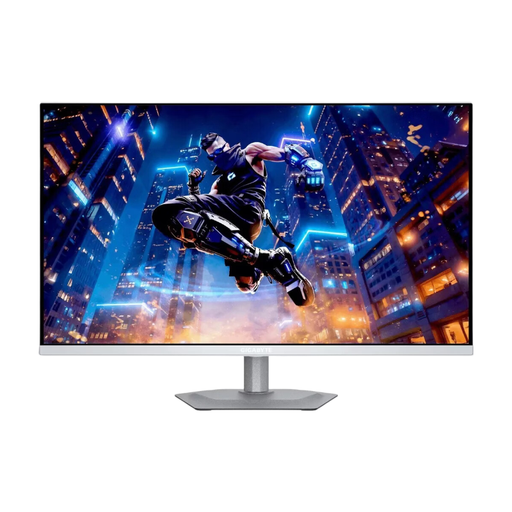
GIGABYTE MO27Q2A ICE
A 27-inch QHD QD-OLED option if dark gaming scenes matter to you; if you often work with static content, remember to factor in the risk of OLED burn-in.
GIGABYTE lists a maximum refresh rate of 280 Hz, Adaptive Sync and HDMI 2.1. The manufacturer specifies USB-C Power Delivery of up to 18 W.
View at Joybuy
Frequently asked questions
How should I position my monitor when working from home?
Check that the stand and its range of adjustment suit your desk, and that light sources don’t cause distracting reflections. The Federal Institute for Occupational Safety and Health explains the requirements for screen work in workplaces and teleworking environments under ASR A6, within its area of application; the rule doesn’t automatically apply to every home gaming set-up.
What should I bear in mind when using an OLED monitor during long working days?
Let the available protection features run as described in the instructions for your specific model, and check the warranty terms. GIGABYTE advises that its OLED monitors should not be disconnected from the power supply during an OLED care protection cycle. This is the manufacturer’s guidance, not a general rule for all brands.
Are the manufacturer’s warranty and statutory rights the same thing?
No. Statutory rights cover claims against the seller for faulty goods; a manufacturer’s warranty is voluntary and subject to its own terms. The consumer advice centre recommends checking separately whether, and under what conditions, OLED burn-in is covered by a warranty.
Which details can help me compare power consumption?
Compare the EU energy labels and product data sheets for the specific monitors on a like-for-like basis. The European Commission says that energy labels also include information about efficiency with HDR content; your usage and electricity tariff also affect your personal energy costs.
Can I return a monitor bought online if it doesn’t suit my workspace?
In Germany, online orders generally come with a 14-day right to cancel, starting from the date you receive the goods. The consumer advice centre recommends checking the cancellation information and return options offered by the specific seller before buying.


