For long virtual climbs, an adjustable-height 27-inch QHD monitor could be a good choice if you sit close to the screen and want to read your ride data easily. If you sit further away and have enough space, you could also consider a larger curved monitor. According to Zwift Support, the ride HUD can show details such as route progress and the elevation profile, so make sure it’s easy to see from your riding position. A high refresh rate alone doesn’t guarantee a similarly high frame rate: Zwift notes that the graphics performance and frame rate are also affected by the GPU in your device.
Which setup is right for you?
Climbers who like to track their data
If you want to see the gradient, route progress and performance figures as you ride, check that the on-screen information is easy to read from your riding position. Zwift Support describes these as elements of the ride HUD.
Riders with a dedicated training space
For long sessions on a fixed bike setup, make sure the screen size, stand and viewing angle suit the space you have. The German Social Accident Insurance (DGUV) provides guidance on ergonomic screen setups in workplaces. Here, it’s intended only as a reference and isn’t a requirement for indoor cycling at home.
Those using an existing device
If you want to keep your computer or other device, check its graphics performance and video outputs against the monitor’s resolution and refresh rate. Zwift Support notes that the GPU in particular affects image quality and frame rate.
What should you look for when buying?
First, measure the distance from your riding position, then check which on-screen information you can see clearly from there. Next, make sure the stand, connections and capabilities of your existing device are a good match.
| What to consider |
What to check before buying |
Who will find this most important? |
| Ride data readability |
Compare the screen size and native resolution with your viewing distance. If you use Zwift, you can customise the HUD values displayed. |
If I want to quickly check the gradient, route progress and performance figures as I ride, what matters to me is being able to read them from my riding position. Around 33% of consumers put ride data readability first. |
| Positioning and viewing angle |
Check the dimensions and stand depth, as well as whether the specific model offers height adjustment or VESA mounting. |
If my bike stays in one place, I want to be able to position the monitor so I can see the information without an awkward viewing angle. Around 25% of consumers prioritise space and viewing angle. |
| Compatibility with your device |
Check that the video output, connection and cable support your preferred resolution and refresh rate. The maximum supported frequency may vary depending on the input. |
If I want to keep using my existing device, I don’t want to choose a frame rate or resolution that it can’t output. Around 25% of consumers prioritise compatibility with their device. |
| Energy use and panel durability |
Compare the EU energy label and the specifications for the specific model. If you’re considering OLED, read the care guidance and warranty terms for that model. |
For regular, long sessions, I care about running costs and how to manage on-screen information that stays in the same place. Around 17% of consumers prioritise running costs and panel durability. |
Common buying mistakes
-
Assuming the maximum refresh rate is the frame rate you’ll get during a workout
The frame rate you can actually achieve also depends on your device. Zwift cites the GPU as a factor affecting image quality and frame rate. The maximum refresh rates listed for the ASUS TUF Gaming VG27AQ3A also vary depending on the connection.
Before buying, check your device’s graphics performance, video output and the specifications supported by the monitor input you plan to use.
-
Choosing by screen size alone
A 32-inch screen takes up more space than a 27-inch model. The screen height and viewing angle from your riding position also affect how comfortably you can read the on-screen information. ASUS doesn’t list height adjustment for the VG27AQ3A stand; Dell lists height adjustment for the S2725DSM.
Check the dimensions, stand and viewing angle in your intended training space. If you plan to use a VESA mount, check the mounting specifications for the specific model.
-
Assuming OLED protection or older warranty information rules out the risk of burn-in
In 2023, LG explained that images left unchanged for long periods can leave marks on OLED displays, and that the risk can’t be completely ruled out. This statement and the warranty information from that time don’t confirm the terms for every model available today.
If you choose a particular OLED monitor, read the care guidance and warranty terms for that exact model.
Key brands to consider
Dell
The S2725DSM is a 27-inch QHD option with a height-adjustable stand.
- Dell Germany lists a resolution of 2560 × 1440, a refresh rate of 144 Hz and height adjustment for this model.
- These specifications describe the model, not how it will look in every training space.
Samsung
The Odyssey G5 LS32CG554EUXEN is a larger curved QHD option.
- Samsung Germany lists a 32-inch screen, 1000R curvature and a maximum refresh rate of 165 Hz.
- Check that the curvature, stand and screen height suit your viewing distance and angle.
ASUS
The TUF Gaming VG27AQ3A is a 27-inch QHD model with a Fast IPS panel.
- ASUS Germany lists up to 180 Hz via DisplayPort and up to 144 Hz via HDMI; VESA 100 × 100 mm mounting is also specified.
- The specification sheet says the stand isn’t height-adjustable. The 1 ms GtG response time is a manufacturer specification, not a measurement taken in real-world use here.
MSI
The MAG 274QRF QD E2 is a 27-inch WQHD option with a Rapid IPS panel.
- MSI lists a refresh rate of 180 Hz and Adaptive Sync for this model.
- A particularly high refresh rate doesn’t, by itself, prove that you’ll benefit more during virtual climbs. Check the features and availability of the specific version.
LG
The UltraGear range includes 27-inch QHD IPS models; specifications apply to the individual model only.
- LG Germany lists a refresh rate of 180 Hz for the 27GS75QX-B.
- LG Germany marks the 27GS75QX-B as no longer available. LG’s 2023 statement on OLED doesn’t replace checking the warranty terms for a specific current model.
Joybuy products for your training setup
This selection includes 27-inch QHD monitors and larger curved gaming monitors. Check the dimensions and connections of the version you’re considering to make sure they suit your training space and device.
 No image available
Z-Edge AGEX, 27-inch QHD gaming monitor
A possible choice if you’re looking for a 27-inch QHD monitor with an adjustable screen height.
- QHD, 2560 × 1440
- 144 Hz
- Fast IPS, FreeSync and HDR10
- Height-adjustable stand
- 1 ms MPRT
Joybuy
 No image available
CRUA CR320C-H, 32-inch curved gaming monitor
A larger curved-screen option if the viewing distance and available space in your training area are suitable.
- QHD
- 165 Hz
- 1500R curvature
- FreeSync
- 1 ms GTG
Joybuy
 No image available
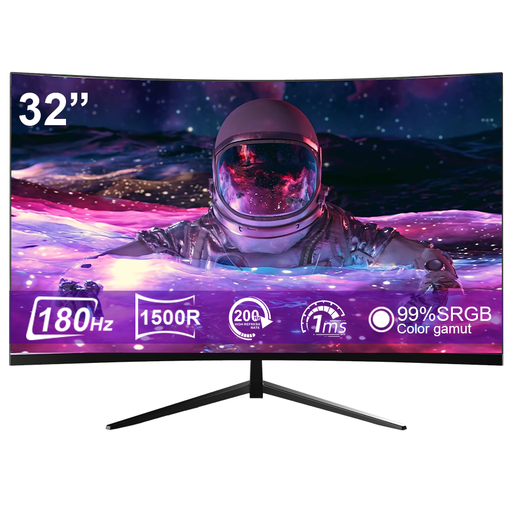
CRUA CR320ZC-H, 32-inch curved gaming monitor
Could be worth considering if you have room for a larger curved screen in your training area.
- 1500R curvature
- 180 Hz
- 1 ms response time
Joybuy
 No image available
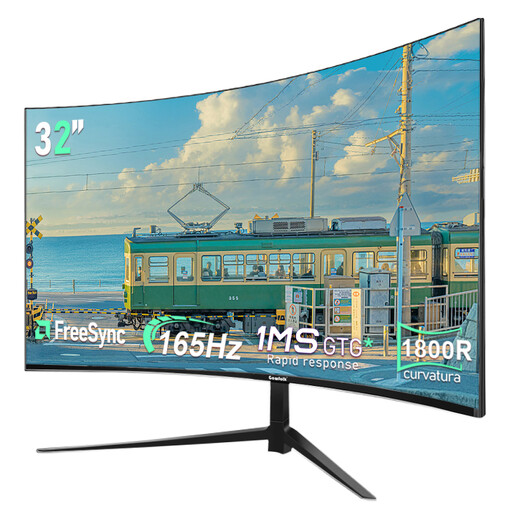
Gawfolk, 32-inch curved gaming monitor
A larger QHD screen could be a good fit if you have enough space and viewing distance for a curved monitor.
- QHD, 2560 × 1440
- 165 Hz
- 1800R curvature
Joybuy
 No image available
GIGABYTE G27Q26, 27-inch QHD gaming monitor
A 27-inch QHD option if your device supports the resolution and frame rate you want.
- 2560 × 1440
- SuperSpeed IPS
- 260 Hz, up to 275 Hz in OC mode
- 1 ms GTG
- HDMI 2.1 and DisplayPort 1.4
Joybuy
Frequently asked questions
Do I need an especially fast gaming monitor for virtual climbs?
Not just because of the stated refresh rate. First check what frame rate your device can deliver at your chosen resolution. Zwift Support cites the GPU as a factor affecting image quality and frame rate.
What information can I display during a climb?
If you use Zwift, you can customise the HUD values shown in the game settings. According to Zwift Support, the ride HUD can display details including power, distance, elevation gain, route progress and the dynamic elevation profile.
How can I compare a monitor’s energy use?
Compare the EU energy label or the model-specific entry in EPREL. The European Commission describes the energy efficiency scale for electronic displays as running from A to G. When choosing, check the entry for the specific model.
What rights do I have when buying a monitor online in Germany?
When a consumer buys faulty goods, the seller is generally responsible under a statutory guarantee that lasts for at least two years, as explained by Your Europe. Online purchases usually also come with a 14-day right to cancel; the Verbraucherzentrale notes that conditions and exceptions apply. A voluntary manufacturer’s warranty doesn’t replace these rights.


