A suitable 27-inch QHD monitor is a sensible starting point for city views and menus. If you specifically want a wider picture, you could consider a 34-inch 21:9 monitor, provided it suits your desk, PC and the way your game displays its content. Dell Germany lists a headphone output on the G2725D, but you don’t need a monitor connection if your gaming device can connect to your headphones. Before you buy, also check the display modes supported by the input you’ll actually use, and the monitor’s dimensions, including its stand.
Which formats are right for different players?
Players who plan using maps and menus
If you want a clear view of your city and controls, weigh up QHD against the space on your desk and your PC’s performance. Dell Germany and LG Germany list 27-inch QHD models as examples; how easy a particular game is to read also depends on how it displays its content.
Players who use headphones
Think about whether you want to connect your headphones to the monitor or directly to your gaming device. Dell Germany lists a headphone output on the G2725D; check the connections across your whole setup, especially if you also need a microphone.
Fans of wide city views
A 21:9 monitor could be a good fit if you want a wider format and your desk, PC and chosen game’s display all support it. Samsung Germany lists the Odyssey G5 G55T as a 34-inch 21:9 monitor with 3440 × 1440 pixels; that doesn’t automatically mean you’ll get a larger usable game view.
What should you look for when buying?
27-inch QHD, 16:9
A good fit if: you want to view your city and menus on one screen, and your desk and PC can accommodate 2560 × 1440 pixels.
Consider: Check that the display mode you need is supported by the input you’ll actually use.
34-inch UWQHD, 21:9
A good fit if: you want a wider screen and your particular game displays its map and interface well in 21:9.
Consider: The wider format takes up more desk space, and the higher pixel count can put more demand on your PC.
The best choice depends on what matters most to you. As well as the format, check the audio connection, the display mode supported by the input you’ll use and how the monitor will fit on your desk.
| Priority |
What to check when buying |
Who will find this especially important? |
| Maps and menus |
Check the screen size, native resolution and text clarity in the game you play. |
If I want to see my map and menus clearly at the same time, a good overview in my particular game matters most. Around 26% of consumers put readability and visibility first. |
| Headphone connection |
Check the connections on the monitor and gaming device; consider microphone support separately. |
If I want to route audio through the monitor, its connection needs to suit my headphones; a headphone output doesn’t automatically support a microphone. Around 21% of consumers prioritise having the right audio connection. |
| Screen width |
Check how your game displays in 21:9 and how much desk space you have available. |
If a wider city view matters to me, I want to see how my game arranges its map and menus in 21:9 beforehand. Around 21% of consumers prioritise screen width. |
| PC and input |
Check that your graphics output, cable and monitor input support the specified display mode. |
If I want my PC to support the display mode I have in mind, I check that its graphics output and connection are compatible. Around 16% of consumers prioritise device and input compatibility. |
| Setup |
Check the dimensions of the monitor and stand, and the height and tilt adjustments you need. |
It’s easier for me to decide when the monitor and stand fit my desk and seating position. Around 16% of consumers prioritise placement and seating position. |
Common buying misconceptions
-
You get the highest refresh rate with every connection
On the Dell G2725D, the maximum QHD refresh rate varies by input: Dell Germany lists up to 180 Hz via DisplayPort and up to 144 Hz via HDMI.
Check the specifications for the input and gaming device you’ll actually use to make sure they support your preferred display mode.
Depending on the connections available, you may need a suitable cable or a different compatible input.
-
21:9 automatically means more usable game space
A 34-inch monitor with 3440 × 1440 pixels and a 21:9 format displays differently from a 27-inch QHD monitor with a 16:9 format. The specifications won’t tell you how your game arranges its menus and map.
Check how your particular game displays, and measure your available space before choosing a format.
-
A headphone output automatically supports your whole headset
The Dell G2725D is listed with a headphone output. On its own, this doesn’t confirm that it supports a microphone.
Check headphone and microphone connections separately across your whole setup.
Key brands at a glance
Dell
The G2725D is an example of a 27-inch QHD monitor with a headphone output.
- Dell Germany lists up to 180 Hz at QHD via DisplayPort.
- For the listed HDMI inputs, Dell Germany specifies up to 144 Hz at QHD. Check the display mode supported by the input you use.
Samsung
The Odyssey G5 G55T LC34G55TWWPXEN is an example of a 34-inch ultrawide model.
- Samsung Germany lists 3440 × 1440 pixels and a 21:9 format.
- These specifications don’t tell you how a particular city-building game will display its menus.
LG
The UltraGear 27GS75QX-B is an example of a 27-inch QHD monitor with an IPS panel.
- LG Germany lists a standard refresh rate of 180 Hz and 200 Hz in overclocked mode.
- According to LG Germany, this model has no built-in speakers. If you only use headphones, this may not affect your choice.
BenQ
According to BenQ Germany, the MOBIUZ EX2710Q is a 27-inch QHD gaming monitor.
- BenQ describes this model as having built-in speakers.
- If you use headphones anyway, consider whether built-in speakers would be useful to you.
Joybuy products
This selection includes 27-inch QHD monitors in 16:9 and 34-inch UWQHD models in 21:9. With a wider format, pay particular attention to the space it will take up and how your particular game displays.
 No image available
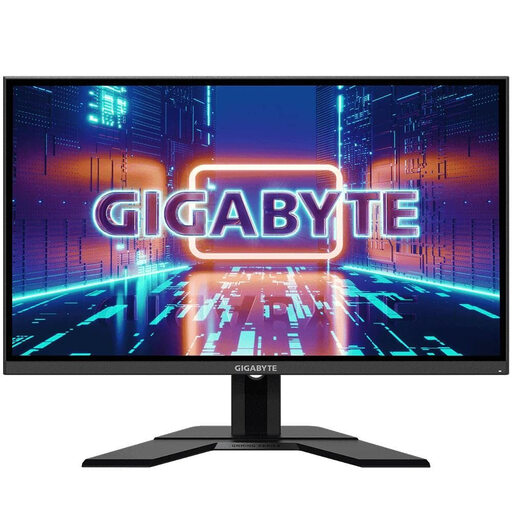
GIGABYTE G27Q26, 27-inch QHD
A good option for city views and menus on a QHD screen, provided the resolution and text clarity suit your game.
2560 × 1440, SuperSpeed IPS, 260 Hz (OC 275 Hz), 1 ms GTG. The stated maximum refresh rate of 275 Hz requires overclocking mode.
If you want to connect your headphones to the monitor, check the exact connections before buying.
View at Joybuy
 No image available
INNOCN E34A1R, 34-inch UWQHD, 21:9
A good option if you want a wider 21:9 format; check your available space and how your game displays before buying.
3440 × 1440, UWQHD, VA, 200 Hz, 1500R, FreeSync, PIP and PBP. The stand is listed as height-adjustable.
View at Joybuy
 No image available
GIGABYTE GS27QA, 27-inch QHD
A 27-inch QHD option if you want to view your map and menus on one screen.
2560 × 1440, IPS, 165 Hz, 1 ms, HDR and AMD FreeSync Premium.
If you want to connect your headphones to the monitor, check that it has the right audio connection and that it works with your gaming device.
View at Joybuy
 No image available
Xiaomi G34WQi, 34-inch UWQHD, 21:9
For a wider picture; check how your game displays against the space you have available.
3440 × 1440, 180 Hz, 1 ms, HDR 10, FreeSync and VA.
View at Joybuy
 No image available
GIGABYTE G27Q20, 27-inch QHD
A 27-inch QHD option if you want to view your map and menus on one screen.
SS-IPS, 200 Hz (OC 210 Hz), 0.5 ms, G-SYNC Compatible, FreeSync Premium Pro and 94% DCI-P3. The model name also indicates a height-adjustable stand.
If you want to connect your headphones to the monitor, check the connections on your particular setup.
View at Joybuy
Frequently asked questions
Do I need to connect my headphones to the monitor?
No, not if you can connect your headphones to your gaming device. If you want to route audio through the monitor, check its actual audio connections; Dell Germany lists a headphone output on the G2725D. This doesn’t confirm that it supports a headset microphone.
Why isn’t my QHD monitor displaying its stated maximum refresh rate?
First, check which input you’re using and which display mode is selected. For the G2725D at QHD, Dell Germany specifies up to 180 Hz via DisplayPort and up to 144 Hz via HDMI; these figures apply to this model.
Is a 21:9 monitor always the better choice for city-building games?
No. It depends on how your game displays its map and menus, and whether the wider screen will fit on your desk. Samsung Germany lists the Odyssey G5 G55T as a 34-inch monitor with 3440 × 1440 pixels and a 21:9 format; these specifications don’t automatically mean you’ll get a larger usable game view.
What should I consider when setting up my monitor?
Measure your desk and the stand, allow room for cables and position the screen to suit your seating position. Germany’s Federal Institute for Occupational Safety and Health recommends positioning screens to suit the individual in the context of screen-based work; this isn’t a formal rule for gaming at home.
How can I compare monitors’ running costs?
Compare the energy labels and product data sheets for the specific models on the same basis. The European Commission uses an A-to-G scale for electronic displays and provides separate information about HDR operation. To estimate your own costs, you’ll also need to know how long you use the monitor and your electricity tariff.


