For two people sitting side by side, an IPS LCD is often a sensible starting point, as IPS models typically offer wider viewing angles than VA models, according to RTINGS.com. In a dark room, the higher contrast of VA or OLED may matter more. For fast-paced shooters, look at independent motion-handling tests and the refresh rate your game, device and connection can actually deliver. Also check first whether your specific game supports local split-screen on your platform.
Which monitor features matter to you?
Playing together on one screen
If you sit side by side, look for a clear view of the game from both seats and check whether your specific game and platform support local split-screen. RTINGS.com lists viewing angles as a relevant factor for playing together; 2K documents split-screen for certain versions of Borderlands 3.
PC players who prioritise speed
For fast camera movements, motion handling and the refresh rate your PC can actually deliver are key. RTINGS.com notes that slow pixel transitions can cause blur or overshoot, so compare independent test results rather than relying on manufacturers' claims alone.
Players with a compact bedroom setup
If desk space, viewing distance or using the monitor in a dark room limits your options, compare the dimensions including the stand, the contrast and how you plan to handle audio. Also check that the game is easy to read from both seats.
What should you look for when buying?
First, check whether you'll be playing locally on one screen. Then compare viewing angles, the space the monitor takes up and the refresh rate your gaming device can use through the connection you plan to use.
| Consideration |
What to check |
Who is it important to? |
| Shared viewing |
Compare the panel's viewing angles and how easy the specific game is to read from both seats. |
If we're sitting at an angle, I want to be able to see the game displays from both seats. Around 31% of consumers put shared viewing first. |
| Motion handling |
Check independent motion tests at the refresh rate you'll use; don't just compare hertz or millisecond figures. |
For fast camera movements, I want to minimise motion blur and ghosting. An estimated 31% of consumers prioritise motion handling. |
| Space and connections |
Measure the monitor and stand; check the supported resolution and refresh rate for the input you plan to use. |
If desk space is tight, I'll measure the screen and stand and check what my PC or console supports. Around 23% of consumers are mainly concerned about space and connections. |
| Dark rooms and day-to-day use |
Check the panel's contrast and whether the specific model has speakers or audio connections. |
In a dark bedroom, I want to choose the right contrast and audio setup. Around 15% of consumers prioritise dark-room picture quality and practical day-to-day considerations. |
Common buying misconceptions
-
Assuming a quoted millisecond figure means blur-free motion
Pixel transitions and overshoot can vary depending on the model, settings and refresh rate. A single GtG or MPRT figure doesn't tell you how motion will look in your game.
Compare independent test results, ideally at the refresh rate you actually use.
-
Assuming a high monitor refresh rate guarantees the same in-game frame rate
The game, gaming device and connection all limit the signal that's actually output. So a high monitor refresh rate doesn't automatically mean a game will deliver the same frame rate.
Check the output settings and the resolution and refresh rate supported by the input you plan to use.
-
Choosing the biggest screen for two players without considering anything else
A larger screen takes up more space, and viewing angles and how easy the specific game is to read from both seats still need to be considered separately.
Measure the available space, including the stand, and check the picture from both seats. Remember that local split-screen is different from online co-op on separate devices.
-
Assuming OLED protection features rule out burn-in
ASUS notes that high-contrast, static content displayed for a long time can cause burn-in. Protection features and warranty terms vary by model.
Check the care guidance and warranty terms for the exact model, and weigh them against the contrast you want.
Brands worth considering
MSI
The MPG range includes QD-OLED models, including a 32-inch option for those with more space.
- MSI lists 4K, 240 Hz and HDMI 2.1 with support for 4K at 120 Hz for the MPG 322URXDE.
- OLED Care 2.0 and the manufacturer's warranty details don't guarantee that burn-in is impossible. Check the terms for the specific model.
ASUS ROG
The ROG Strix XG27ACS is a 27-inch QHD model with a Fast IPS panel.
- ASUS lists 180 Hz and variable synchronisation for this model.
- The refresh rate and synchronisation you can use also depend on the connection and gaming device. The manufacturer's 1 ms GtG claim is no substitute for an independent motion test.
LG UltraGear
The range includes IPS and OLED models; the 27GS75QX-B is a 27-inch QHD IPS option.
- LG lists 180 Hz, HDMI 2.0 and DisplayPort 1.4 for the 27GS75QX-B.
- LG Germany lists no built-in speakers for this model and marks it as no longer available on its product page. This says nothing about other retailers or the range as a whole.
BenQ MOBIUZ
The EX271UZ is a 26.5-inch 4K QD-OLED option documented for the European market.
- BenQ lists 240 Hz, HDMI 2.1 and a headphone socket for this model.
- These specifications don't confirm availability from a particular retailer or guarantee an advantage in your specific game.
Dell Alienware
The AW2725D is a QHD QD-OLED option in the 27-inch class.
- Dell lists a resolution of 2560 × 1440 at 280 Hz and a height-adjustable stand.
- These manufacturer specifications don't guarantee that your console or game will output the same refresh rate.
Joybuy products for a shared gaming space
This selection includes IPS models for sharing the screen from different angles, plus a QD-OLED model for anyone weighing up its contrast and refresh rate.
 No image available
Z-Edge AGEX 27-inch QHD gaming monitor
The IPS panel and stated 178° viewing angle are relevant if you're sharing the screen from different seats.
27 inches, QHD at 1440p, Fast IPS, 144 Hz, FreeSync and a height-adjustable stand.
View at Joybuy
 No image available
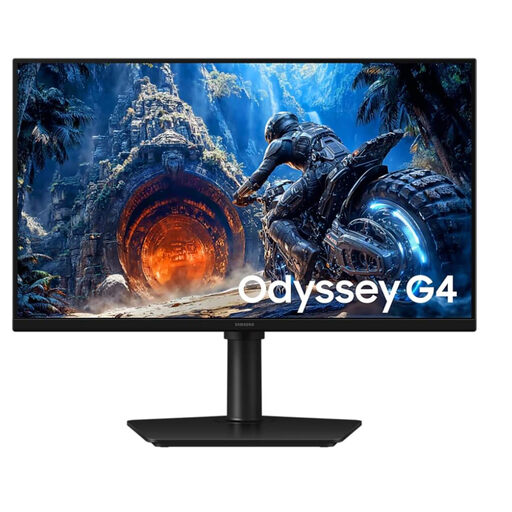
Samsung Odyssey G4 LS25HG402EUXEN, 25-inch, Full HD
The more compact 25-inch screen may suit a limited space; check that the game displays are still large enough for both seats.
IPS, Full HD and 300 Hz via DisplayPort or 240 Hz via HDMI, according to the product details. The stand can be adjusted for height and tilt, and rotated to portrait orientation.
View at Joybuy
 No image available
MSI MAG 274FDE, 27-inch Full HD gaming monitor
The stated IPS panel and 178° viewing angle are relevant when you're sitting at an angle to the screen.
27 inches, Full HD, IPS, 180 Hz, 1 ms and NVIDIA G-Sync; the stand is height-adjustable and swivels.
View at Joybuy
 No image available
INNOCN 2751S PLUS, 27-inch QHD Mini-LED gaming monitor
The IPS panel and stated 178° viewing angle are useful when sharing the screen; this model also has built-in speakers.
QHD, Mini-LED with 1,152 zones, 275 Hz, FreeSync, HDMI 2.1 and DisplayPort 1.4. The stated FreeSync range varies by connection.
View at Joybuy
 No image available
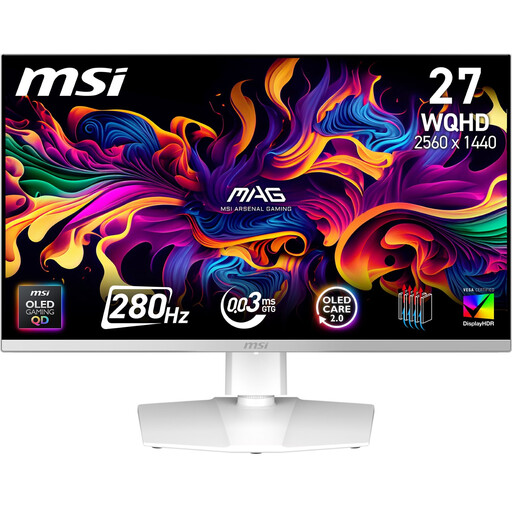
MSI MAG 272QPWDE QD-OLED X28, 27-inch gaming monitor
The stated QHD resolution, 280 Hz and Adaptive Sync are worth considering for fast-paced games. The refresh rate still depends on the game, gaming device and connection.
QD-OLED, HDMI 2.1, DisplayPort 1.4 and a height-adjustable stand that tilts, swivels and pivots. ASUS notes that high-contrast, static content displayed for a long time can cause burn-in on OLED screens; check the care guidance and warranty terms for the specific model.
View at Joybuy
Frequently asked questions
Does a gaming monitor automatically show two views of the game?
No. Local split-screen is a feature of the game on the platform you're using, not the monitor alone. For example, 2K documents local split-screen for certain console versions of Borderlands 3; check your specific game and device.
How do I check 120 Hz and VRR on a PS5?
Check the video output settings and the details for the connected HDMI device. PlayStation Support provides a test for 1440p output; 120 Hz output requires a supported game and display. The devices involved must also support VRR.
What should I consider when it comes to space and audio?
Compare the dimensions of the specific screen and stand with your desk, and plan your audio setup separately. LG explicitly lists no built-in speakers for the 27GS75QX-B; other models may have different features.
How should I care for an OLED monitor?
Follow the care guidance for the specific model and check its warranty terms. ASUS notes that high-contrast, static content displayed for a long time can cause burn-in; protection features don't offer a blanket guarantee that this risk is eliminated.


