Choose based on the screen space you need for your factory view: a 32-inch 4K monitor offers more vertical pixels, a 34-inch 21:9 display gives you more width, and a 49-inch 32:9 model provides plenty of room side by side. Gigabyte, ASUS and MSI list the resolutions for specific models. For long sessions with fixed menus, an LCD is also an alternative to OLED, whose burn-in risk cannot be ruled out by protective features. Before buying, check that your gaming device, connection and game support your preferred format and target frame rate.
Who are large gaming monitors suited to?
Factory planners who need space
If you want to see as much of your factory as possible, or view several windows at once, the balance between screen width and height matters. Models such as the Gigabyte M32U and ASUS PG34WCDN show just how differently that screen space can be arranged.
Players who prioritise readability
If you spend a lot of time looking at menus, icons and details, consider resolution and scaling alongside screen size. Factorio developers Wube Software describe, among other things, high-resolution icons; the right display still depends on the scaling you prefer.
Players with mixed-use needs
If you plan to use the same screen for factory building and other games, screen space is only one consideration: image quality and connections matter too. ASUS lists a QD-OLED panel for the PG34WCDN; with OLED, there is still a burn-in risk to consider when fixed on-screen elements remain visible for long periods.
What should you consider when choosing?
Compare more than just the diagonal size: look at the aspect ratio, native resolution and the requirements of your gaming device too. The technical examples in the table are based on specifications for specific models from Gigabyte, ASUS, MSI and Dell Germany, as well as relevant game and monitor information from Wube Software and RTINGS.com.
| What matters |
What to check before buying |
Who is this important to? |
| Usable screen space and aspect ratio |
Compare the aspect ratio, native resolution and dimensions including the stand with your desk and preferred window layout. The Gigabyte M32U is listed as a 31.5-inch monitor with 3840 × 2160 pixels, while the MSI MPG 491CQPDE is listed as a 49-inch model with 5120 × 1440 pixels. |
If I want to see several factory areas or windows at once, usable screen space matters more to me than keeping my setup as compact as possible. Around 33% of consumers say usable screen space is their top buying priority. |
| Menus and details |
Consider resolution and display size together, and check that your preferred scaling is easy to read. Wube Software describes high-resolution icons for Factorio, but does not recommend a scaling setting that suits every player. |
If I want to read menus, icons and details clearly, I pay attention to how they look at my viewing distance and chosen scaling. Around 27% of consumers put readability first. |
| Panel for long sessions |
Compare IPS or VA LCD with OLED, and check the care and warranty terms for the specific model if you choose OLED. RTINGS.com describes a burn-in risk when static elements remain visible for long periods; MSI lists OLED Care 2.0 as a way to reduce the risk, not eliminate it. |
If fixed menus or status displays stay on screen for a long time, I want to weigh the OLED risk against the picture quality I’m looking for. Around 20% of consumers put the long-term display of these elements first. |
| Gaming device and frame rate |
Check the output, cable and monitor input needed for your preferred resolution and refresh rate. For the AW3423DWF at 3440 × 1440, Dell lists up to 165 Hz via DisplayPort and 100 Hz via HDMI; RTINGS.com notes that consoles do not support ultrawide aspect ratios. |
If I want to keep using my current gaming device, I need to know which format and frame rate it can actually output. Around 20% of consumers make device compatibility their top buying priority. |
Common buying mistakes
-
Choosing based only on screen size
A 49-inch display with 5120 × 1440 pixels arranges screen space differently from a 31.5-inch monitor with 3840 × 2160 pixels. The diagonal measurement alone tells you little about whether you need more width or more screen height.
First decide what kind of game view and window layout you want. Then compare the aspect ratio, resolution and dimensions, including the stand, with the space you have available.
-
Assuming OLED protection features eliminate burn-in
RTINGS.com notes a burn-in risk with static content that remains visible for long periods. MSI describes OLED Care as a way to reduce the risk, not eliminate it.
If you play for long sessions with fixed menus, consider an LCD too. If you choose OLED, read the care guidance and warranty terms for the specific product.
-
Assuming the stated refresh rate is available on every connection
For the AW3423DWF at its native resolution, Dell lists different maximum refresh rates via DisplayPort and HDMI: 165 Hz and 100 Hz respectively.
Before ordering, check the refresh rate listed for the specific connection you plan to use, along with the input, cable and output on your gaming device.
-
Confusing statutory rights with the manufacturer’s warranty
Verbraucherzentrale distinguishes your statutory rights against the seller from a voluntary manufacturer’s warranty. Warranty terms may vary depending on the specific product offer.
Check the warranty terms that apply to the offer, and consider them separately from your statutory rights.
Key brands at a glance
Gigabyte
The M32U is a specific example of a 31.5-inch 4K IPS monitor with a KVM switch.
- Gigabyte lists a maximum refresh rate of 144 Hz and a height-adjustable stand for this model.
- For 4K at 144 Hz via HDMI, the signal conditions specified by the manufacturer apply, with or without DSC. These details apply to the M32U, not all Gigabyte monitors.
Samsung
The Odyssey G9 G95C is a 49-inch 32:9 display with a VA LCD panel.
- Samsung lists a 1000R display and a 240 Hz refresh rate for this model.
- These features apply to the G95C and are not a statement about the entire product range.
ASUS
The ROG Swift OLED PG34WCDN is a 34-inch 21:9 model with QD-OLED.
- ASUS lists 360 Hz, DisplayPort 2.1a and OLED Care Pro for this model.
- With OLED, the risk from static content that remains visible for long periods still needs to be considered; protective features do not prove that the risk has been eliminated.
MSI
The MPG 491CQPDE is a 49-inch QD-OLED model in 32:9, with a resolution of 5120 × 1440 pixels.
- MSI lists 144 Hz, KVM and USB-C with 90 W for this model.
- MSI describes OLED Care as a way to reduce the risk, not eliminate burn-in. Bear this in mind if you have long sessions with fixed on-screen elements.
Dell Alienware
The AW3423DWF shows how your choice of connection can affect the stated refresh rate of a 34-inch QD-OLED model.
- Dell Germany lists up to 165 Hz via DisplayPort at 3440 × 1440.
- Via HDMI, Dell lists up to 100 Hz at the same resolution. These figures apply to the AW3423DWF and the respective connection.
Joybuy products for expansive factory views
This selection includes gaming monitors in 32:9, 21:9 and 16:9 for different priorities around width, screen height and mixed use. Resolution and refresh rate figures describe the device specifications; the display you can actually achieve also depends on your gaming device, connection and game.
 No image available
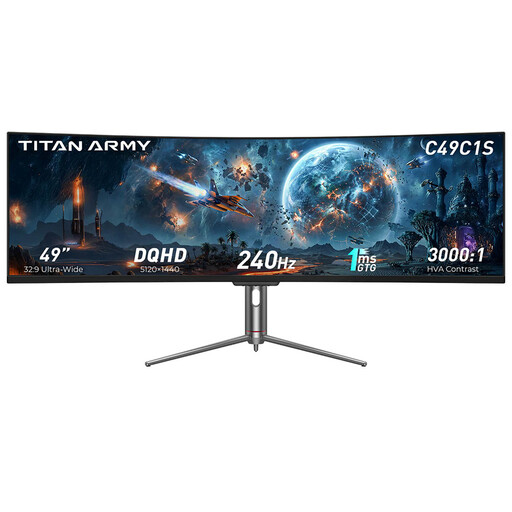
TITAN ARMY C49C1S
If you want plenty of width for your factory view, this 32:9 model is a size worth comparing.
It is listed as 49 inches, with 5120 × 1440 pixels, HVA, 240 Hz and 1800R curvature. Check whether your gaming device supports the resolution and refresh rate you want via the connection you plan to use.
View at Joybuy
 No image available
INNOCN E34A1R
If you’re after a wide 34-inch view rather than a 49-inch display, this model offers an ultrawide format.
It is listed with 3440 × 1440 pixels, a 21:9 aspect ratio, a VA panel, 200 Hz and 1500R curvature. PIP/PBP and a height-adjustable stand are also listed.
View at Joybuy
 No image available
MSI MAG 341CQPDE QD-OLED
If you want a 34-inch ultrawide screen with OLED display technology, you can compare this model with LCD alternatives.
It is listed with QD-OLED, 3440 × 1440 pixels, a 21:9 aspect ratio and 175 Hz. There is still a burn-in risk if fixed menus or other static elements stay on screen for long periods; OLED Care 2.0 is not a proven guarantee against this risk.
View at Joybuy
 No image available
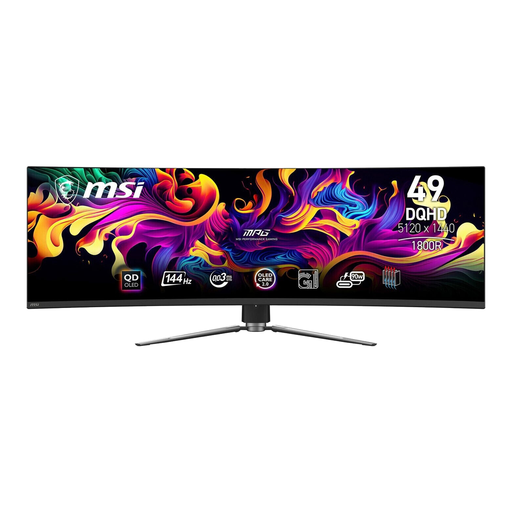
MSI MPG 491CQPDE QD-OLED
If you want a wide gaming area or room for windows side by side, this 49-inch model is a 32:9 option.
It is listed with 5120 × 1440 pixels, 144 Hz and 1800R curvature; the stand measures 1195 × 328 × 410 mm. KVM and USB-C with 90 W are also listed. Bear the risk of OLED burn-in in mind if you have long sessions with fixed on-screen elements.
View at Joybuy
 No image available
GIGABYTE MO32U24 OLED
If screen height and detail are more important to you than an ultrawide format, this 32-inch model is a 4K option.
It is listed with 3840 × 2160 pixels and 240 Hz. The stand is listed as height-adjustable, tiltable, swivel and pivot. With OLED, there is still a burn-in risk to consider if static elements remain visible for long periods.
View at Joybuy
Frequently asked questions
Is 49 inches automatically better for my factory?
No. The 49-inch MSI MPG 491CQPDE has a 32:9 aspect ratio and offers 5120 × 1440 pixels, with plenty of width; the 31.5-inch Gigabyte M32U offers more screen height with 3840 × 2160 pixels. Decide whether you value a wider view, more vertical space or a more compact setup.
What should I check before connecting and setting up my monitor?
Measure the width and depth, including the stand, and check that the output, input and cable support your preferred resolution and refresh rate. Gigabyte lists the M32U’s dimensions as 715.3 × 585.3 × 244.3 mm including the stand, as well as specific signal conditions for HDMI at 4K and 144 Hz.
How much does it cost to run a monitor?
Check the EU energy label and product information sheet for the models you’re considering. The European Commission explains energy labelling for electronic displays; your actual electricity costs will also depend on how you use the monitor and your electricity tariff.
Is an ultrawide monitor suitable for playing Satisfactory on a console?
If you play on a console, don’t choose an ultrawide format based on width alone: RTINGS.com notes that consoles do not support ultrawide aspect ratios. Satisfactory’s official console support information also says there is no VRR support and that Balanced Mode requires a compatible display with at least 120 Hz. These details apply to the console version, not the PC version.


