Gamers with very little desk space
If you need to leave room for a mouse, keyboard or controller beside the screen, check the casing and stand dimensions as well as the screen size. AOC and ASUS list their respective compact models at 23.8 inches.


If space is tight, a compact 24-inch model is the obvious place to start – provided its casing and stand fit on your desk. A 27-inch QHD monitor gives you a larger screen and more pixels if your desk and PC can accommodate it. OLED and 34-inch ultrawide models are also options, as long as their respective care, space and game-compatibility requirements suit the way you use them.
If you need to leave room for a mouse, keyboard or controller beside the screen, check the casing and stand dimensions as well as the screen size. AOC and ASUS list their respective compact models at 23.8 inches.
If clear, smooth motion matters to you, compare the refresh rate and variable sync support with your PC’s outputs and the monitor input you plan to use. What matters is what that specific connection can deliver at your chosen resolution.
If you want more picture detail, a particular look for dark scenes or a wider aspect ratio, also check the space required, your PC’s performance and how the game itself displays. With OLED, you should also consider long periods with unchanged on-screen elements and the care guidance for the specific model.
A good fit if: your desk has limited space and a manageable screen size is your priority.
The trade-off: Full HD has fewer pixels than the QHD and ultrawide options covered here. The achievable frame rate also depends on your PC, connection and settings.
A good fit if: you have room for a larger monitor and your PC can deliver the QHD frame rate you want in-game.
The trade-off: A QHD monitor takes up more desk space than a compact model. OLED can show faint marks after displaying unchanged content for long periods; IPS is an alternative if you want to avoid this OLED-specific care consideration.
A good fit if: the wide casing and stand fit on your desk, and the game displays the chosen aspect ratio well.
The trade-off: With a 21:9 aspect ratio and 3440 × 1440 resolution, check the desk space available, game support and PC performance.
| Buying priority | What to look for | Who is it important to? |
|---|---|---|
| Space required and ease of use | Compare the casing width and depth, including the stand, and its adjustability with the available space on your desk. | If I want to leave room for my controller on a small desk, the actual footprint matters more than the screen size in inches alone. Around 33% of consumers put a small footprint first when choosing a monitor. |
| Smooth motion | Check the resolution, refresh rate for each input and variable sync support for the specific PC-to-monitor connection. AMD says FreeSync synchronises the refresh rate with the output of compatible graphics cards. | If I want to track quick turns and moving targets, the connection needs to support the frame rate I want. Around 27% of consumers prioritise smooth motion when choosing a monitor. |
| Picture detail and readability | Match your preferred in-game resolution to your PC’s actual performance; AOC lists 1920 × 1080 for the 24G4X, while Dell lists 2560 × 1440 for the AW2725DF. | If fine detail and readable on-screen displays matter to me, I want to choose a higher resolution that my PC can handle in-game. Around 20% of consumers put picture detail first when choosing a monitor. |
| Dark-scene performance and panel care | Check the panel type, care guidance and warranty terms for the specific model. LG notes that unchanged images displayed for long periods can leave faint marks on OLED monitors. | If dark scenes are especially important to me, I weigh up the panel type I want against how often I keep cockpit displays on screen. Around 13% of consumers say how dark scenes look is their top priority. |
| Wide aspect ratio | Samsung lists the Odyssey G5 LC34G55TWWPXEN as 34 inches, with a 21:9 aspect ratio and 3440 × 1440 resolution; check game support, stand size and PC performance separately. | If I specifically want a wider field of view, I first check whether the format and monitor will fit on my small desk. Around 7% of consumers prioritise a wide aspect ratio when choosing a monitor. |
The screen size alone won’t tell you how much desk space the casing and stand will actually take up.
Measure the available width and depth, then compare them with the full dimensions of the model. Only plan to use a mount if its compatibility with the monitor has been confirmed.
For the AW2725DF, Dell lists up to QHD at 360 Hz over DisplayPort, but QHD at 144 Hz for the HDMI input shown.
Check the graphics output, monitor input, resolution and desired frame rate as one specific connection set-up.
LG notes that unchanged images displayed for long periods can leave faint marks on OLED monitors.
Before comparing OLED with an IPS alternative, check your usage habits against the care and warranty guidance for the exact model.
The 24G4X is a manufacturer example of a compact Full HD Fast IPS model.
The AW2725DF is a specific example of a 27-inch QHD monitor with QD-OLED.
The Odyssey G5 LC34G55TWWPXEN is a specific example of a 34-inch ultrawide model.
The 27GS85QX-B is a manufacturer example of a 27-inch QHD monitor with Nano IPS.
The TUF Gaming VG249Q3A is a manufacturer example from the compact 23.8-inch class.
The models below are compact Full HD options for limited desk space, including a portable monitor. Before choosing, check the actual dimensions and make sure the connection and refresh rate suit your PC.
 No image available
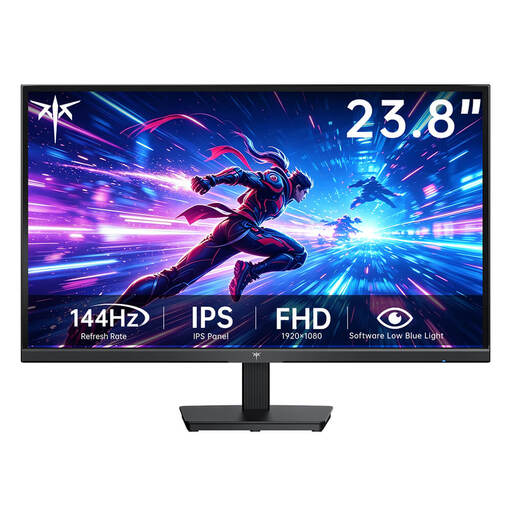
A compact option for a desk with limited space, if Full HD is enough for you.
Fast IPS panel, 1920 × 1080 resolution and 144 Hz, according to the product listing.
 No image available
A 24-inch Full HD option for a small desk; compare its dimensions with your available space.
The product listing specifies IPS, 120 Hz, 5 ms, HDMI and VGA, plus a 100 × 100 mm VESA mount.
 No image available
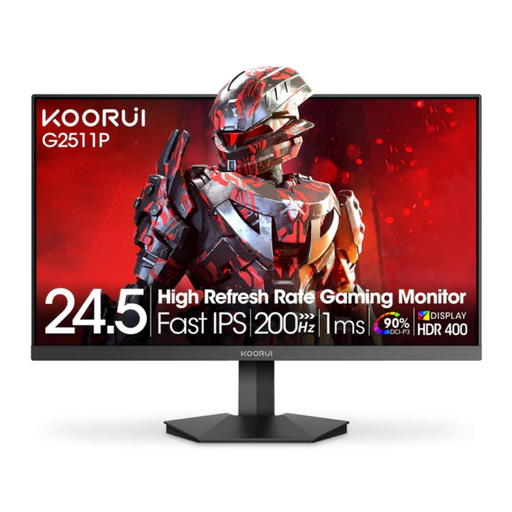
A compact alternative if you’re looking for a higher stated refresh rate than a basic 24-inch model offers.
Fast IPS, Full HD at 1920 × 1080, 200 Hz and Adaptive Sync, according to the product listing.
 No image available
A compact Full HD option if you’re considering Mini LED for dark gaming scenes.
The product listing specifies Mini LED, IPS, 144 Hz and 450 nits.
 No image available
A smaller portable option for especially tight spaces, if your device supports the connection you need.
Specifications include Full HD, a matte IPS panel, up to 120 Hz, USB-C, Mini HDMI and VESA compatibility. According to the product description, the actual refresh rate depends on the device and cable.
No. Measure the available width and depth, then compare them with the actual dimensions of the casing and stand. The screen diagonal doesn’t tell you how much desk space the monitor needs.
The maximum refresh rate on the AW2725DF depends on the resolution and connection: Dell lists up to QHD at 360 Hz over DisplayPort and QHD at 144 Hz over the HDMI input shown. Then check the PC and monitor settings for your connection.
LG notes that unchanged images displayed for long periods can leave faint marks on OLED monitors, and describes an image cleaning function. Check the care guidance and warranty terms for the model you choose.
For a consumer contract made online in Germany, you generally have a 14-day right to cancel after receiving the goods; you must notify the retailer that you wish to cancel. Your rights if the product is faulty are separate and apply against the seller.
For electronic displays covered by the rules, the EU requires an energy label with ratings from A to G (European Commission). A monitor that has reached the end of its life should be taken to a separate collection point for electrical and electronic waste, such as a local authority collection centre (German Environment Agency).