Gamers with limited desk space
If your small desk also needs to accommodate a keyboard or controllers, the monitor’s width and stand depth matter just as much as its screen size.


First, measure the available width and depth, including the stand, then choose a resolution that suits your graphics hardware. A compact Full HD monitor takes up less space, while a 27-inch QHD screen gives you more pixels for displaying instruments. 4K requires suitable graphics performance. If you’re considering OLED with instruments that stay on screen for long periods, check the protection features and warranty terms for the specific model. Claims about reducing the risk do not rule out burn-in.
If your small desk also needs to accommodate a keyboard or controllers, the monitor’s width and stand depth matter just as much as its screen size.
If you want to see flight paths and small readouts clearly, weigh up resolution and screen size alongside your available desk space and graphics performance.
If smooth motion or high-contrast space scenes are your priority, consider refresh rate, synchronisation and, where relevant, OLED features, as well as the terms that apply to each model.
A good fit if: desk width and viewing distance are limited, and you’re happy with fewer pixels than QHD.
The trade-off: A smaller screen can save space, but leaves less room to display several readouts at once.
A good fit if: the stand’s width and depth fit your desk, and you want more pixels for displaying instruments.
The trade-off: You’ll need more desk space and suitable graphics performance than you would for a compact Full HD model.
A good fit if: you have enough desk space and are considering high pixel density or OLED for dark gaming scenes.
The trade-off: 4K places greater demands on your graphics hardware. If instruments stay on screen for long periods, check the protection features and warranty terms.
| Priority | What to check before buying | Who is it important to? |
|---|---|---|
| Desk space | Measure the width and depth, including the stand. MSI Germany lists the MAG 274QRFDE QD E2 at 613.5 × 196.5 mm; LG Germany gives the separate 27GP850P-B a depth of 291.2 mm with the stand. | If I need room on my small desk for a keyboard and controllers too, the actual footprint matters more than the screen size. Around 36% of consumers prioritise desk space. |
| Readability of on-screen instruments | Compare the resolution at a suitable screen size: AOC lists 1,920 × 1,080 for the 24G4XE; MSI Germany lists 2,560 × 1,440 for the MAG 274QRFDE QD E2, and Samsung Germany lists 4K UHD for the G81SF. | If I want to see flight paths and small instruments clearly at the same time, I compare the pixel count with the screen size that fits my desk. Around 29% of consumers prioritise readability of these readouts. |
| Smooth motion | Check the refresh rate, operating mode and connection together. LG lists 540 Hz at QHD and 720 Hz at HD for the 27GX790B-B; the 720 Hz figure does not apply to QHD. | If smooth motion matters more to me than extra pixels, I check whether my graphics card and connection support the refresh rate I want. Motion comes first for around 21% of consumers. |
| Contrast and static on-screen instruments | Compare the OLED protection features and warranty terms for the specific model. MSI promotes OLED Care 2.0 as a way to reduce risk; Samsung cites technology designed to reduce the risk of burn-in. | If dark scenes and instruments that stay on screen for long periods go hand in hand, I want to weigh up contrast and protection terms together. Around 14% of consumers prioritise contrast in dark scenes. |
Two 27-inch monitors can take up different amounts of desk depth. LG Germany lists the 27GP850P-B at 291.2 mm deep with the stand; MSI Germany gives the MAG 274QRFDE QD E2 a depth of 196.5 mm.
Compare the dimensions of the exact model variant, including the stand, with your available desk space. If you’re considering a monitor arm, also check the VESA mount, weight capacity and desk clamp.
You may need to buy a suitable monitor arm and desk clamp separately.
LG lists 720 Hz at HD for the 27GX790B-B, but 540 Hz at QHD. The connection you use can also affect the refresh rate supported by a particular setup.
Compare resolution, connection and refresh rate together, and check the specifications for both your monitor and signal source.
MSI describes OLED Care 2.0 as a way to reduce risk. This is not a guarantee against burn-in, and does not automatically apply to other MSI models.
Read the protection and warranty terms for the exact model variant, and consider how long instruments or other fixed on-screen elements will remain visible.
The 24G4XE is an example of a compact Full HD gaming monitor.
The MAG 274QRFDE QD E2 represents the 27-inch QHD LCD option; the separate MPG 271QRXDE QD-OLED is a QHD OLED alternative.
The G81SF, model number LS27FG814SUXEN, is a 27-inch 4K OLED option.
The 27GX790B-B is a QHD OLED monitor with different refresh rates depending on the mode.
This selection includes Full HD models from 18.5 to 25 inches, as well as 27-inch QHD monitors. The key question is whether compact dimensions or more pixels for displaying instruments matter more to you.
 No image available
A QHD option in a 27-inch size if you want more pixels than Full HD and have enough desk space.
Features listed in the product name: Mini-LED with 1,152 zones, QHD 2K, 275 Hz, 1 ms and FreeSync. Before buying, check that the dimensions, including the stand, fit your desk.
 No image available
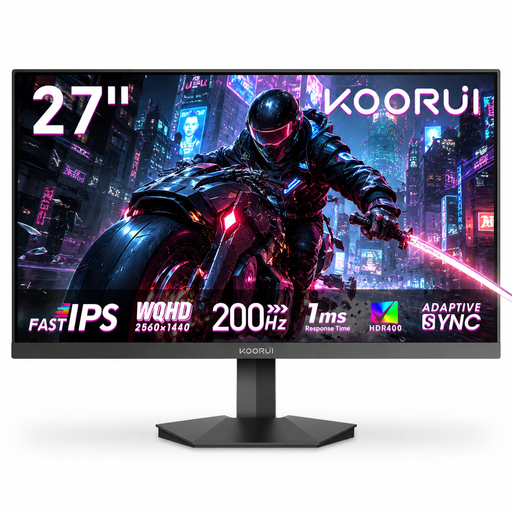
A potential fit if you want QHD and a high refresh rate in a 27-inch monitor, and have enough desk space.
Features listed in the product name: Fast IPS, 200 Hz, Adaptive Sync and VESA 75 × 75 mm. Check the stand dimensions and whether your signal source supports the refresh rate you want.
 No image available
A more compact Full HD option if your desk doesn’t have enough room for a 27-inch screen.
Features listed in the product name: IPS, 1,920 × 1,080 and Adaptive Sync. Full HD offers fewer pixels for small readouts than QHD.
 No image available
The smaller screen size could be a good fit if you have very little room on your desk for a monitor.
Features listed in the product name: 1,920 × 1,080 resolution, matt IPS display, USB-C and Mini-HDMI. According to the product information, the refresh rate you can achieve depends on the device and cable.
 No image available
A 25-inch Full HD option if you want a larger screen than a 24-inch model, without going up to 27 inches.
Features listed in the product name: Mini-LED, IPS, 144 Hz and FreeSync. Full HD offers fewer pixels for small readouts than QHD.
Before buying, measure the usable width and depth, allowing room for your keyboard and controllers too. If you’re using a monitor arm, make sure the VESA mount, arm, desk clamp and weight capacity are all compatible. Screen size alone won’t tell you whether the monitor will fit.
Check the specifications for your particular monitor and signal source. For example, Dell specifies QHD at 165 Hz over DisplayPort and 144 Hz over HDMI for the G2724D; this does not mean the same limits apply to other models.
Check the protection features and warranty terms for the exact model. MSI promotes OLED Care 2.0 on the MPG 271QRXDE as a way to reduce risk; protection features alone do not rule out burn-in.
The European Commission’s energy label for electronic displays uses a scale from A to G; also compare the information for each specific model. The Verbraucherzentrale distinguishes between the statutory warranty against the seller and a voluntary guarantee. Online purchases generally come with a 14-day right of cancellation.