Shoppers looking for a wide cockpit view
If a wide cockpit view matters to you when playing trading routes, check how your game displays the format and whether your desk and seating position are suitable.


For space trading routes, 21:9 is a natural starting point if you want a wider cockpit view, but check game support and desk space first. A 32:9 monitor takes up more room and doesn’t guarantee an undistorted image at the edges. OLED is worth considering if you’re prepared to take care when displaying static HUD elements for long periods, while an LCD ultrawide is another option for these sessions. Match the resolution and refresh rate to your PC, and check the refresh rate supported by the connection you’ll use.
If a wide cockpit view matters to you when playing trading routes, check how your game displays the format and whether your desk and seating position are suitable.
If dark scenes are a priority, you could consider OLED, while weighing up whether you’re comfortable with the care it requires during long gaming sessions with static displays.
If maps or cockpit displays stay on screen for long periods, factor panel care, your choice of connection and ongoing energy consumption into your decision.
First decide on the format and how it looks in the game you play. Then consider the panel type, followed by your PC’s performance, the connection and running costs.
| Buying priority | What to check | Who it matters most to |
|---|---|---|
| Cockpit width | Aspect ratio and native resolution; check the in-game image and the space available. | If I want a wide cockpit view without having to guess about desk space or how the game will display it. Around 36% of shoppers put cockpit width first. |
| Dark scenes and panel choice | Check the panel type, as well as the OLED care features and warranty terms for the specific model. | If dark space scenes are a priority, I could choose OLED, but should also consider the care needed when displaying static images. Around 29% of shoppers prioritise this. |
| PC performance and motion | Check your PC’s frame rate against the resolution and the refresh rate supported by the connection you’ll use. | If I want smooth visuals without assuming that a monitor’s specifications match my PC’s performance. Around 21% of shoppers make PC performance and frame rate their main priority. |
| Long sessions and running costs | Follow the panel care guidance and compare the energy label and product information for SDR and HDR. | For long sessions with a fixed HUD, panel care and energy consumption matter more to me than extra width or the highest refresh rate. Around 14% of shoppers put these factors first. |
The format alone doesn’t prove that a game makes good use of the extra space. A user post about Elite Dangerous on the Frontier forum, dated 2 January 2020, describes stretched image edges. It isn’t a current, general game review and doesn’t tell you how other titles perform.
Check how the specific game looks and consider your seating position before choosing a monitor based on its format.
TÜV SÜD points out that high frame rates require a suitably powerful PC. So check that your hardware can handle your chosen resolution and frame rate too.
MSI explains that displaying unchanged images for long periods can increase the risk of uneven OLED wear. This doesn’t mean that damage will occur every time you use the monitor.
Follow the care guidance and check the warranty terms for the specific model. An LCD display may also be worth considering for the way you use your monitor.
For the BenQ EX3415R, BenQ lists a maximum of 144 Hz over DisplayPort and 120 Hz over HDMI. The figure for one connection doesn’t automatically apply to the other.
Check the specifications against your cable and PC output for your desired resolution and refresh rate.
LG’s 34GX900A-B is a 34-inch OLED monitor with a 21:9 aspect ratio, a resolution of 3440 × 1440 pixels and a 240 Hz refresh rate.
According to BenQ, the EX3415R is a 34-inch IPS LCD monitor with a 21:9 aspect ratio and a resolution of 3440 × 1440 pixels.
Samsung’s G95C and G95SD are two 49-inch models with a 32:9 aspect ratio: the G95C has an LCD panel, while the G95SD has an OLED panel.
Dell’s AW3426DW is a 34-inch QD-OLED monitor with a 21:9 aspect ratio and a resolution of 3440 × 1440 pixels.
MSI’s MPG 341CQRDE QD-OLED X36 is a 34-inch QD-OLED model with a resolution of 3440 × 1440 pixels.
This selection includes 34-inch 21:9 monitors and 49-inch 32:9 monitors. Before choosing, check how your game displays the format and whether the resolution, refresh rate and dimensions suit your PC and gaming setup.
 No image available
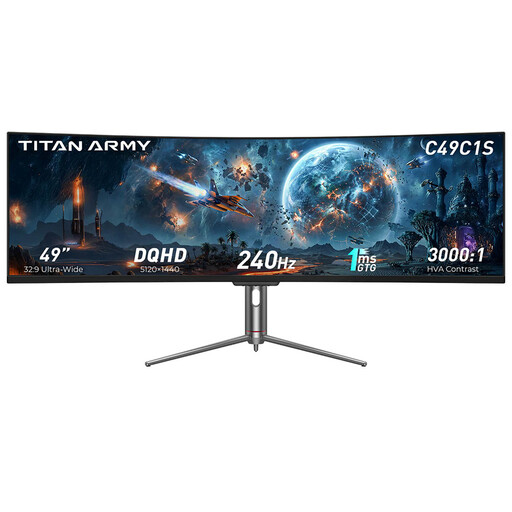
The stated screen size and 32:9 aspect ratio are suited to an especially wide cockpit view, provided the game displays it as you’d like.
The product name lists 32:9, DQHD, 240 Hz and 1800R curvature. Make sure you have enough desk space and check the image edges in the game you play.
 No image available
The 32:9 format is designed for anyone looking for extra-wide screen space for their cockpit who has room to accommodate it.
The product name lists a resolution of 5120 × 1440 pixels, a 165 Hz refresh rate and 1500R curvature. Check how the game looks at the edges before settling on the wider format.
 No image available
This 21:9 model is an option if you want a wider view without moving up to a 49-inch monitor.
The product name lists a resolution of 3440 × 1440 pixels, a VA panel, a 200 Hz refresh rate and 1500R curvature. Check separately whether the game displays 21:9 as you’d like.
 No image available
The 21:9 format can work well for a wide cockpit view if your game supports it and the monitor fits on your desk.
The product name lists WQHD, a 180 Hz refresh rate and a 21:9 aspect ratio. Check that your PC and the connection you use can support your desired refresh rate.
 No image available
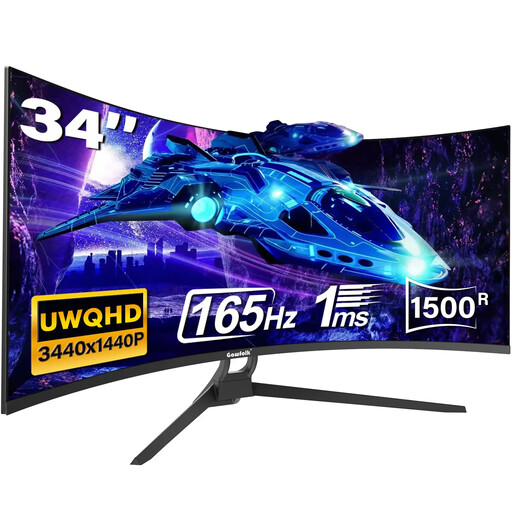
The stated 21:9 format is one option for a wider cockpit view, provided the game you play displays it well.
The product name lists UWQHD, a 165 Hz refresh rate, 1500R curvature, 1 ms (MPRT), HDMI 2.1 and DisplayPort 1.4. Check which connection supports your desired refresh rate with your PC hardware.
Start with the format you want and your PC’s performance, rather than the highest advertised refresh rate. Then check the refresh rate the specific monitor supports over the connection you’ll use: BenQ lists 144 Hz over DisplayPort and 120 Hz over HDMI for the EX3415R.
Follow the care instructions for the specific model and avoid leaving static images unchanged on screen for longer than necessary. MSI describes Pixel Shift and Panel Protect for compatible OLED monitors, while also highlighting the risk from images displayed for extended periods.
Compare the energy labels and product information sheets for the specific models on offer, including their HDR figures. The European Commission includes computer monitors within the scope of energy labelling for electronic displays. To work out the cost in pounds, you’ll also need the power consumption of the specific device, how long you use it and your electricity tariff.
The European Commission’s energy-labelling rules for electronic displays also cover computer monitors. The German Consumer Advice Centre says online purchases generally come with a 14-day right to cancel; the conditions and start date depend on the specific purchase. Your statutory rights against the seller and a voluntary warranty are different things, so check the terms of the offer.