What should you look for when buying?
27-inch QHD
A good fit if: you want to use maps, menus and work documents on a relatively compact screen. PRAD describes QHD at 2560 × 1440 pixels on a 27-inch monitor as a common combination.
Bear in mind: you get fewer pixels than with 4K. The refresh rate you can achieve with QHD also depends on the input you use.
27-inch 4K
A good fit if: fine map details and text clarity are priorities, and you can check the scaling and performance of your PC. ASUS lists a resolution of 3840 × 2160 pixels and a refresh rate of 160 Hz for the ROG Strix XG27UCS.
Bear in mind: a higher resolution doesn’t guarantee that small menus will be easier to read in your particular game. Check how they look with your preferred scaling.
34-inch ultrawide
A good fit if: you want more horizontal screen space, have enough room on your desk and your favourite game makes good use of the wider format.
Bear in mind: Philips lists a resolution of 3440 × 1440 pixels and a refresh rate of 180 Hz for the Evnia 34M2C3500L/01. These product specifications don’t confirm that every game supports ultrawide.
OLED for high contrast
A good fit if: high-contrast visuals are especially important to you, and you take account of the safeguards and usage conditions for the specific model.
Bear in mind: ASUS says OLED monitors may suffer burn-in if high-contrast images remain on screen for long periods. This doesn’t mean that every OLED monitor will be affected.
The percentages group consumers according to their main priority when playing historical strategy games from a home office.
| Priority |
What to check before buying |
Who is it most important to? |
| Map and menu readability |
Compare the native resolution, screen size and scaling in your game and operating system. |
If I want to read map labels and menus clearly while working too, the combination of resolution, screen size and scaling matters to me. Around 33% of consumers put readability first. |
| Suitability for a workspace |
Check the stand’s dimensions and adjustment range, along with the video inputs you need and the cables included. |
If I switch between work and gaming, I make sure the screen and connections suit my desk and work computer. Around 27% of consumers prioritise a gaming monitor that’s suitable for a workspace. |
| Wide map view |
Check your desk width, the monitor’s dimensions and the ultrawide settings in your favourite games. |
If a wide map view matters to me, I want to make sure the monitor fits my desk and that my game displays properly in this format. Around 20% of consumers prioritise horizontal screen space. |
| Contrast with static content |
Check the panel type, safeguards and warranty terms for the specific model. |
If game menus and office elements stay on screen for long periods, I want to weigh the benefits of high contrast against any limitations with static images. Around 13% of consumers prioritise image contrast. |
| Smooth motion |
Check the maximum refresh rate for the input you plan to use against your PC’s video signal. |
If smooth motion is particularly important to me, I check the refresh rate in hertz alongside the connection and my PC’s output. Around 7% of consumers put refresh rate first. |
Joybuy products for 27-inch 4K
The following 27-inch 4K models are a useful starting point for comparing map detail and workspace use. For each monitor, check the scaling, connections and stand features that matter for your setup.
 No image available
MSI MAG 274UPDFDE E16M, 27 inches
Could suit maps and documents if you’re looking for a 27-inch 4K model and want to adjust the scaling of your content yourself.
UHD at 160 Hz or FHD at 320 Hz; Mini LED and Rapid IPS. This model is listed with a height-adjustable stand, DisplayPort, HDMI and USB-C.
View at Joybuy
 No image available
KTC M27P6 White, 27 inches
An option to consider if you’re comparing 27-inch 4K models for maps and work documents, and want to take the connections for your work devices into account.
Dual mode with 4K at 160 Hz or FHD at 320 Hz; Fast IPS. This model is listed with 65 W USB-C and KVM.
View at Joybuy
 No image available
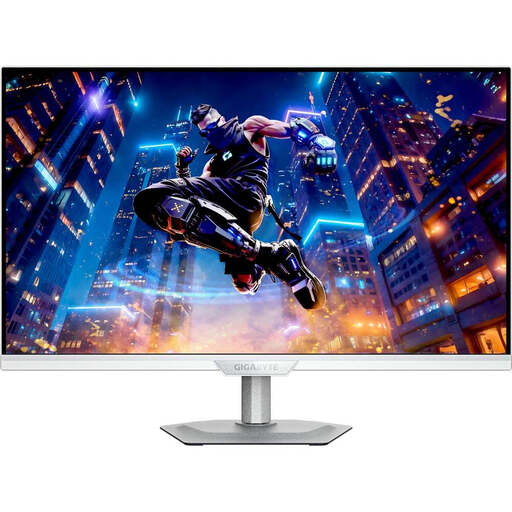
GIGABYTE M27UP ICE, 27 inches
Could be worth comparing if you want to combine 4K map detail with an adjustable stand for your workspace.
4K UHD at 3840 × 2160 pixels, IPS and 144 Hz. This model is listed with height adjustment, tilt, swivel and pivot.
View at Joybuy
 No image available
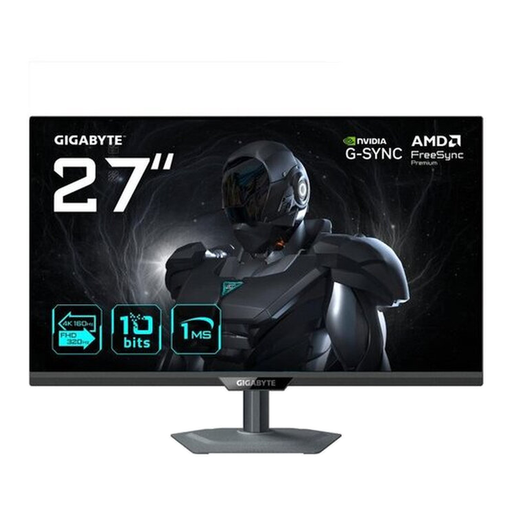
GIGABYTE G27UP, 27 inches
A potential option to compare if you’re considering 27-inch 4K for maps and documents and need several connections at your workspace.
4K UHD at 3840 × 2160 pixels, IPS and 144 Hz. USB-C, DisplayPort and HDMI are listed, along with a height-adjustable, tilting and swivelling stand.
View at Joybuy
 No image available
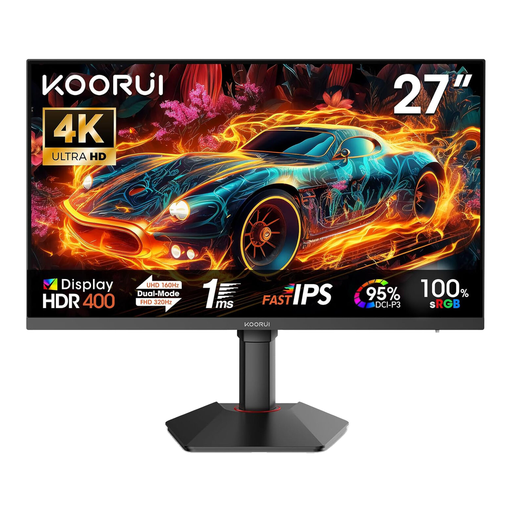
KOORUI G2741L, 27 inches
Could suit maps and office work if you’re comparing 27-inch 4K models with an adjustable stand.
Dual mode with 4K UHD at 160 Hz or FHD at 320 Hz; Fast IPS and HDR 400. Height adjustment, tilt, pivot, HDMI 2.1 and DisplayPort 1.4 are listed.
View at Joybuy
Frequently asked questions
Do I need to buy 4K rather than QHD for historical strategy games?
No. The product specifications available don’t suggest that 4K is essential in every case. Check how clearly your game displays map labels and menus, including with your chosen scaling. Both 27-inch QHD and 4K models are established options.
Why doesn’t my monitor reach the advertised maximum refresh rate over HDMI?
The maximum refresh rate can depend on the input. For the MAG 274QRF QD E2, MSI lists up to 180 Hz at QHD via DisplayPort or USB-C, but up to 144 Hz via HDMI. Also check your PC’s output and the cable you’re using.
What should I consider when using an OLED monitor for long work and gaming sessions?
ASUS says burn-in can occur when high-contrast images remain on screen for long periods. Check the instructions and warranty terms for the specific model. The manufacturer’s guidance doesn’t mean that every use is risk-free.
How can I compare monitor power consumption?
The EU energy label for electronic displays rates products on an efficiency scale from A to G. Compare the figures for specific models under similar conditions. Without knowing how long you use a monitor and your electricity tariff, you can’t work out your personal cost in euros from these figures alone.
What rules and rights apply when buying a monitor in Germany?
For market surveillance, the Bundesnetzagentur (Federal Network Agency) lists CE marking and accurate manufacturer information among the points it checks. This doesn’t automatically confirm that an individual device complies. According to Verbraucherzentrale, online purchases generally come with a 14-day right to cancel; the period starts when the contract is made or when the goods are received. The statutory warranty is separate from a voluntary guarantee.


