What should you look for when buying?
Start with the aspect ratio and how the monitor displays dark scenes. Then check that it works with your PC or console, and consider which care and energy details matter to you.
| What matters to you |
What to check |
Who is it important to? |
| Dark scenes and contrast |
Compare the panel technology, precise HDR rating and picture quality of the specific model. |
I want to see dark scenes clearly, so I pay attention to the panel and HDR on each monitor. Around 42% of consumers put this first. |
| Screen size and aspect ratio |
Check the dimensions, including the stand, the aspect ratio and whether your game supports it. |
If a large or particularly wide picture matters to me, the game and available space need to suit it. Around 25% of consumers prioritise screen size and aspect ratio. |
| PC or console connection |
Check the resolution, refresh rate, HDR and, where applicable, VRR supported by your setup. |
I want to use the features my source device can actually output, rather than relying on the monitor’s maximum refresh rate alone. Around 17% of consumers put compatibility first. |
| Care and energy information |
Compare screen-cleaning guidance, the warranty terms for the specific model and its energy label. |
If I consider care requirements and energy information before aspect ratio or peak refresh rate, I make sure to check these details carefully. Around 16% of consumers prioritise use and care. |
Gaming monitors at Joybuy
This selection at Joybuy includes OLED gaming monitors in large 16:9 and ultrawide formats.
 No image available
TCL 32X3A OLED gaming monitor, 4K UHD
For a large OLED picture in survival horror games; compare refresh rates at the resolution you plan to use.
32 inches, 4K UHD, 240 Hz; according to the product description, 480 Hz in FHD mode.
View at Joybuy
 No image available
MSI MAG 341CQPDE QD-OLED, 34 inches
For a wider PC picture, provided your game supports the format and you have enough space.
UWQHD, 21:9, 175 Hz and QD-OLED; the description lists DisplayHDR True Black 400.
Check the OLED care guidance and whether your game supports the format.
View at Joybuy
 No image available
ASUS ROG Swift OLED PG32UCDMR, 32 inches
For a large 16:9 OLED picture; check which features you can use through the relevant connection on your PC or console.
4K UHD, 240 Hz, DisplayPort 2.1 and HDMI 2.1; the description lists QD-OLED and DisplayHDR True Black 400.
View at Joybuy
 No image available
GIGABYTE MO32U24 OLED, 32 inches
For a large 16:9 picture with UHD resolution; compare the HDR specifications with what you need for dark scenes.
3840 × 2160 pixels and, according to the description, QD-OLED, 240 Hz, DisplayHDR True Black 500 and two HDMI 2.1 ports.
View at Joybuy
 No image available
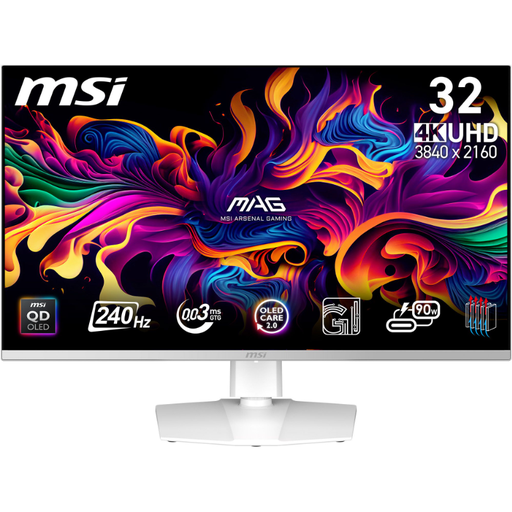
MSI MPG 321URXWDE QD-OLED, 31.5 inches
For a large 16:9 picture and dark scenes; read the OLED care guidance before you buy.
UHD 4K, 240 Hz and QD-OLED; according to the description, DisplayHDR True Black 400 and HDMI 2.1 with 120 Hz support, VRR and ALLM.
View at Joybuy
Frequently asked questions
Does a 240 Hz specification mean I’ll get 240 Hz on PS5?
No. PlayStation describes 120 Hz output for supported games, not 240 Hz gaming output. Under ‘Screen and Video’, check which HDMI device is connected and which signal is actually being output.
What should I know about persistent HUD elements on an OLED screen?
Follow the care guidance for your specific monitor. LG warns that faint marks may appear after the same content has been displayed for a long time, and describes a screen-cleaning feature in the monitor settings. This feature doesn’t guarantee that permanent changes can’t occur.
Is a voluntary burn-in warranty the same as your statutory rights?
No. In Germany, if you buy a new product that is faulty, you generally have statutory rights against the seller; a warranty is an additional voluntary benefit subject to its own terms. MSI lists a three-year burn-in warranty for the MPG 322URXDE. Before buying, check which situations it covers and the conditions that apply.
Which energy details should I compare when buying a monitor?
The EU energy label, with ratings from A to G, applies to covered electronic displays, including computer monitors. Compare the label and product information sheet for the specific model; its energy rating alone won’t tell you how well it displays dark scenes.
Can I return a monitor bought online if I change my mind?
In Germany, consumers generally have 14 days from receiving the goods to withdraw from an online purchase. Notify the other party to the contract that you’re withdrawing, and check the terms of your specific purchase. The statutory right to withdraw is not the same as a longer, voluntary returns period.


