Competitive tactical players
If fast movement matters to you, check the frame rate your gaming device can actually output through the connection you plan to use. Dell specifies different refresh rates for the AW2525HM depending on the input.


If fast movement matters most and your gaming device can output enough frames, compare compact Full HD monitors with high refresh rates. For clearer detail, consider QHD if you have enough desk space and graphics power. With every model, also check the connections, positioning and audio output.
If fast movement matters to you, check the frame rate your gaming device can actually output through the connection you plan to use. Dell specifies different refresh rates for the AW2525HM depending on the input.
If you share a bedroom, your monitor, stand and peripherals all need to fit in the space available. AOC and BenQ list a 23.8-inch screen size for their respective models; be sure to check the stand’s dimensions too.
If small menus and image detail matter more to you, compare QHD with Full HD. LG lists a resolution of 2560 × 1440 pixels for the 27GS75QX-B. Weigh the resolution against your available desk space and the performance of your gaming device.
In a shared bedroom, your priorities depend on whether fast movement, a compact footprint, extra image detail, or suitable connections and audio output matter most to you.
| Priority | What to check | Who cares most about this? |
|---|---|---|
| Smooth motion | Compare the frame rate in your game with the resolution and refresh rate supported by the input you’ll use. | If I want fast-paced gameplay to look smooth, I check the frame rate I can actually achieve first. Around 33% of consumers prioritise motion handling above all else. |
| Space and lighting | Measure the space needed for the monitor and stand, and check the adjustment options and position relative to light sources. | If my monitor and peripherals have to share a small desk, I pay attention to the actual footprint and distracting reflections. Around 27% of consumers give space and lighting top priority. |
| Image detail | Check the native resolution and screen size against your desk dimensions and the frame rate you can achieve. | If I want to see menus and small details more clearly, I compare QHD with my gaming device’s performance. Around 20% of consumers put image detail first. |
| Connections and audio | Check the inputs and supported refresh rates; also work out how to play audio in a shared room. | If I want to connect my monitor to a particular gaming device without disturbing anyone else in the room, I check the signal path and audio options. Around 20% of consumers prioritise connections and audio output. |
When space is limited, screen size isn’t the only thing that matters: measure the stand’s width and depth too, and allow room for your keyboard and mouse. The Federal Institute for Occupational Safety and Health recommends avoiding distracting reflections and glare in working environments. You can apply the same practical principle when positioning a monitor in your bedroom.
The maximum supported refresh rate can vary depending on the input. Dell specifies 320 Hz over DisplayPort for the AW2525HM, but 255 Hz over HDMI — both at Full HD.
Check the specifications for the exact input, resolution and gaming device you plan to use.
Screen size alone doesn’t tell you how much depth the monitor and stand will take up.
Measure the available width and depth, then compare them with the dimensions of the specific version. If it doesn’t fit, you may need to plan for a different position or a separate mount, after checking compatibility.
QHD has more pixels than Full HD and requires more graphics power at the same frame rate. LG distinguishes between the 27GS75QX-B’s standard 180 Hz and 200 Hz in overclocking mode.
Check the frame rate your device can achieve at your chosen gaming resolution, and distinguish standard manufacturer specifications from overclocked figures.
A voluntary guarantee may have different terms from your rights against the seller.
Read the terms of the specific guarantee and treat it separately from your statutory consumer rights.
The 24G4X is a compact Full HD model to consider if you have limited desk space and want smooth motion.
The MOBIUZ EX240 combines a compact Full HD design with the manufacturer’s own picture modes and built-in speakers.
The AW2525HM is a 24.5-inch Full HD option for players who prioritise a high refresh rate.
The 27GS75QX-B is a 27-inch QHD option with an IPS panel and a standard refresh rate of 180 Hz.
The Odyssey G4 G40B LS25BG400EUXEN is a 25-inch Full HD model to consider.
This selection includes gaming monitors for tactical games in Full HD, QHD or 4K, with a range of refresh rates. Make sure the resolution and refresh rate suit your gaming device, connection and available space.
 No image available
For tactical games if you want to combine Full HD with 180 Hz and an adjustable setup.
27 inches; Full HD; IPS; 180 Hz; NVIDIA G-Sync; height-, tilt-, swivel- and pivot-adjustable stand; anti-glare screen.
 No image available
For tactical games if you want to weigh up QHD resolution against a high refresh rate.
27 inches; 2560 × 1440; SuperSpeed IPS; 260 Hz (OC 275 Hz).
 No image available
For tactical games if you’re considering QHD, a high refresh rate and built-in speakers.
27 inches; QHD; IPS; 275 Hz; Mini LED with 1152 zones; built-in speakers; height-adjustable stand.
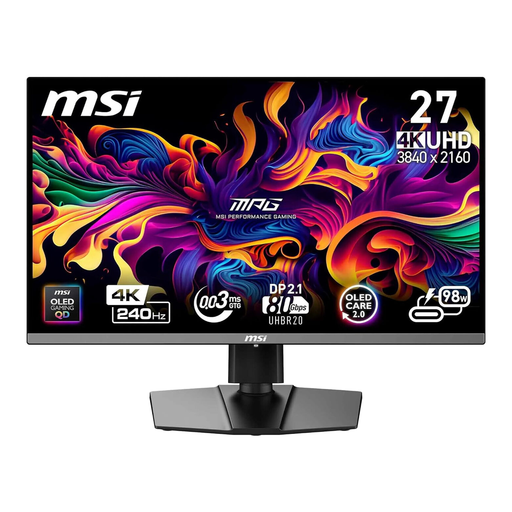 No image available
For tactical games if you want to match 4K UHD and a high refresh rate to your gaming device’s performance.
26.5 inches; 3840 × 2160; QD-OLED; 240 Hz; HDMI 2.1 and DisplayPort 2.1a; height-, tilt-, swivel- and pivot-adjustable stand.
 No image available
For tactical games if you want to combine QHD with a high refresh rate and an adjustable viewing position.
27 inches; 2560 × 1440; QD-OLED; 240 Hz; FreeSync Premium Pro; height-, tilt-, swivel- and pivot-adjustable stand.
Not necessarily. Dell specifies 320 Hz at Full HD over DisplayPort for the AW2525HM, but 255 Hz over HDMI. Also check which resolution and frame rate your gaming device can output through the connection you’ve chosen.
First, measure the desk space needed for the monitor and stand. Position the screen to minimise distracting reflections and glare. The Federal Institute for Occupational Safety and Health describes this as a principle for workplace lighting, not a legal requirement for gaming at home.
Not necessarily. BenQ lists speakers for the EX240, while the LG 27GS75QX-B has no built-in speakers. Choose an audio connection that suits your device and the shared use of the room; speakers alone won’t prevent your audio from disturbing others.
For electronic displays covered by EU labelling rules, the energy label shows an efficiency scale from A to G. Compare the figures on the label for the specific model; the European Commission also explains the information shown for HDR operation.