Which setup suits your priorities?

Detail-focused garden designers

If you want to keep an eye on small elements, terrain and tools, compare resolution, screen size and readability at your preferred scaling. Dell’s details for the AW2725QF and LC-Power’s for the LC-M32UCO show two different 4K formats. Each needs to suit your computer and desk.

Home office and gaming users

If you need one screen for work and virtual garden worlds, check not only the picture mode but also whether you can position the monitor to suit your seating position and viewing distance. The German Federal Institute for Occupational Safety and Health recommends adjusting the screen position to your individual visual needs and body measurements.

Players who like to explore garden worlds

If you move around the game world frequently, compare the frame rate at the resolution and with the connection you’ll actually use. Manufacturers’ maximum refresh-rate claims apply to specific modes and aren’t necessarily available at every resolution.

Which buying criteria matter?

QHD IPS for work and play

A good fit if: You want to keep your garden view and controls clear on a 27-inch setup without needing 4K.

The trade-off: QHD displays fewer pixels than 4K. An advertised overclocked refresh rate also isn’t the same as the standard refresh rate.

4K IPS or Mini-LED

A good fit if: Fine details and workspaces are your priority, and your computer can deliver your preferred resolution and frame rate.

The trade-off: Check graphics performance, scaling and desk space. The Dell AW2725QF runs at 180 Hz in 4K and 360 Hz in Full HD; these aren’t available at the same time.

OLED or QD-OLED

A good fit if: Contrast and dark scenes matter most to you, and you’re prepared to follow the care guidance when using workspaces with static elements for long periods.

The trade-off: MSI says its OLED care features reduce the risk of burn-in, but don’t eliminate it. Check the conditions for the model you’re considering.

Priority What to check before buying Who is this important to?
Detail, colour and a clear view of your design Native resolution, screen size and readability at your preferred scaling. Don’t treat manufacturers’ colour gamut claims as independently verified colour accuracy. If I want to see small plants, paths and tools all at once, resolution and easy-to-read controls matter. Around 36 % of consumers put detail and a clear view of their design first.
Screen position and readability throughout the working day Dimensions, including the stand, plus height and tilt adjustment. Any monitor arm must be compatible with the specific model. If I use the same screen for work and play, it needs to suit my desk and viewing distance. Around 29 % of consumers prioritise a monitor that’s easy to position for work.
Smooth motion at the resolution you use Frame rate for each resolution and input, along with a compatible graphics output and connection. On the Dell AW2725QF, 4K at 180 Hz and Full HD at 360 Hz are separate modes. If I move around the garden world a lot, I check which frame rate my system can actually deliver in the mode I want. Around 21 % of consumers prioritise smooth gameplay.
Connections and running costs The video inputs you need and, if required, USB-C with the right DisplayPort mode and sufficient charging power. Compare the EU energy label for the specific model, including its HDR figures. If my laptop and gaming PC share a workspace, I want to check that the connections and power consumption suit my setup. Around 14 % of consumers prioritise connectivity or transparent running costs.

Which buying mistakes should you avoid?

  • Comparing maximum refresh rates without checking the resolution

    The highest frame rate may only be available in a less detailed mode. The Dell AW2725QF offers 360 Hz in Full HD, compared with 180 Hz in 4K.

    Compare resolution, input and frame rate as a combination, and check which output your computer supports.

  • Assuming OLED care features prevent all burn-in

    MSI describes OLED Care as a way to reduce risk, not eliminate the risk of burn-in. Toolbars may remain visible for longer when you’re working.

    Read the care guidance and warranty terms for the specific model, and weigh up OLED against IPS or Mini-LED for your everyday use.

    Any limitations depend on the terms of the manufacturer’s voluntary warranty, which vary by model.

  • Assuming a USB-C port guarantees full laptop compatibility

    The MSI MPG 271QRXDE’s specification sheet lists DisplayPort Alt Mode and 90 W Power Delivery. Your laptop must also support the video and charging features you need.

    Check the video output, power requirements and intended cable for both devices.

    If the connection or charging power isn’t suitable, you may need a separate power supply or a different connection.

  • Choosing a large screen without checking desk space and viewing position

    A 31.5-inch monitor such as the LC-M32UCO needs more space than a 27-inch model. The right screen position also depends on your workspace and individual visual needs.

    Measure the space you have, including the stand, and check whether you can adjust the screen to suit your working position.

Which brands are worth considering?

LG

The UltraGear models considered here cover QHD IPS and QHD OLED, with different refresh-rate modes.

  • LG Germany lists 180 Hz as the standard rate for the 27GS75QX-B, with 200 Hz available only in overclocking mode.
  • The 720 Hz listed for the 27GX790B-B applies to HD, not QHD. LG Germany currently marks the 27GS75QX-B as unavailable.

Dell / Alienware

According to Dell, the AW2725QF combines a 27-inch IPS screen with switchable 4K and Full HD modes.

  • Dell lists 4K at 180 Hz and Full HD at 360 Hz, as well as 95 % DCI-P3, for this model.
  • These figures don’t mean you can use 4K and 360 Hz simultaneously, nor do they confirm colour accuracy through independent testing.

MSI

The MPG models considered here include a QHD QD-OLED with USB-C charging and a separate 4K Mini-LED model.

  • MSI lists 90 W USB-C Power Delivery and OLED care features for the MPG 271QRXDE.
  • MSI says the care features reduce the risk of burn-in, but don’t eliminate it. The PRAD.de review covers the MPG 274URDFWDE E16M, not similarly named MAG variants.

LC-Power

The LC-M32UCO is an example of a larger, curved 31.5-inch QD-OLED screen with 4K resolution and a 165 Hz refresh rate.

  • LC-Power lists these screen size, resolution and refresh-rate specifications for this specific model.
  • Desk space, workspace and OLED care are all factors to weigh up. Manufacturer claims about comfort or energy efficiency aren’t independent verification.

ASUS

The TUF Gaming VG27AQ3A is a 27-inch QHD IPS model with a 180 Hz refresh rate and adaptive sync.

  • ASUS lists 1 ms GtG and an extended sRGB colour gamut for this model.
  • Manufacturer response-time and colour gamut claims aren’t independent measurements of response time or colour accuracy in a work profile.

Joybuy models for garden views and gaming

These models use 4K for detailed views, with different gaming modes or panel types depending on the variant. Always compare the stated refresh rate with its corresponding resolution, and check that the connections and screen size suit your workspace.

MSI MAG 274UPDFDE E16M 27-inch UHD Mini-LED gaming monitor

MSI MAG 274UPDFDE E16M

A good option if you want a 4K view and a separate, faster Full HD mode on the same monitor.

27 inches; Rapid IPS with Mini-LED and 1,152 dimming zones; 4K at 160 Hz or Full HD at 320 Hz; height-adjustable stand.

Joybuy
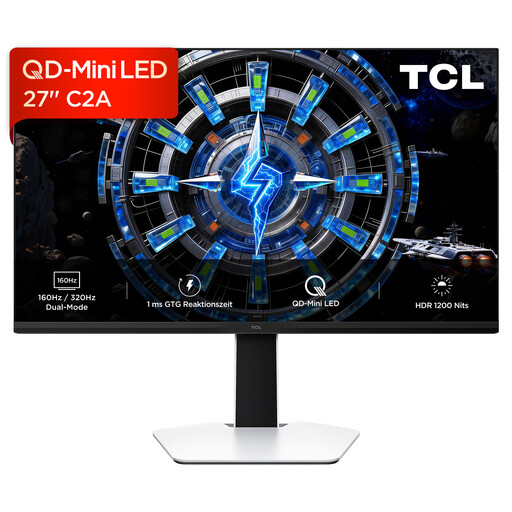
TCL 27C2A 27-inch 4K QD-Mini-LED monitor

TCL 27C2A

An option if you want to compare a 4K view for garden details with a separate Full HD mode for higher refresh rates.

27 inches; QD-Mini-LED; 4K at 160 Hz or Full HD at 320 Hz; multi-directionally adjustable stand.

Joybuy
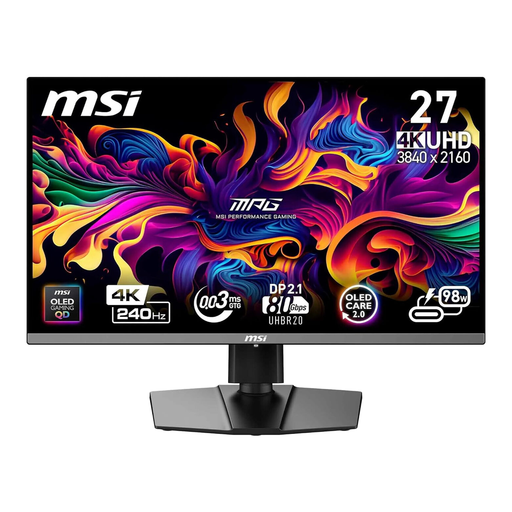
MSI MPG 272URXDE 26.5-inch 4K QD-OLED gaming monitor

MSI MPG 272URXDE QD-OLED

An option if you want to combine 4K resolution with QD-OLED and a high refresh rate.

26.5 inches; 4K; 240 Hz; USB-C Power Delivery with 98 W.

Joybuy

KTC M27P6 27-inch 4K Mini-LED gaming monitor

KTC M27P6

An option if you want to switch between a detailed 4K view and a faster Full HD mode.

27 inches; Mini-LED with Fast IPS; UHD at 160 Hz or FHD at 320 Hz; USB-C with 65 W; height-adjustable, tiltable and swivel stand.

Joybuy
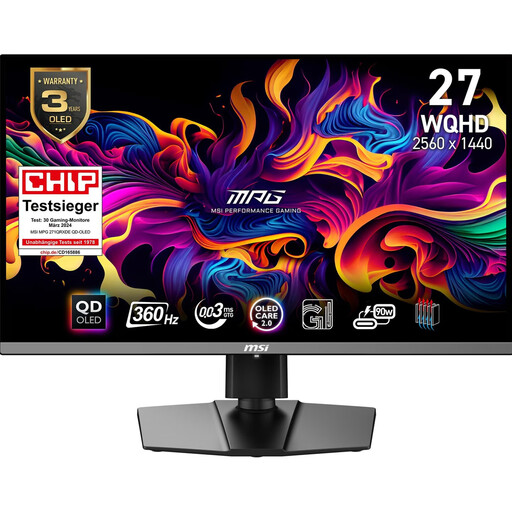
MSI MPG 271QRXDE 26.5-inch QHD QD-OLED gaming monitor

MSI MPG 271QRXDE QD-OLED

An option if smooth visuals and USB-C charging matter more to you than the higher resolution of a 4K model.

26.5 inches; QHD; 360 Hz; USB-C with 90 W Power Delivery; height-adjustable stand. MSI describes OLED Care 2.0 as a way to reduce the risk of burn-in, not eliminate it.

Joybuy

Frequently asked questions

Does a monitor for a virtual garden world need the highest possible refresh rate?

No. If you mainly place details and read menus, start by checking resolution, screen size and readability. For fast-paced movement, compare the frame rate in the mode you want. The Dell AW2725QF is listed at 180 Hz for 4K and 360 Hz for Full HD.

How should I set up my monitor on a home office desk?

Adjust the screen position and viewing distance to suit your workspace and visual needs. The German Federal Institute for Occupational Safety and Health recommends coordinating screen position, workspace and, where appropriate, glasses. Whether health and safety rules legally apply to a particular workplace depends on how it is classified.

What OLED care should I take if I use static toolbars?

Follow the care and refresh features for the specific model. MSI describes a panel refresh cycle and OLED Care 2.0 on the MPG 271QRXDE as ways to reduce risk. Also check the terms of any manufacturer’s warranty.

How can I compare the electricity costs of different monitors?

Check the EU energy label for the specific model, including the separate information for HDR use. It isn’t possible to give a reliable cost without knowing how long you use it and your individual electricity tariff.

What are my rights in Germany if a monitor bought online doesn’t suit me or is faulty?

For online consumer purchases, you generally have a 14-day right to cancel. Faults are covered by the statutory warranty against the seller. A voluntary guarantee is separate, and its specific cover is set out in the guarantee terms.