Monitors to consider at Joybuy
The following Joybuy products include compact Full HD and a range of QHD options, including curved and Mini LED models. Check that each monitor’s size, display and connections suit your game and desk.
 No image available
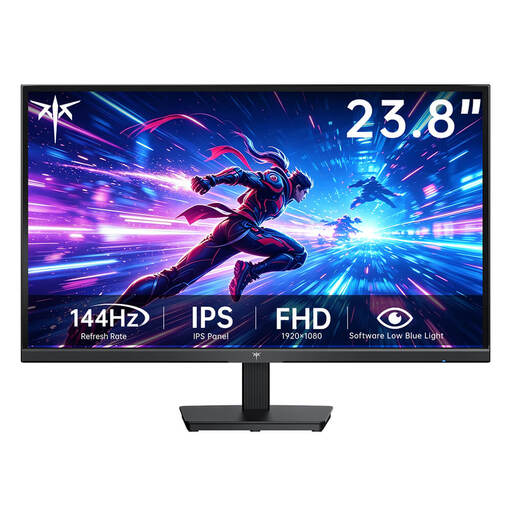
KTC H24B9S-2, 23.8 inches, Fast IPS, Full HD
The compact screen size may suit a desk with limited space; check how text looks in the game you play.
Specifications listed include a 23.8-inch screen, Full HD resolution of 1920 × 1080 pixels, Fast IPS and 144 Hz.
View at Joybuy
 No image available
GIGABYTE G27Q26, 27 inches, QHD, SuperSpeed IPS
If you want QHD on a larger screen, compare how your game’s text looks at your usual viewing distance.
The title lists a 27-inch screen, QHD resolution of 2560 × 1440 pixels, SuperSpeed IPS, 260 Hz (OC 275 Hz) and 1 ms GTG. Check whether the specific listing has a headphone socket if you need one.
View at Joybuy
 No image available
INNOCN E34A1R, 34 inches, curved UWQHD monitor
This wide, curved display could suit you if you specifically prefer this type of screen and have enough room on your desk.
Specifications listed include a 34-inch screen, 3440 × 1440 pixels, UWQHD, a VA panel and a 1500R curvature.
View at Joybuy
 No image available
INNOCN 2751S PLUS, 27-inch Mini LED gaming monitor
If you’re considering a 27-inch QHD model with Mini LED technology, compare its picture quality with what you need for games with still content.
The title lists QHD 2K, an IPS display, 1152 zones, 275 Hz and 1 ms.
View at Joybuy
 No image available
KTC H27D9, 27 inches, QHD, IPS
The QHD resolution on a 27-inch screen could suit your setup if your gaming device, viewing distance and available desk space are right for it.
Specifications listed include 2560 × 1440 pixels, an IPS panel, 120 Hz and VESA mounting compatibility.
View at Joybuy
Frequently asked questions
Does my gaming monitor need speakers if I play with headphones?
No, as long as your chosen headphone connection works. If you want to plug your headphones into the monitor, check that it has a suitable socket and that your gaming device outputs audio correctly. LG describes audio output through a headphone socket on the monitor, where available, when connected via HDMI or DisplayPort.
What should I check if no game audio comes through the monitor’s headphone socket?
Check whether the specific model has a headphone socket, whether your device outputs audio over HDMI or DisplayPort, and whether you need to select an audio source in the monitor’s menu. LG points out that VGA, RGB or DVI connections don’t carry audio through this route.
How do I compare the energy consumption of two monitors?
Compare the EU energy labels and product data sheets for the exact models. The European Commission gives electronic displays an efficiency scale from A to G, with separate information on efficiency for HDR content. To compare costs, the energy consumption figures need to be based on the same criteria.
What are my rights when buying a monitor online in Germany?
In Germany, consumers generally have a 14-day right to cancel an online purchase, subject to statutory requirements and exceptions. If a product is faulty, your statutory rights against the seller are separate from any voluntary manufacturer’s warranty. The Verbraucherzentrale says sellers are generally responsible for ensuring goods are free from defects at the time of delivery for two years.


