
Lieferung heute & morgen

Qualitätsgarantie

Willkommens-Angebote freischalten: KOSTENLOSE Lieferung | Bis zu 80 % RABATT | Kostenlose 30-Tage-JoyPlus-Testphase
App herunterladen
Choosing the right gaming mouse can be the difference between victory and defeat, but the market is flooded with marketing buzzwords and exaggerated specs. Many users invest in features they'll never need or, worse, a model that becomes unusable after a few months due to an uncomfortable design. As your Joybuy Product Recommendation Officer, I'm here to help you navigate these pitfalls and make an informed decision based on facts, not hype.
Before we dive into the important parameters, let's expose the most common marketing traps that often lead to buyer's remorse.
Focus on these three technical features in your selection process to ensure your new mouse meets your needs.
Here are some models tailored to specific user profiles that meet the criteria mentioned above.
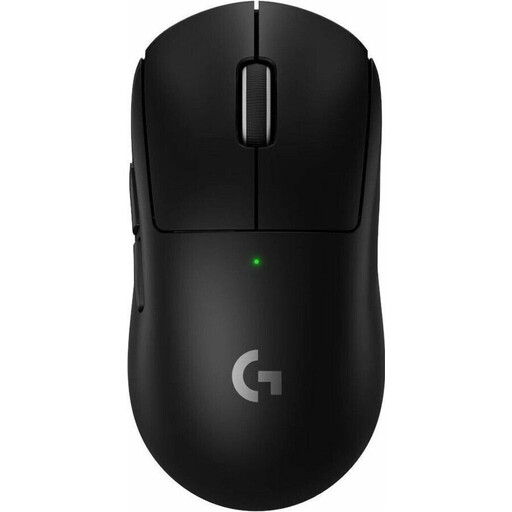
Why This Fits Their Persona: Engineered for competitive players who demand maximum precision and minimal latency. Its extremely low weight reduces wrist fatigue during long tournaments and enables rapid reactions.
It focuses on what matters in competition: a low weight of 60g and a precise HERO 2 sensor, rather than relying on an exaggerated DPI value. The LIGHTSPEED technology directly addresses the latency trap of wireless mice.
The combination of a mere 60-gram weight, the high-precision HERO 2 sensor, and the ultra-low-latency wireless connection makes it a tool for the highest level of performance.
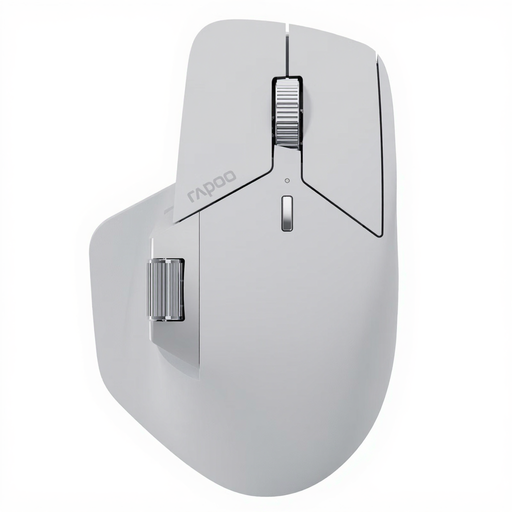
Why This Fits Their Persona: Ideal for users who switch seamlessly between work and play. This multi-device mouse connects to up to seven devices and simplifies complex workflows in design or video editing software with its programmable buttons.
It avoids the trap of focusing on a single gaming metric. Instead, it offers a balanced package of gaming performance (2K polling rate) and unmatched productivity features often missing from pure gaming mice.
The M+ Cross-Computer Technology enables seamless cursor flow and file transfer between multiple computers. With 11 programmable buttons and multi-connectivity (NearLink, Bluetooth, Wired), it's a true multitasking tool.
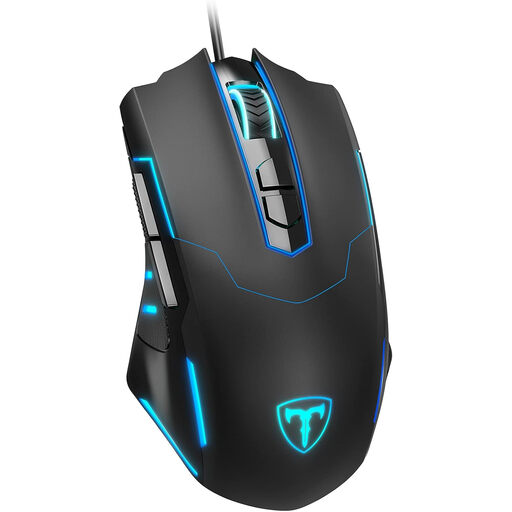
Why This Fits Their Persona: Delivers all the essential entry-level gaming features without breaking the bank. Perfect for gamers upgrading from a standard office mouse who want to experience the benefits of a true gaming mouse.
As a wired mouse, it eliminates any risk of latency issues from the start. The adjustable DPI up to 7200 offers flexibility without paying for an unnecessarily powerful sensor, making it a cost-effective choice.
Offers a comprehensive starter package with 7 programmable buttons, adjustable DPI, and RGB lighting at a very accessible price point. The ergonomic design ensures comfort during longer gaming sessions.
If you need a mouse with specific customisation features, we've compiled a complete, real-time list of products that meet strict selection criteria.
Battery life varies widely depending on the model, usage, polling rate, and RGB lighting. It can range from around 40 hours to over 700 hours on particularly energy-efficient models like the RAPOO VT2. Most modern mice are a rechargeable mouse with a USB-C port and can be used in wired mode while charging, so there's no interruption to your game.
For the majority of gamers, a standard 1000 Hz polling rate is sufficient. An 8K polling rate mouse can noticeably smooth out cursor movement, but this effect is most pronounced on very high-refresh-rate monitors (e.g., 240 Hz or 360 Hz) and when paired with a powerful CPU. For professional esports athletes, it can provide a marginal edge, but for most other users, it's not a critical buying factor.
A 2.4 GHz connection uses a dedicated USB dongle and offers very low latency and high stability, making it the ideal choice for competitive gaming. A Bluetooth mouse is more versatile as it can connect to devices like laptops or tablets without a dongle, but it typically has higher latency and is more susceptible to interference. Many multi-device mouse models offer both connection options to provide the best of both worlds: 2.4 GHz for gaming and Bluetooth for work on the go.