
Lieferung heute & morgen

Qualitätsgarantie

Willkommens-Angebote freischalten: KOSTENLOSE Lieferung | Bis zu 80 % RABATT | Kostenlose 30-Tage-JoyPlus-Testphase
App herunterladen
The search for the right gaming mouse can quickly become overwhelming. Manufacturers advertise ever-higher DPI figures, countless buttons, and spectacular RGB lighting. But which of these features are truly relevant to your gaming experience, and which are just marketing traps that can lead to a poor purchase? As your Joybuy Product Recommendation Officer, I'm here to help you separate fact from marketing hype and make an informed decision.
Many buyers invest in mice with expensive features they never use, or that become uncomfortable after just a few months due to design flaws. Before you spend your money, you should know the most common pitfalls:
wireless gaming mouse promises maximum freedom of movement. However, budget models can suffer from noticeable latency (delay), unstable connections, or short battery life, creating critical disadvantages in-game. The quality of the wireless technology is more crucial here than the mere absence of a cable.To avoid a bad purchase, focus on the core technical parameters that directly impact performance and comfort.
The heart of any mouse for gamers is its optical sensor. It's responsible for accurately tracking your movements. Instead of just focusing on the maximum DPI (Dots Per Inch), you should prioritise the quality of the sensor itself. Models from manufacturers like PixArt (e.g., the PAW series) are renowned in the gaming community for their flawless tracking without unwanted acceleration or smoothing. A good high DPI mouse doesn't just offer a high maximum value, but above all, stable and precise performance across the entire DPI range that is relevant to you.
A mouse's weight has a direct impact on its handling. Especially in fast-paced games like first-person shooters, a lightweight gaming mouse (often under 80 grams) allows for quicker, less fatiguing movements. The ergonomic shape must suit your personal grip style. There are three main types:
The Polling Rate, measured in Hertz (Hz), indicates how often the mouse reports its position to the computer. The standard for gaming mice is 1000 Hz (1-millisecond response time). A higher rate means smoother cursor movement and lower input lag. Some high-end models and esports mouse variants already offer 4000 Hz or even 8000 Hz. For connectivity, you have a choice:
wireless gaming mouse.Based on these objective criteria, we have identified several models suitable for different requirements and budgets.
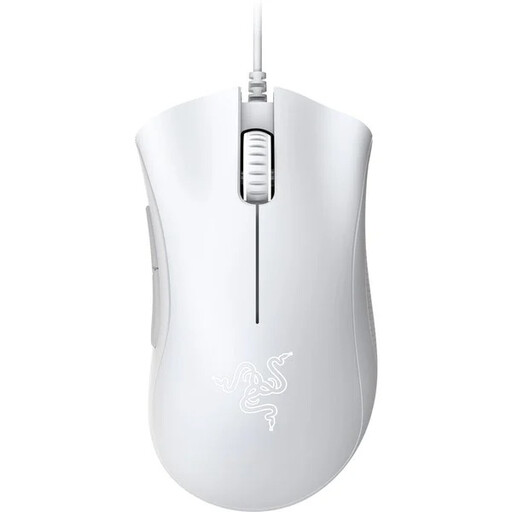
Why it's a good fit: This model focuses on the essentials: a proven, highly acclaimed ergonomic shape for right-handed users and a solid optical sensor. It's a reliable choice for gamers seeking capable core performance without expensive extras.
It avoids the DPI trap by offering a practical 6400 DPI sensor, which is more than sufficient for all common games, instead of advertising useless record-breaking specs.
The legendary ergonomics of the DeathAdder series provide high comfort for long sessions. According to Razer, the mechanical switches are rated for up to 10 million clicks.
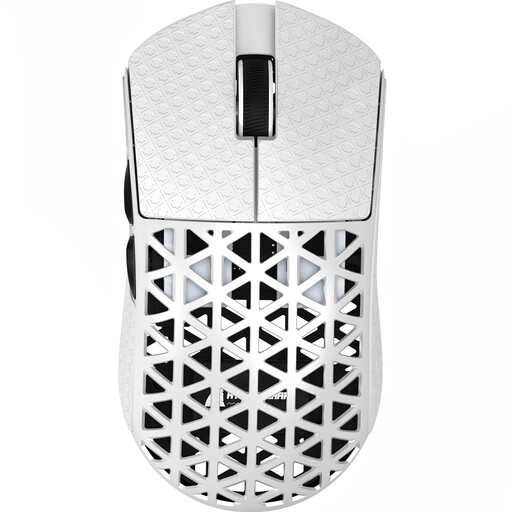
Why it's a good fit: Engineered for maximum performance. The extremely low weight, high-end sensor, and 8000 Hz wireless polling rate are tailored to the needs of competitive players where every millisecond counts.
It avoids the "heavy, gimmicky design" trap by consistently focusing on lightweight construction. Its weight of approximately 42 grams is a tangible advantage for fast reactions, not just an aesthetic choice.
The combination of the precise PAW3950MAX sensor, a wireless 8000 Hz polling rate, and the extremely lightweight injection-moulded carbon fibre body offers a performance package for the most demanding standards.
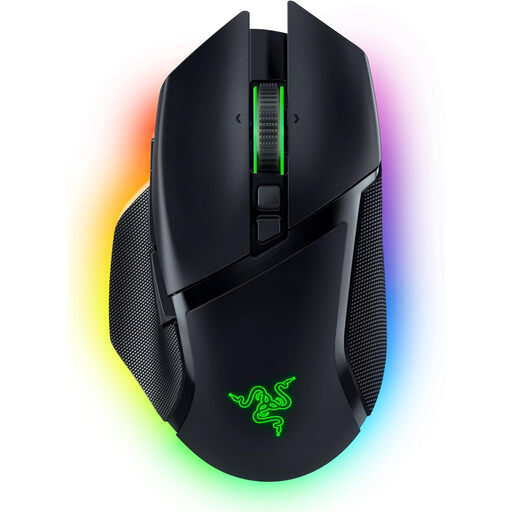
Why it's a good fit: For users seeking a versatile, high-performance, and customisable mouse for both gaming and productivity. Its tri-mode connectivity, intelligent scroll wheel, and extensive `RGB gaming mouse` lighting make it a flexible companion.
It balances aesthetics with function. The 13-zone lighting is a visual highlight, but the mouse also delivers real, usable benefits with its Focus Pro 30K sensor and HyperScroll Tilt Wheel.
The Razer HyperScroll Tilt Wheel, with its different modes (tactile, free-spin, smart), and flexible connectivity (HyperSpeed Wireless, Bluetooth, and Wired) provide outstanding versatility for games and applications.
We have compiled a complete, up-to-date list of products that meet these strict selection criteria and applicable safety regulations.
For most use cases and games, especially first-person shooters, a DPI value between 400 and 1600 is optimal for precise control. While a sensor that reaches high DPI values of 20,000 or more is an indicator of modern technology, these extreme settings are hardly usable in practice. More important than the maximum value is the sensor's flawless tracking within the range you actually use.
Modern wireless gaming mice that use dedicated 2.4 GHz wireless technology (often called "gaming-grade wireless") offer latency times that are identical or imperceptible compared to wired mice. They are fully suitable for competitive gaming. Connections via Bluetooth tend to have higher latency and are therefore better suited for office work or slower-paced games.
The lifespan of a gaming mouse heavily depends on the quality of its components, especially the button switches. Manufacturers often state durability in millions of clicks (e.g., 20, 50, or 100 million). With average use, a high-quality mouse from brands like Logitech gaming mouse or Razer gaming mouse can last for several years. The build quality of the housing and the durability of the cable (on wired models) also play an important role.