Aim trainers struggling to find the right shape
If you often lift your mouse or struggle to keep a secure grip during repeated aiming movements, compare how it supports your hand and where your fingers sit before focusing on top-end specs.


Start by choosing a mouse shape you can grip securely and lift during repeated aiming movements. Then decide whether you value freedom of movement without a cable more than a wired setup with no mouse battery to charge. If you use a wireless headset, test both devices together. A high advertised polling rate is no substitute for a comfortable shape or checking how the mouse works in your actual setup.
If you often lift your mouse or struggle to keep a secure grip during repeated aiming movements, compare how it supports your hand and where your fingers sit before focusing on top-end specs.
If you want to use a wireless mouse alongside your headset, check that you have free ports and see how both devices work together on your PC.
If you don't want to charge a mouse battery, a wired model could be a good fit, provided you can position the cable so it doesn't get in the way of your movements.
First, check that the shape and grip feel right for your usual aiming movements. Then compare the connection and settings with your training setup.
| What matters | What to look for when buying | Who it's especially important for |
|---|---|---|
| Shape and controlled lifting | Compare the shell shape and size, as well as the position of your thumb and ring finger; only compare weight figures for the same variant. | If I want to grip and lift the mouse securely during repeated movements, how well it fits my hand matters more than a low weight. Around 31% of consumers put shape and grip first. |
| Using a mouse alongside headphones | Check the headset's connection type, available USB ports and how both devices work together. Logitech describes possible interference with 2.4 GHz devices in certain USB 3.0 configurations. | If my headset also uses a wireless receiver, I want to know whether both devices will work reliably together on my PC. Around 25% of consumers prioritise connectivity and how their devices are set up together. |
| Repeatable settings | Check the DPI and polling rate settings available on the exact model, and whether any software is required. Maximum figures alone say nothing about how well you will train. | If I want to compare training sessions using the same sensitivity, settings that are easy to find and reproduce are essential. Around 25% of consumers focus primarily on training settings. |
| Charging and cable habits | For a wireless model, check the battery, included receiver and charging cable. With a wired mouse, consider whether the cable will lie freely in your training area. | If I want to minimise charging or avoid cable contact in my setup, the connection type will affect my routine. Around 19% of consumers focus on the initial purchase and ongoing effort. |
The ZOWIE EC2-C is wired and listed at 73 g without the cable; according to the manufacturer, the wireless EC2-CW weighs 77 g. ZOWIE by BenQ's German product page marks the EC2-CW as discontinued.
Check the full model name and connection type before ordering. Don't assume that older model variants are still available to buy.
Using both devices together may work differently from using each one on its own. Logitech describes possible interference with 2.4 GHz peripherals around certain USB 3.0 devices; this does not mean they are generally incompatible.
Test your mouse and headset at the same time. If you experience dropouts, try changing the position of the receiver first.
Top-end specifications don't guarantee better accuracy or training results.
Check whether you can set your preferred sensitivity on the specific model, and assess its shape and connection in the context of your setup.
The PRO X SUPERLIGHT 2 is a lightweight wireless gaming mouse. Logitech lists this model at 60 g and says it comes with a LIGHTSPEED receiver and a rechargeable battery.
According to Razer's German product page, the wired DeathAdder V3 has an ergonomic shape and weighs 59 g.
According to the manufacturer, the EC range includes wired and wireless models in different sizes. The medium-sized EC2-C is listed at 73 g without the cable, while the EC2-CW is listed at 77 g.
According to SteelSeries, the Aerox 3 Wireless Gen 2 has separate battery life figures for Bluetooth and 2.4 GHz wireless.
This selection includes wireless models for freedom of movement, as well as a wired option if you'd rather not charge a mouse battery.
 No image available
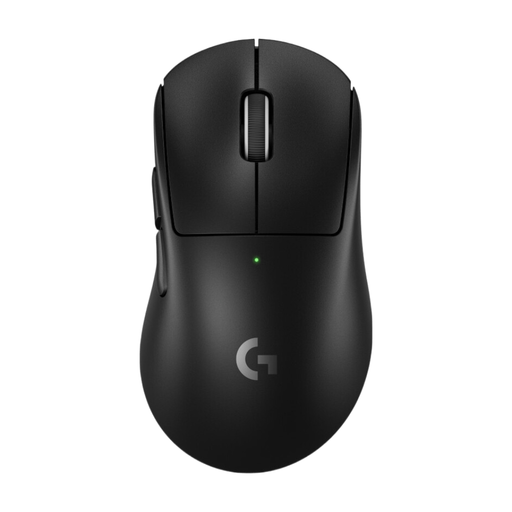
For wireless mouse movement without a cable; the receiver and battery are part of the wireless setup.
64 g; Focus Pro 30K sensor; 2.4 GHz wireless with USB receiver; five DPI profiles in onboard memory.
 No image available
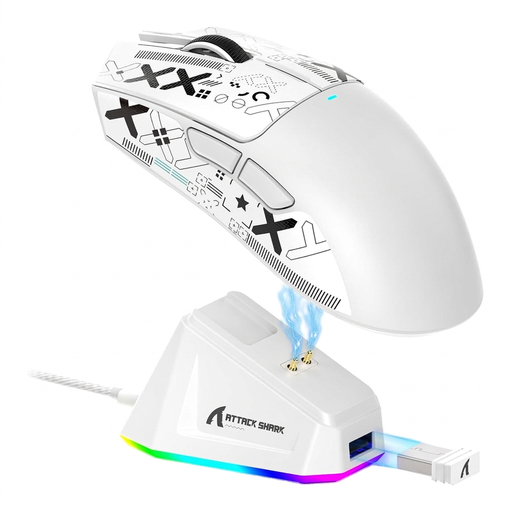
A wireless option for consistent training settings; a USB receiver is specified for use.
60 g; five programmable buttons; polling rate up to 8,000 Hz; adjustable DPI settings and onboard memory.
 No image available
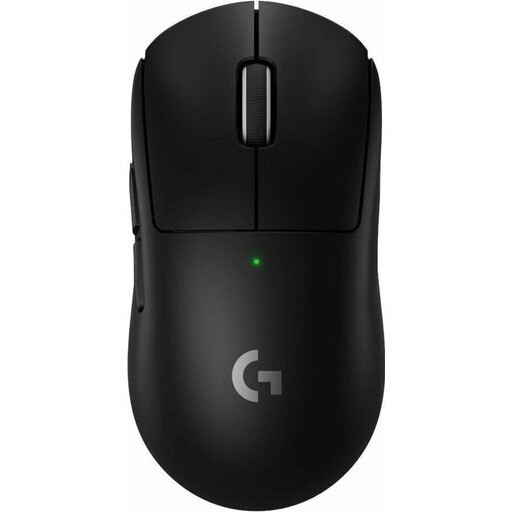
The listed connection options give you different ways to connect the mouse in your training setup.
62 g; PAW3311 sensor; up to 22,000 DPI; five programmable buttons; 2.4 GHz wireless, Bluetooth and USB-C.
 No image available
For wireless movement without a mouse cable; the receiver and USB-C charging cable are relevant to setup and charging.
60 g; polling rate up to 8,000 Hz; 44,000 DPI; five programmable buttons; adjustable DPI settings and onboard memory.
 No image available
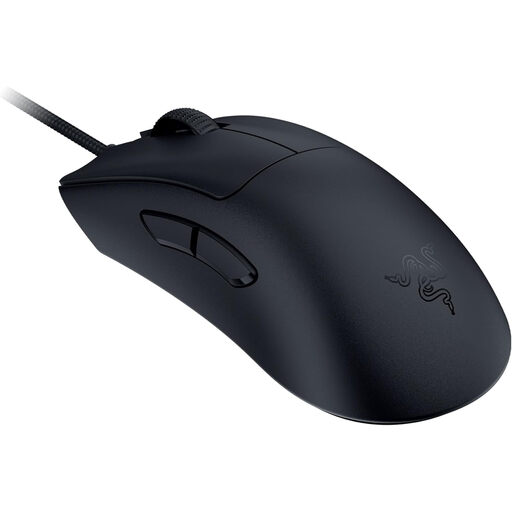
A wired option if you don't want to charge a mouse battery; position the cable so it doesn't get in the way of your movements.
59 g; Focus Pro 30K sensor; HyperPolling up to 8,000 Hz; DPI settings via software.
No. Wired headphones don't require a particular type of mouse connection. If you use a wireless headset, check that you have free ports and test both devices together. Logitech describes possible interference with 2.4 GHz peripherals around certain USB 3.0 devices, but does not say that wireless headsets and wireless mice are generally incompatible.
Check the position of the mouse receiver and nearby USB devices. For the interference scenario described, Logitech recommends placing the receiver closer to the mouse and further away from sources of interference such as USB 3.0 devices. This is advice for a potential issue, not a diagnosis of every dropout.
These models' specifications don't establish that any particular polling rate or DPI is necessary for good aim. Instead, check whether you can set your preferred sensitivity on the specific model, and whether its shape and connection suit your training setup.
For qualifying purchases from a trader, you generally have 14 days from delivery to withdraw from the contract; exceptions and any return postage costs should be taken into account. If goods are faulty, you generally have a statutory warranty claim against the seller for at least two years from receipt. An additional commercial guarantee does not replace these rights. This information is explained by Your Europe, the European Union's consumer portal.
The German Environment Agency advises against putting old electrical equipment in household waste. Instead, take it to a recycling centre or an appropriate collection point. Removable batteries should be taken separately to a battery collection point.