Considerate practice
You train in a shared bedroom and need to weigh up the noise of clicks against the features you need for shooters.


If clicks might disturb someone in a shared bedroom, first check how loud the main buttons are under the conditions in which you’ll actually use the mouse; DPI settings tell you nothing about this. Regular aim training also calls for a suitable shape, controllable settings and a reliable connection. The manufacturer information does not confirm any gaming mouse as both demonstrably quiet and suitable for competitive shooter training.
You train in a shared bedroom and need to weigh up the noise of clicks against the features you need for shooters.
A suitable shape and controllable settings matter for quick changes of direction; check the noise level separately.
You want to stop a cable getting in the way of your mouse movements on a limited desk, and are weighing up wireless use against the need to recharge.
| Concern | What to check before buying | Who is it important to? |
|---|---|---|
| Click noise | Test the main and side buttons under the conditions in which you’ll actually use the mouse, if possible; DPI tells you nothing about noise levels. | When I practise in the same bedroom, I want to disturb the other person as little as possible. Quiet clicks are the top concern for around 28% of consumers. |
| Shape and grip | Compare the dimensions and contours with your grip; try lifting and clicking the mouse if possible. | For long practice sessions, I want to hold the mouse securely and lift it repeatedly. A suitable shape is the top priority for around 22% of consumers. |
| Movement control | Check the adjustable sensitivity and sensor on the specific model, then practise with a setting you can control comfortably. | For repeatable aim drills, I want a sensitivity that lets me control my movements well. This is the main buying concern for around 22% of consumers. |
| Cable and charging | Check the connection type and power source; for a wireless model, also consider charging requirements and the receiver supplied. | If a cable gets in the way of my movements, I’ll consider wireless and factor in charging. Going cable-free is the deciding factor for around 17% of consumers. |
| Features and cost | Decide which features you need first, and compare only specific models with similar specifications. | I don’t want to pay for features I don’t need for my practice sessions. Having the essentials without extras is the top concern for around 11% of consumers. |
CHERRY describes the GENTIX SILENT’s buttons as producing no disruptive clicking noise. HyperX, by contrast, explicitly mentions audible click feedback on the wired Pulsefire Haste 2. This information does not show that the two models have comparable noise levels.
Check click noise separately from the sensor and DPI, ideally under the conditions in which you plan to use the mouse.
According to the manufacturer, the wired HyperX Pulsefire Haste 2 weighs 53 g; the separate wireless version weighs 61 g and offers 2.4 GHz wireless and Bluetooth.
Before buying, check the full model name and connection type.
ASUS’s German specification sheet lists a Li-ion battery for the ROG Harpe Ace Aim Lab Edition, while the description of the Joybuy listing with the same name specifies an AAA battery.
Check the exact version and power source before ordering, rather than assuming the model name confirms the product’s identity.
The GENTIX SILENT and XTRFY M50 range are designed for different uses: quiet working and gaming respectively.
The Pulsefire Haste 2 is available in separate wired and wireless versions.
According to ASUS, the Harpe Ace Aim Lab Edition combines a symmetrical shape with several connection options.
The Viper V3 Pro is a wireless gaming mouse designed for esports.
The Aerox range includes wired and wireless models.
The range includes wired and LIGHTSPEED wireless mice, as well as the PRO line.
This selection includes gaming mice with adjustable settings for aim training, with both wired and wireless models. The product information does not confirm that their clicks are quiet enough for a shared bedroom.
 No image available
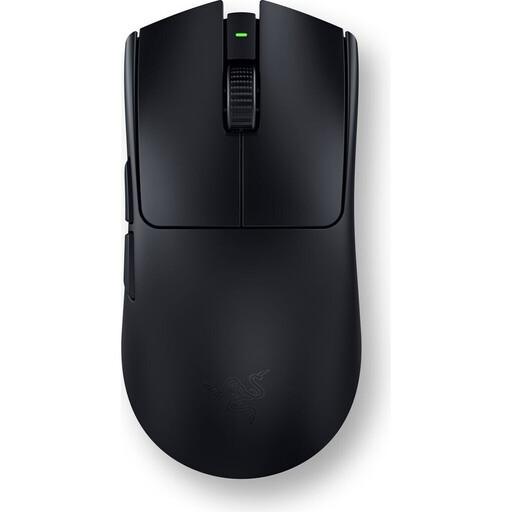
An option if you’re looking for wireless use and adjustable DPI settings for aim training; this does not indicate how loud the clicks are.
64 g; Focus Pro 30K sensor; six programmable buttons.
Optical sensor, adjustable DPI settings and 2.4 GHz wireless.
Rechargeable battery.
 No image available
An option for aim training if you prefer wireless use and adjustable DPI; this selection does not include information about click noise.
54 g; up to 35,000 DPI and a polling rate of up to 8,000 Hz.
Optical sensor, adjustable DPI settings and 2.4 GHz wireless.
Rechargeable battery.
 No image available
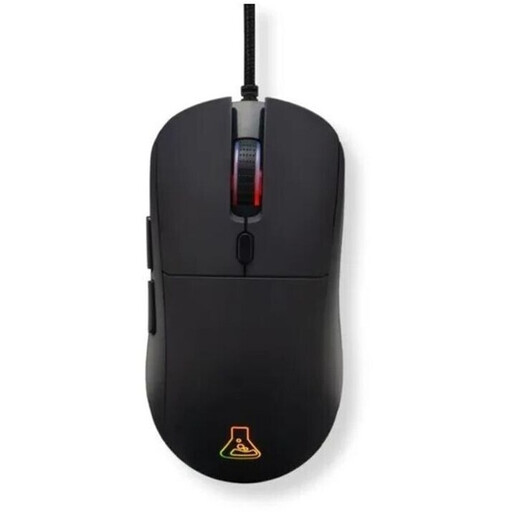
A wired option if you want adjustable sensitivity for aim practice and have enough room to move the cable freely.
Up to 12,800 DPI and a polling rate of 1,000 Hz.
Optical sensor, adjustable DPI, programmable buttons and wired USB connection.
Symmetrical shape.
 No image available
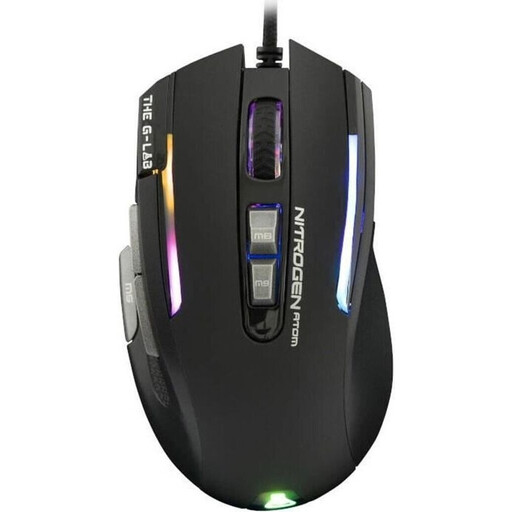
A wired option if you’re looking for adjustable sensitivity and a shape described as suitable for right-handed claw-grip users.
7,200 DPI and nine buttons.
Optical sensor, adjustable sensitivity and programmable buttons with macros.
Described as suitable for right-handed users and a claw grip; allow enough room for the cable to move freely.
 No image available
A wireless option with controllable settings for aim training; the built-in battery needs to be charged via USB-C.
61 g; up to 44,000 DPI and a polling rate of up to 8,000 Hz.
Optical sensor, adjustable DPI and actuation points, and LIGHTSPEED wireless.
Built-in battery; charged via USB-C.
No. CHERRY describes the GENTIX SILENT as suitable for quiet working environments and lists 1000 dpi, three buttons and no DPI switch. Consider separately whether these features meet your needs for practice, regardless of how quiet the clicks are.
Choose a sensitivity you can control comfortably and keep it the same when comparing mouse movements. According to the manufacturer, you can adjust the CPI value and polling rate on the CHERRY XTRFY M50; DPI settings for the HyperX Pulsefire Haste 2 can be changed using the manufacturer’s software. No particular setting guarantees better accuracy.
Check the power source and what’s included with the specific version. According to the manufacturer, the HyperX Pulsefire Haste 2 Wireless has a rechargeable battery and can be used while charging via cable; the stated battery life of up to 100 hours is not guaranteed for every type of use.
For an ordinary distance purchase by a consumer, §§ 312g and 355 BGB generally provide a 14-day right of withdrawal, subject to statutory exceptions and the circumstances of the individual purchase. You must notify the seller that you wish to withdraw from the contract, and you do not need to give a reason. This statutory right is not the same as a voluntary manufacturer’s warranty.
For ordinary goods, § 438 BGB generally provides a two-year limitation period from delivery for the specified claims relating to defects; this is not the same as a voluntary warranty. According to the Federal Environment Ministry, used batteries and rechargeable batteries must not go in household waste. Used batteries from devices can be handed in free of charge at retailers or local authority collection points.