What should you look for when buying?
Compare the shape and space you have to move first, then match the actual settings in your trainer and game.
Wireless gaming mouse with receiver
A good fit if: A cable between your seat, large screen and computer could get in the way of your movement or setup.
Consider: You’ll need to connect the receiver and keep the mouse charged; weight and battery-life figures apply to the specific model only.
Compact wired mouse
A good fit if: Your computer is within cable reach and you prefer a compact shape.
Consider: Cable management may be awkward if your computer is further away. According to Endgame Gear, the compact OP1 family is particularly suited to small and medium-sized hands, as well as claw and fingertip grips.
Asymmetrical ergonomic shape
A good fit if: Your right hand feels more comfortable on an asymmetrical shape than on a symmetrical alternative.
Consider: The ZOWIE EC2-CW is an example of this shape, but the German manufacturer’s website marks it as discontinued, which does not indicate current availability.
| Priority |
What to check when buying |
Who is it important to? |
| Training feel and sensitivity |
Check that you can set the CPI/DPI you want, then match the values in your trainer and game. |
If I want to use an aim trainer and my main game with comparable settings, the sensitivity I actually use matters more to me than the advertised maximum. Around 31% of consumers put training consistency first. |
| Room to move and connection |
Measure the cable route to your computer or check where the wireless receiver will be plugged in. |
If I want to aim freely on a big screen without a cable restricting my movement, the setup is crucial. Around 25% of consumers prioritise freedom of movement and connectivity. |
| Fit, grip and weight |
Assess the shape and size for your grip; compare weight figures only for the specific version. |
If I want to keep the mouse steady while aiming, how it feels in my hand matters more to me than a low weight alone. Around 25% of consumers prioritise fit. |
| Ongoing effort and claims for faults |
Factor in charging or cable management, and distinguish statutory rights for faulty goods from a voluntary guarantee. |
If I want to minimise avoidable charging and maintenance, and know who to contact if something goes wrong, ongoing effort matters to me. Around 19% of consumers prioritise ongoing effort and claims for faulty goods. |
Related products at Joybuy
This selection includes wireless and wired gaming mice with adjustable sensitivity, to suit different connection and grip preferences.
 No image available
Razer Viper V3 Pro, White
A wireless option if you can connect the receiver in a way that suits your computer setup.
The product name specifies a Focus Pro 35K sensor and HyperPolling at 8000 Hz; according to the description, a separately sold HyperPolling Dongle is required for 8000 Hz. The product description lists adjustable DPI settings.
View at Joybuy
 No image available
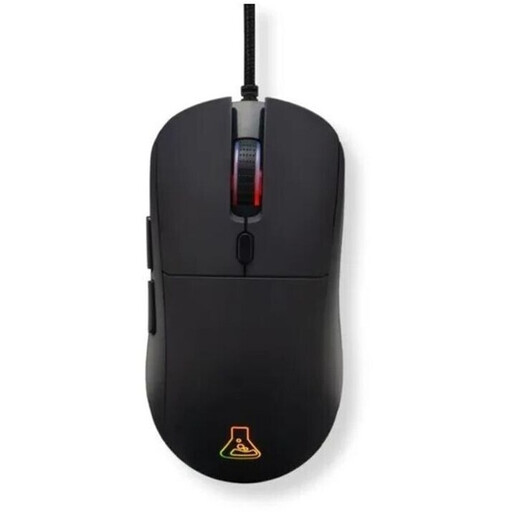
The G-Lab KULT-COBALT-B, wired, black
A wired option if your computer is within cable reach and the symmetrical shape suits your grip.
80 g; adjustable DPI from 800 to 12,800; 1.8 m cable; six programmable buttons.
View at Joybuy
 No image available
HyperX Pulsefire Haste 2, wired, white
A wired option with no battery to charge, if the planned cable route is long enough.
Approximately 52–53 g without the cable; 26,000 DPI; six buttons; 1.8 m USB cable. The product details list DPI presets.
View at Joybuy
 No image available
Logitech G PRO X2 SUPERSTRIKE LIGHTSPEED
A wireless option if you want adjustable click points and can work charging into your routine.
61 g; 8000 Hz; customisable DPI settings. The product description lists adjustable actuation points and a Rapid Trigger reset.
View at Joybuy
 No image available
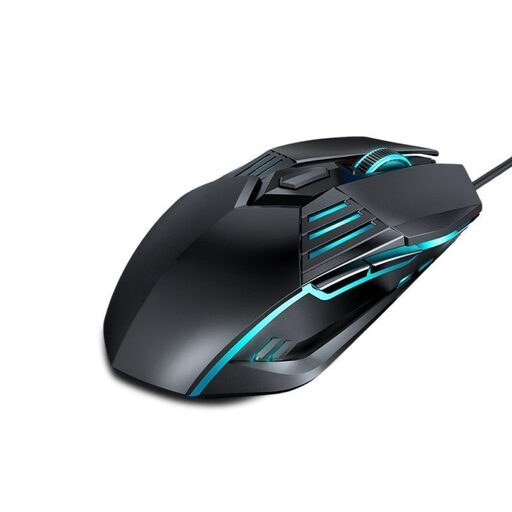
Ergonomic USB gaming mouse, 1.42 m cable
A wired option if the stated cable length suits the position of your computer.
Four DPI levels from 1200 to 3600; six programmable buttons; 1.42 m USB cable.
View at Joybuy
Frequently asked questions
Do I need a mouse with the highest possible maximum DPI for a big screen?
No, not just because of the screen size. Match the CPI/DPI actually set on your mouse with your aim trainer and game profile; Aimlabs points out that it does not automatically detect your mouse’s real CPI/DPI.
How do I set up an aim trainer after changing my mouse?
Choose your main game’s profile and enter the actual mouse CPI/DPI and sensitivity settings from the game. If the game lets you adjust the field of view, check that value too; Aimlabs cannot detect your mouse’s real CPI/DPI itself.
What are my rights in Germany if the mouse I bought online doesn’t suit me or is faulty?
For a consumer purchase made remotely, you generally have a 14-day right to cancel; exceptions and the exact start of the cancellation period should be checked. If newly purchased goods are faulty, consumers can generally make a claim against the seller within two years. The Verbraucherzentrale distinguishes these statutory rights from a voluntary guarantee.
What should I check about German product requirements when buying a wireless mouse?
Check the details for the specific product on offer. For relevant radio and electronic products, the Bundesnetzagentur lists requirements including CE marking, product identification, manufacturer details, instructions and warnings in German, and a declaration of conformity. A model name alone does not prove compliance.


